1. Sign Up
Sign up for the Octet console to use the features provided by Octet.
Signing up for the testnet
Anyone can sign up for the testnet, and you can use it right after signing up without a separate approval process.
- Access Octet Console - Testnet.
- Verify your email, then enter the required information.
- Sign-up is complete.
Signing up for the mainnet
Even if you are a testnet member, you must sign up again to use the mainnet. Only authorized teams can sign up for the mainnet, and even after completing sign-up, you can log in only after the Octet team approves you.
- Send the information required for pre-registration to octet.team@walletone.io.
- The email address to sign up with
- The IP address you will access the console from
- When pre-registration is complete, access Octet Console - Mainnet.
- Verify your email, then enter the required information.
- Sign-up is complete once the Octet team approves it.
Setting up OTP after signing up
Once sign-up is complete, log in to the console and set up OTP authentication. The console contains important information about your wallets, so we recommend setting up OTP authentication to go through a two-step verification process.
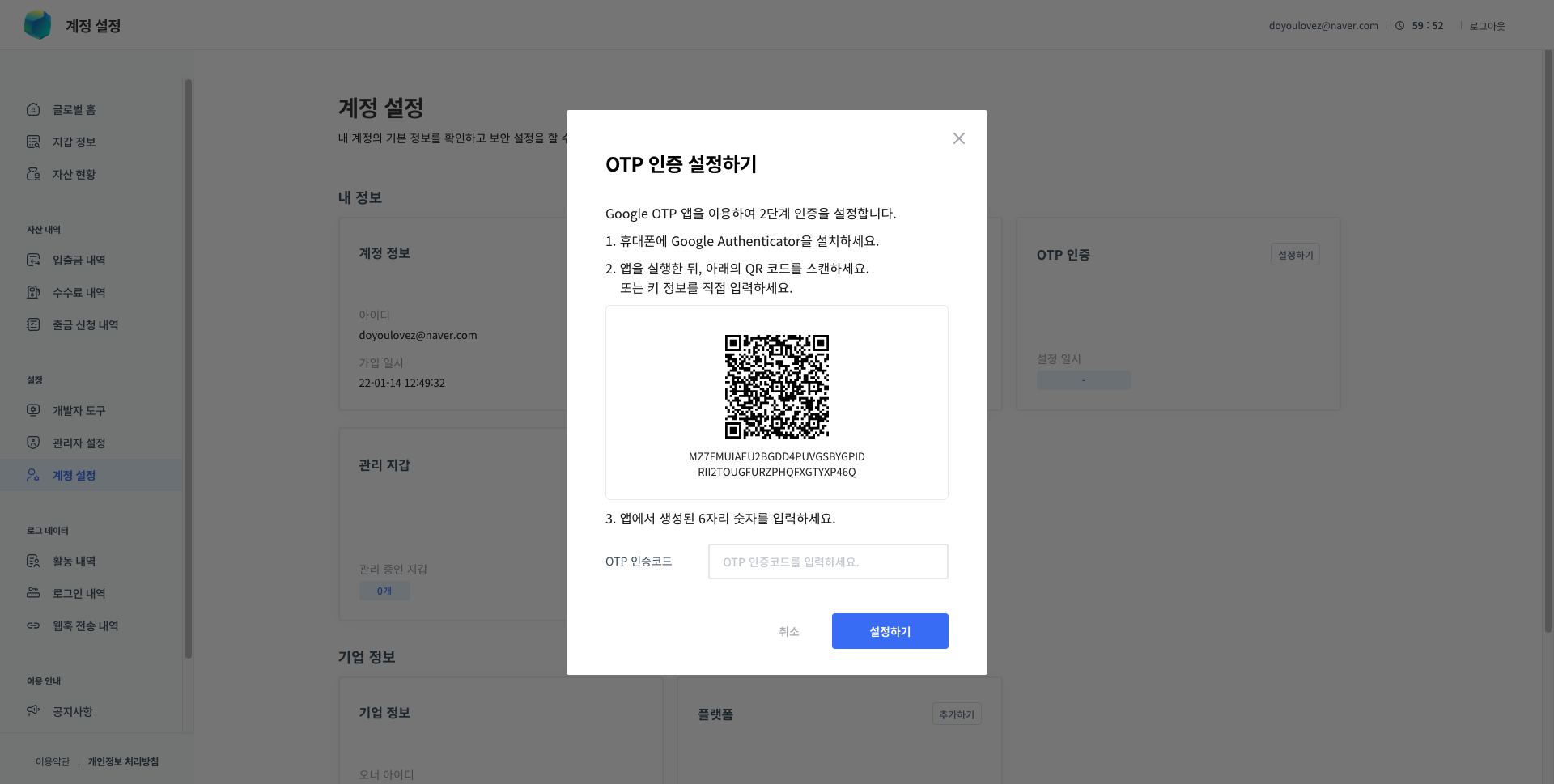
- Install the Google Authenticator app.
- Access the console - [Account] - [OTP Authentication].
- Click the [Set up] button.
- Scan the QR code shown in the pop-up.
- Enter the 6-digit OTP authentication code generated by the app.
- OTP authentication setup is complete.