4. Register API Call IPs
Register IP addresses before calling APIs.
What is an API call IP?
An API call IP is an IP address allowed to call the API. For security, APIs can be called only from registered IP addresses. Make sure to check the API call IP before calling an API. By default, the IP address you accessed the console from is registered as an API call IP.
For security, the following values cannot be registered.
localhost, 0.0.0.0, 127.0.0.1, and other private IP ranges
Registering API call IPs
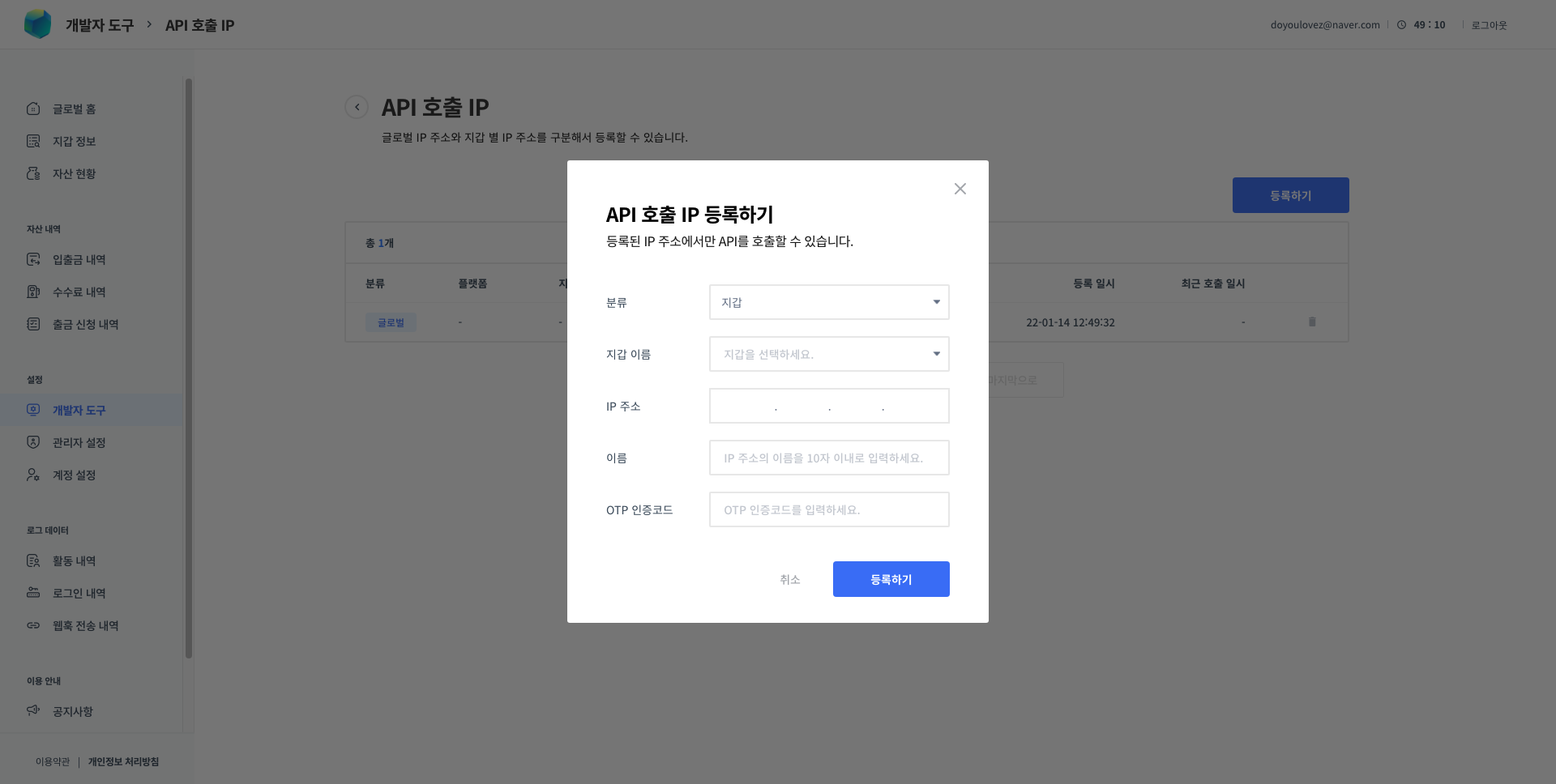
1. When allowing access to all wallets
To call APIs from a registered IP address and access all wallets, register a global API call IP. 🔑 Owner
- Access the console - [Developer Tools] - [API Call IP].
- Click the [Register] button.
- Select 'Global' under 'Category', then enter the IP address and a name.
- The API call IP is registered when you enter a valid OTP authentication code.
2. When allowing access to a specific wallet only
To call APIs from a registered IP address and access a specific wallet only, register a wallet-specific API call IP. 🔑 Owner, Manager
- Access the console - select a wallet - [Wallet Settings] - [API Call IP].
- Click the [Register] button.
- Enter the IP address and a name.
- The API call IP is registered when you enter a valid OTP authentication code.
API calls not working?
Check the IP address of the device that attempted the call on 'whatismyip', then check whether that IP address is registered in Octet.