2. Create a Wallet
Create the main address and keys of a deposit and withdrawal wallet.
Creating a wallet
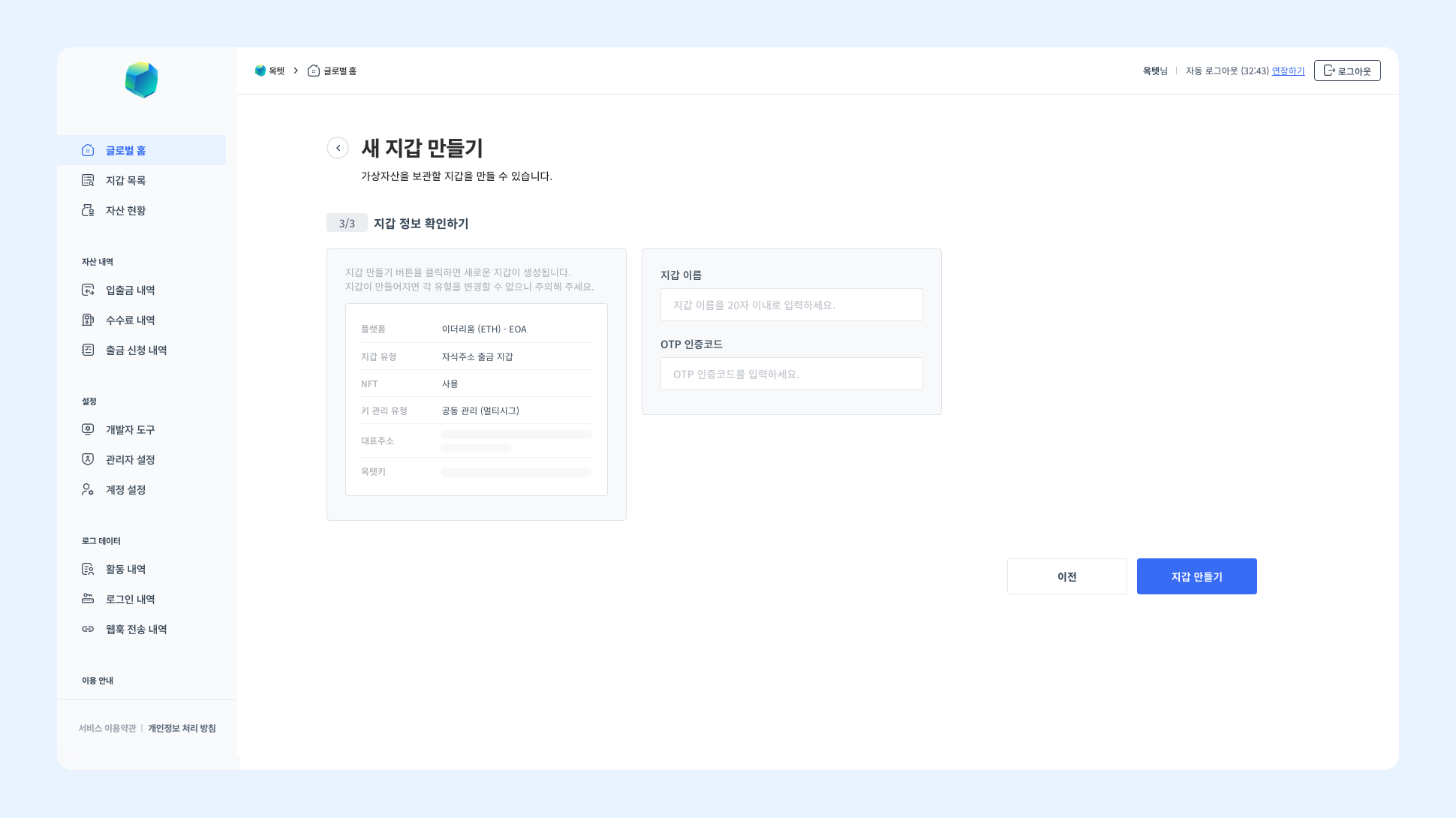
Once you have signed up for the Octet console, you can build a deposit and withdrawal system. Before calling APIs to build your system, you must first create the wallet needed for deposits and withdrawals. Only the Owner account can create a wallet, so access the console with the Owner account and click the [Create New Wallet] button on the home screen. The wallet creation process starts. Create a wallet by following the steps below.
Setting up the wallet structure
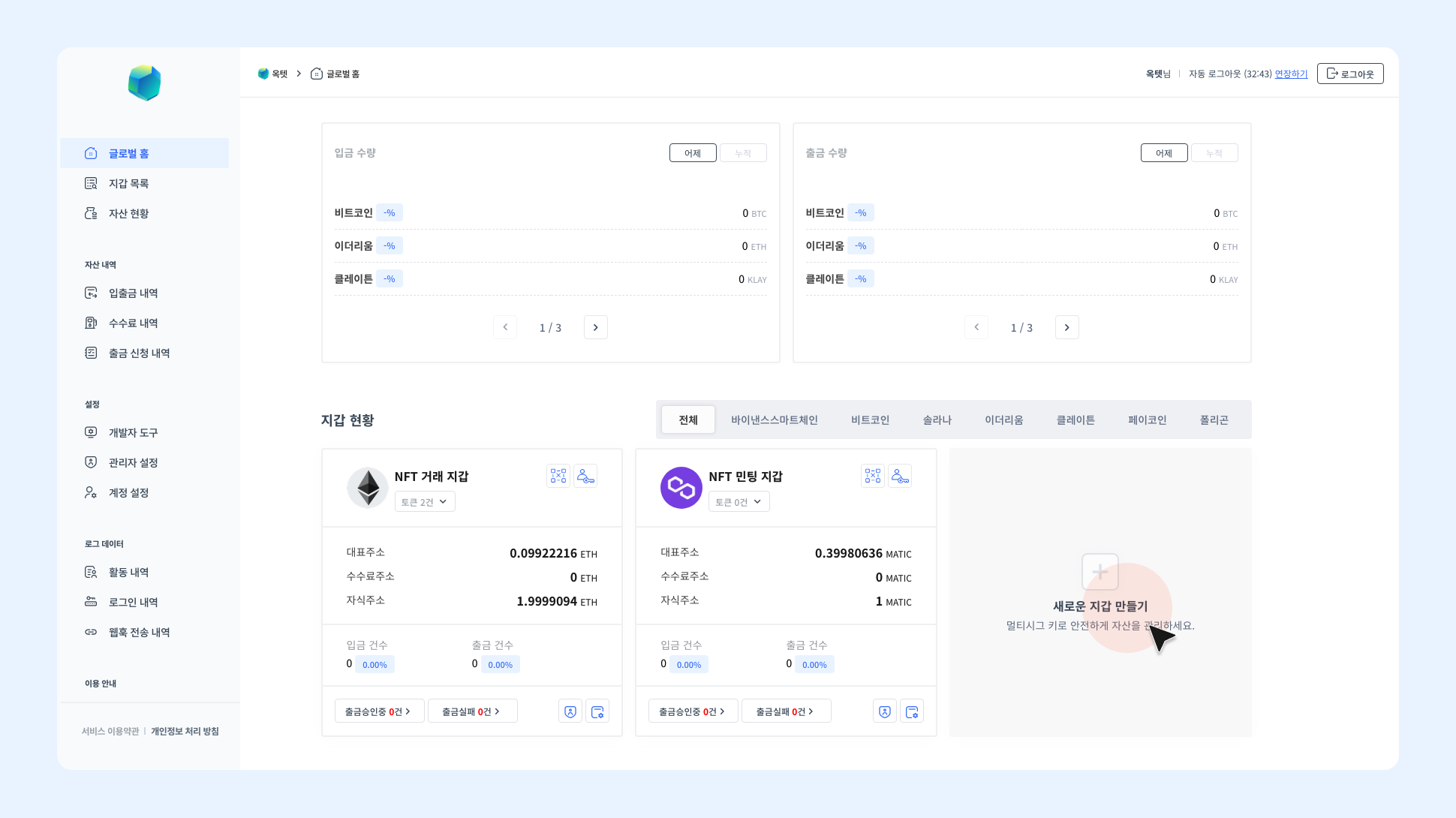
Set up the wallet structure by choosing the platform, wallet type, and whether to use the NFT feature, depending on the service you want to implement. Once the wallet is created, the structure cannot be changed.
1. Choose a platform
Choose the platform to create the wallet on. You can check the platforms supported by Octet on the [Supported Platforms] page.
2. Choose a wallet type
Choose the wallet type. Octet supports two types of wallets, and each type is as follows.
(1) Centralized wallet
To build a centralized service such as an exchange or a wallet, you must use a centralized wallet. In a centralized wallet, assets deposited to child addresses are gathered to the main address. The gathered assets are stored in the main address, and you can withdraw to the outside only from the main address.
(2) Child address withdrawal wallet
To comply with the travel rule or to be compatible with decentralized services such as DeFi and P2E, we recommend using a child address withdrawal wallet. In a child address withdrawal wallet, assets deposited to child addresses are not gathered to the main address. Each asset stays stored in the child address and is withdrawn to the outside from the child address. However, you can also deposit and withdraw assets at the main address.
| Centralized wallet | Child address withdrawal wallet | |
|---|---|---|
| Asset storage | Stored in the main address | Stored in the main address and child addresses |
| Gathering | Available | Not available |
| Withdrawal | Withdraw from the main address | Withdraw from the main address and child addresses |
3. Choose whether to use NFT
If you chose a platform that supports NFT, you can choose whether to use the NFT feature. (However, the NFT feature requires an additional contract.)
Setting up keys
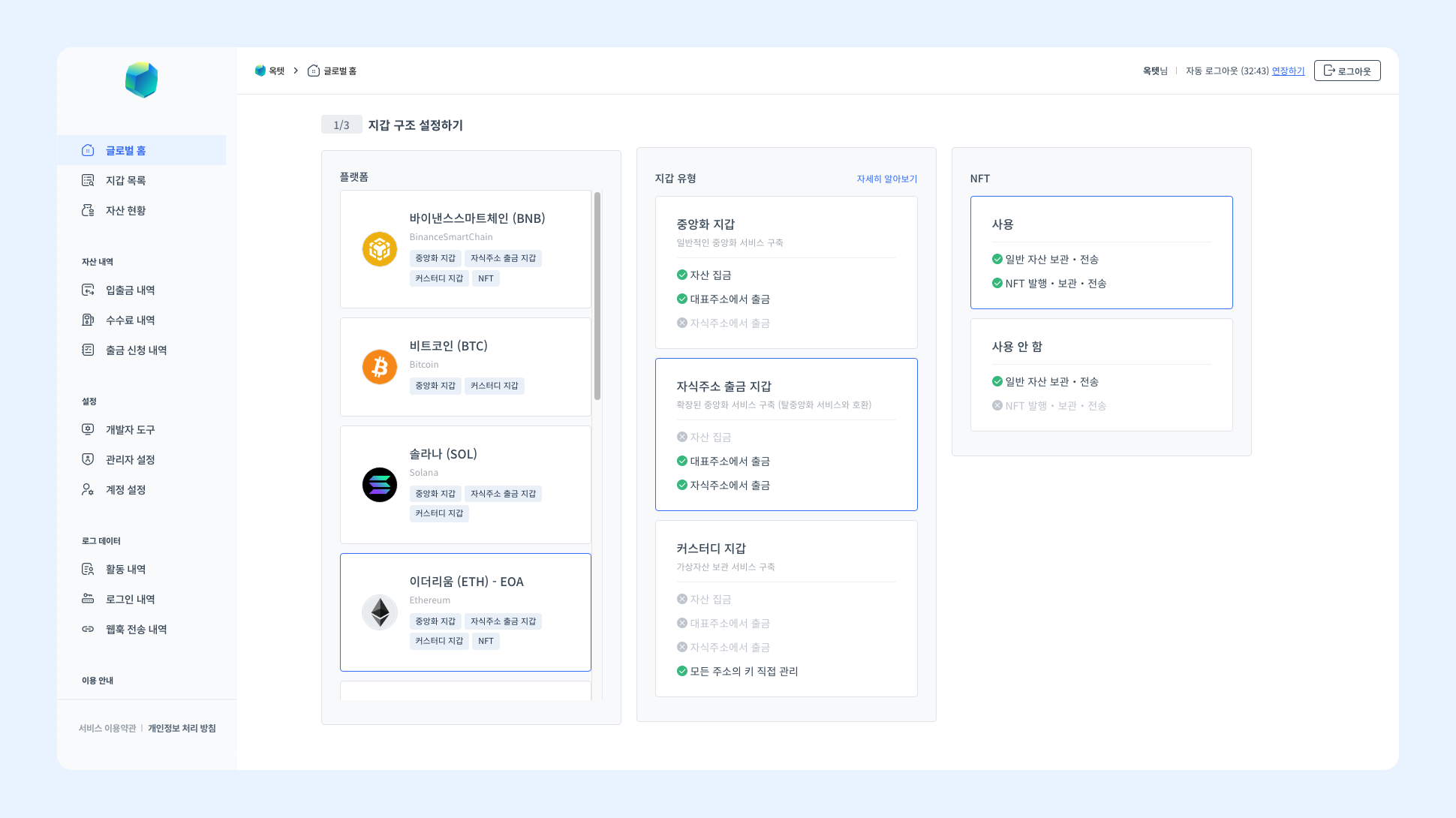
Choose the key management type of the main address. Once the wallet is created, the key management type cannot be changed. Octet supports two types of key management, and each type is as follows.
| Co-managed - SSS | Octet-managed | |
|---|---|---|
| Key managing party | Octet team / client | Octet team |
| Key type | 3 multisig keys | 1 private key |
| Signing method | Multisig (SSS) | Singlesig |
1. Co-managed - SSS
Multisig keys made by splitting the private key into 3 are generated, and the Octet team and the client each manage their own share. If you want to strongly block external security threats, we recommend choosing the Co-managed-SSS type. However, you must manage the multisig keys thoroughly so that they are not leaked outside.
(1) Generate keys
Generate the main address and multisig keys with the Key Generator. The program does not collect any information, and the information generated through the program is stored only in the environment where the program was run.
- Download the Key Generator and the RSA public key.
- Run the program and generate keys by following the procedure.
- Download the key card file. The generated information can be checked only on the key card.
- Check the generated main address and multisig keys. At this point, the multisig keys are values encrypted with the RSA public key.
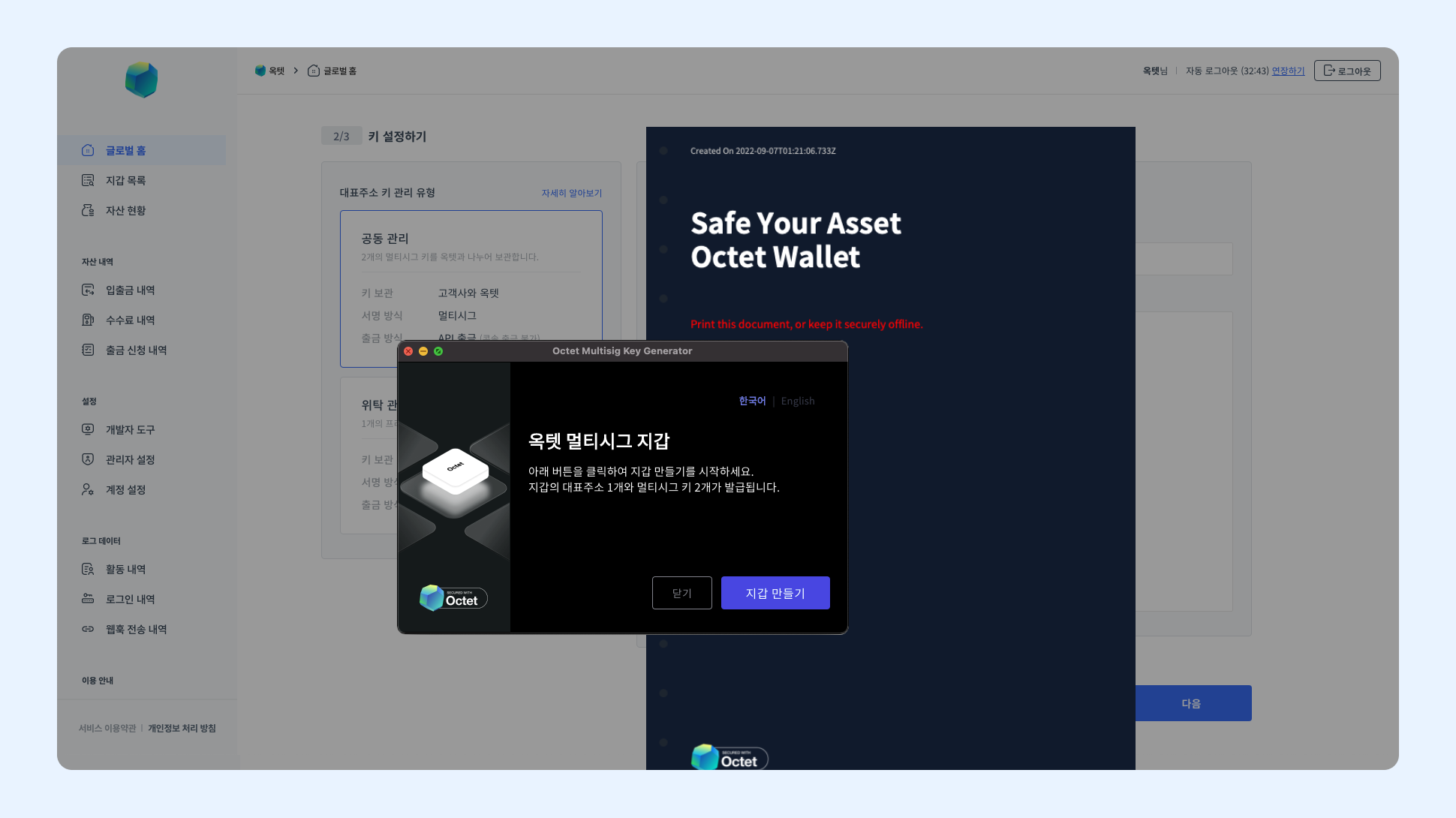
The key card contains important information that gives access to the client's assets. It must be kept safe so that it is not leaked outside. We recommend printing the key card or saving it on a secure USB drive and storing it in a safe.
Octet does not store the client's key information on its own. If you lose the key card, the keys cannot be recovered, so you must manage it thoroughly so that it is not lost.
(2) Register keys
Register the main address and 1 multisig key needed to withdraw from Octet.
-
Enter the
Addressfrom the key card in the main address field. -
Enter the
RSA Encrypted Octet Keyfrom the key card in the Octet key field.
Once the wallet is created, the Octet key cannot be changed. If you enter a wrong Octet key, an error occurs when signing a withdrawal and the withdrawal does not proceed. Make sure you entered the encrypted Octet key correctly.
2. Octet-managed
1 private key is generated, and the Octet team manages it securely. Since you do not need to manage the key yourself, we recommend choosing the Octet-managed type if it is difficult to build a high-level security system. When you choose Octet-managed, the main address and private key are generated automatically.
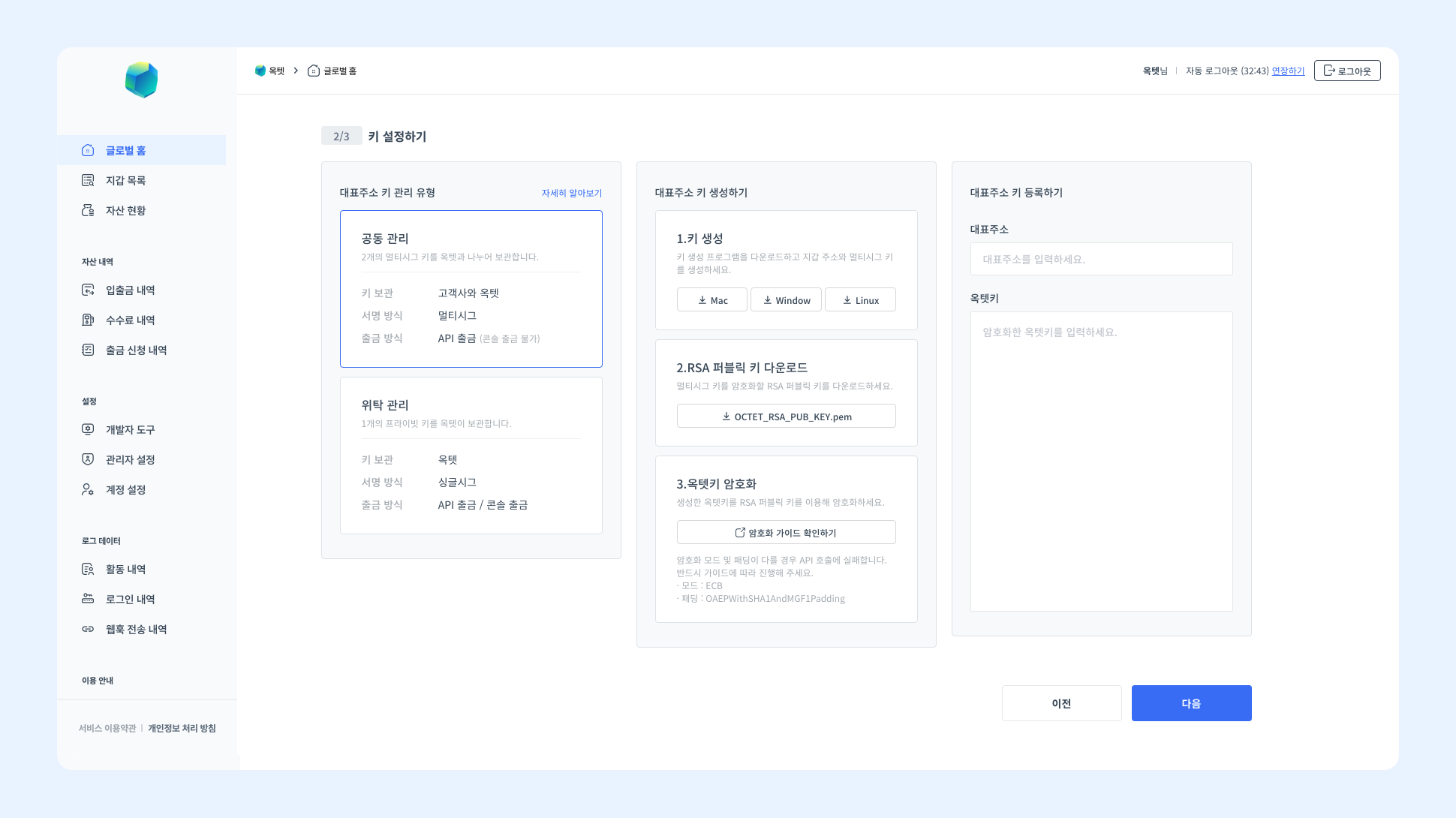
Checking the wallet information
Make sure the information of the wallet to be created is correct. Once the wallet is created, the information cannot be changed. Enter the wallet name and OTP authentication code, then click the [Create Wallet] button to finally create the wallet.