5. Add an Administrator
Invite administrator accounts to your group.
Administrators can sign up through the invitation email sent by the Owner.
If you sign up from the login page, an Owner account for a new group is created, so you must sign up through the invitation email.
1. Add an administrator
Add a new administrator to the group. An invitation email is sent to the email address you entered.
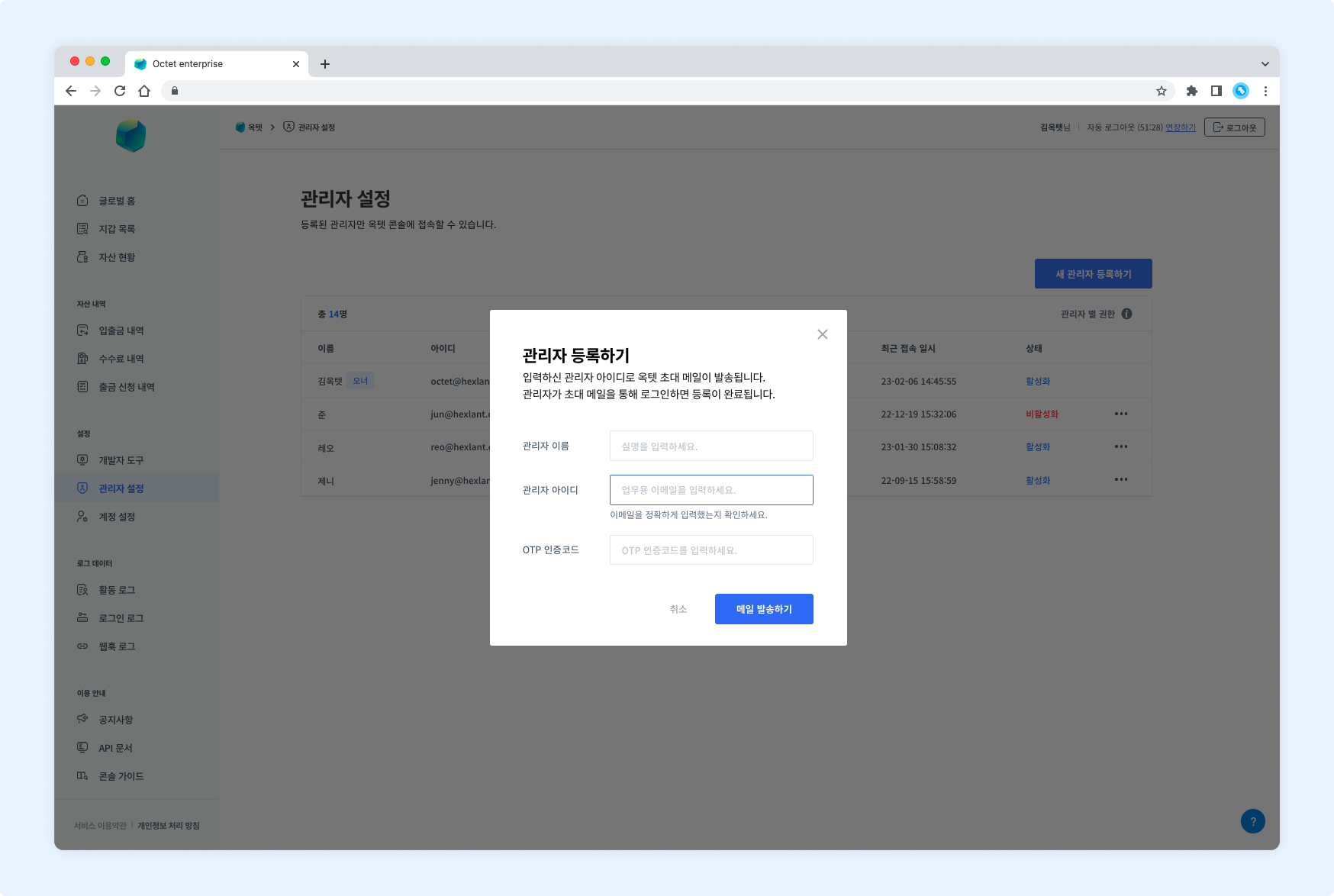
You can invite an administrator by clicking the [Admins] - [Add New Admin] button.
2. Grant wallet permissions
Grant per-wallet permissions to the administrators added to the group. An administrator can access only the wallets they have permission for.
Permissions are divided into Owner / Manager / Approver / Requester / Viewer. You can check the permissions of each administrator here.
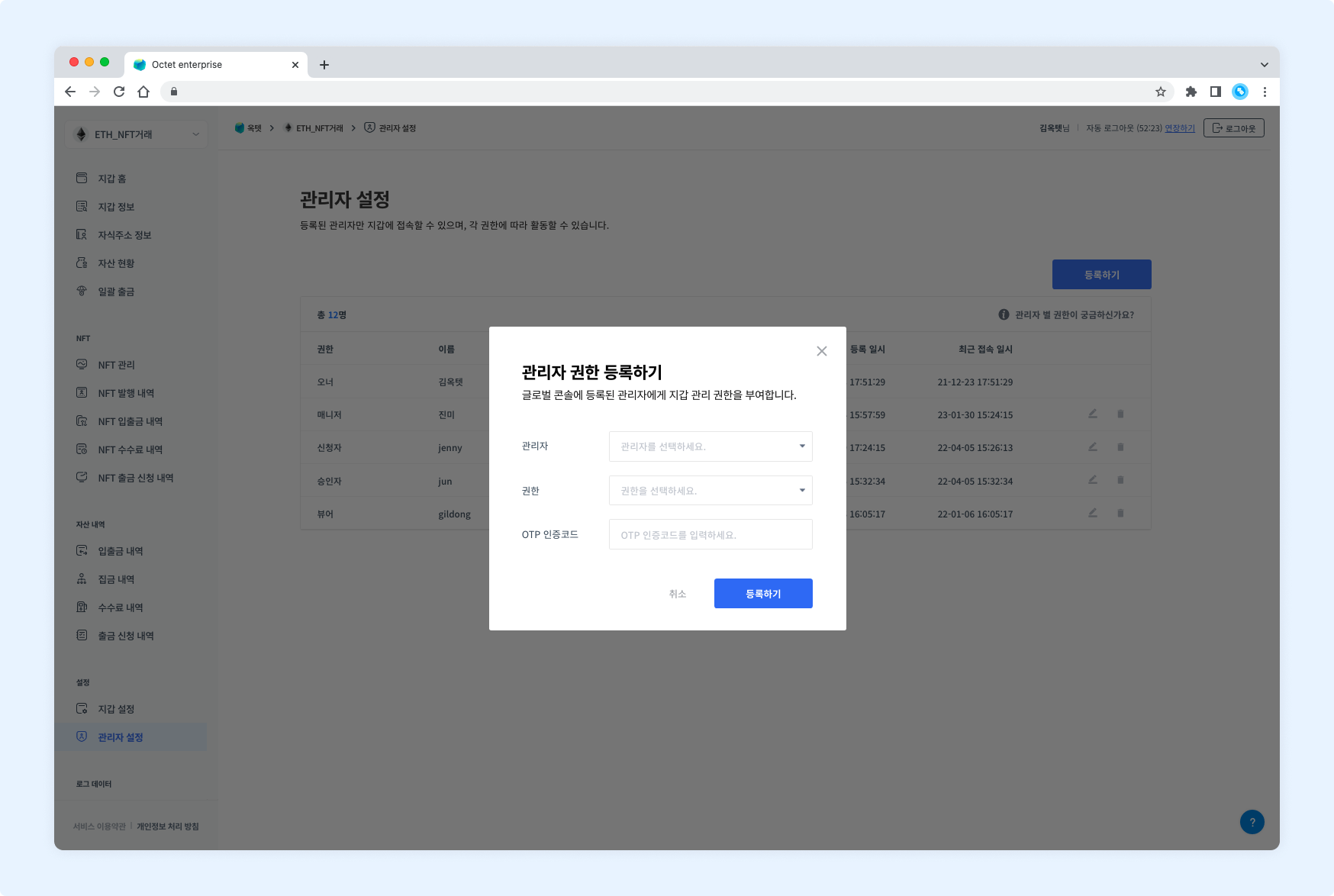
You can grant a specific permission to a specific administrator by clicking the wallet - [Admins] - [Register] button.