One-Time User Key Generation
If the key management type of the wallet is co-managed (multisig), you must generate and use a one-time user key when withdrawing from the console. If you enter the original user key or the RSA-encrypted user key, the withdrawal does not proceed.
Registering the user key
🖥️ Download the one-time key generator
You can download the one-time key generator from the multisig key section of [Developer Tools].
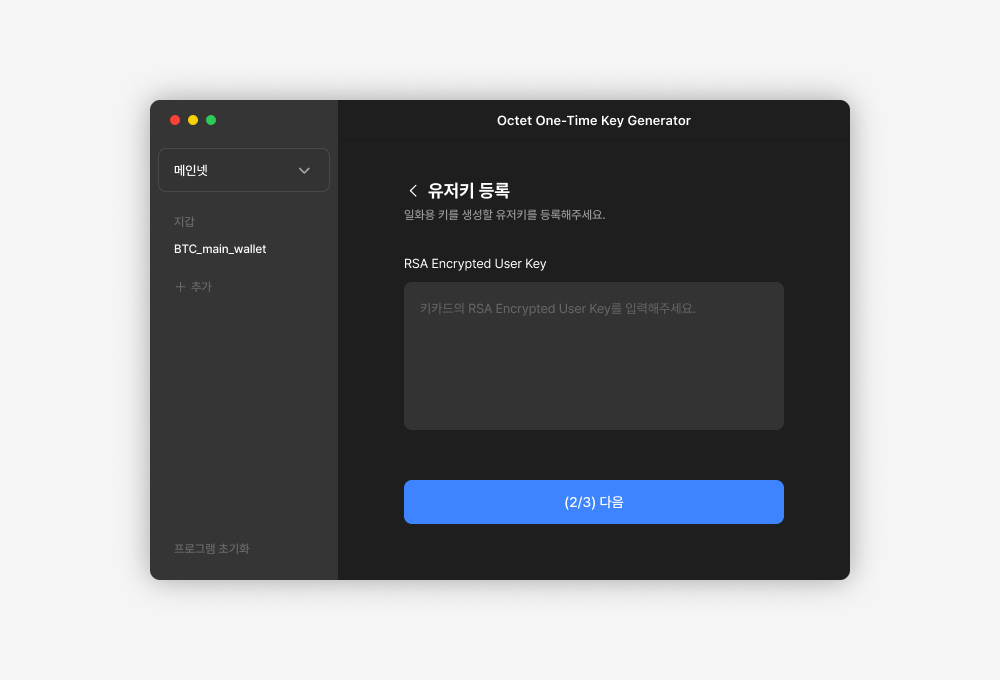
- Select the network to generate the key for and open the program.
- Click the [Register] button to register the user key for each wallet. At this point, you must enter the RSA-encrypted user key, not the original user key. Enter the RSA Encrypted User Key from the key card.
- Set a password to encrypt the user key.
- User key registration is complete.
Generating a one-time user key
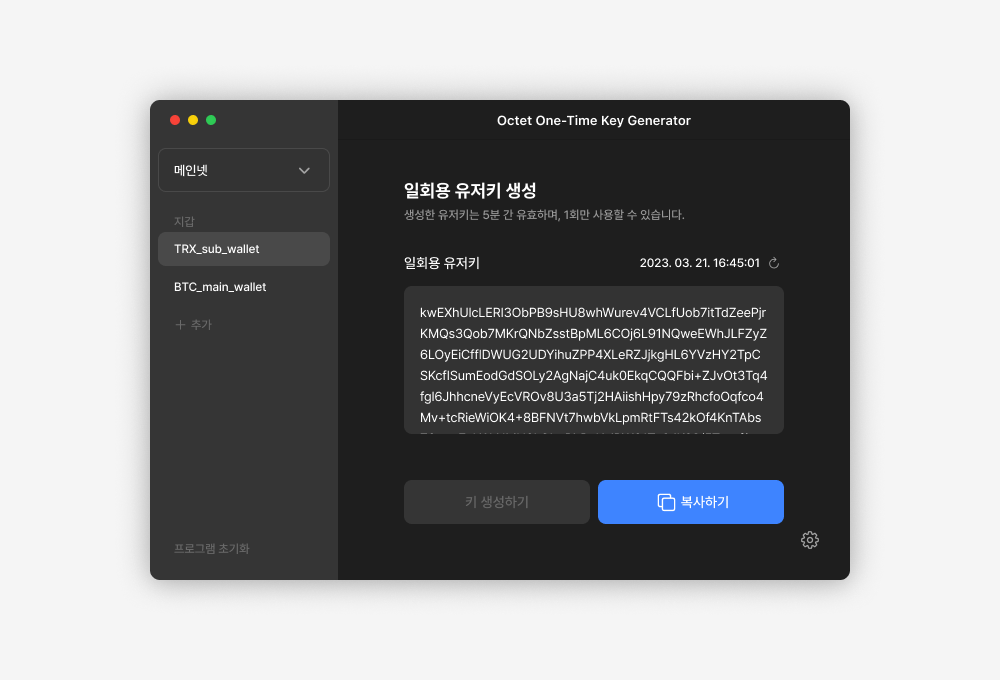
- Select the wallet to generate a one-time user key for.
- Enter the password to decrypt the user key. If the password is wrong, the one-time user key is not generated correctly.
- Click the [Generate Key] button to generate the one-time user key.
TIP - The generated user key is valid for 5 minutes and can be used only once.
Requesting a console withdrawal
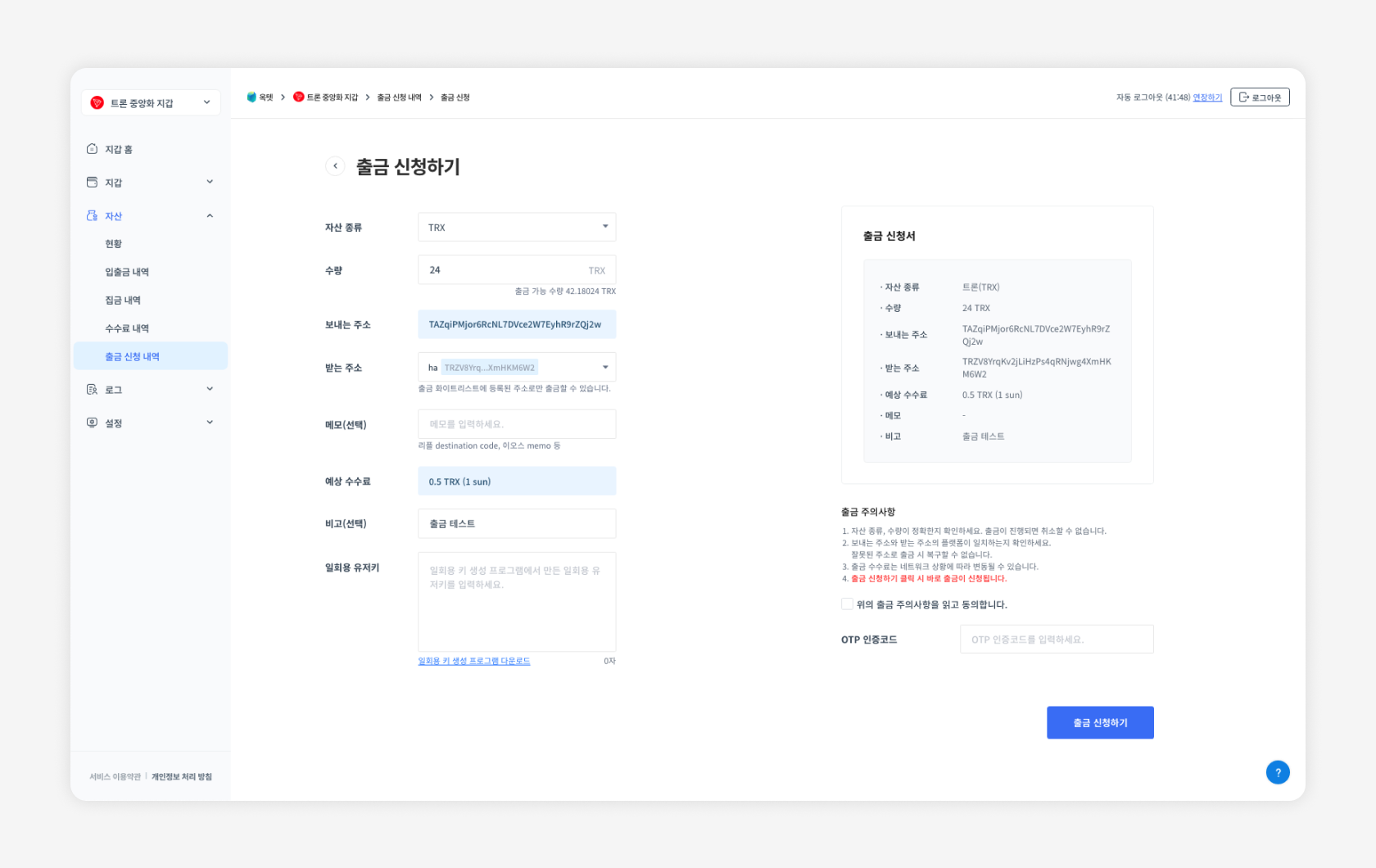
When requesting a withdrawal from the console, enter the one-time user key you generated.
TIP - When requesting a withdrawal with the API, you must enter the RSA Encrypted User Key, not a one-time user key.