Managing Withdrawals from the Console
Requesting a withdrawal
1. Request a withdrawal with the API
You can request a withdrawal to the outside by calling the Withdrawal Request API.
Response example
{
  "uuid": "18012e3f-07f3-45ec-862b-f020c0ca935a"
}
2. Request a withdrawal from the console
When withdrawing from the console, you can withdraw only from the main address. If the key management type is co-managed, you need to generate a one-time user key for the console withdrawal request. For details on how to generate one, refer to the one-time user key generation guide.
👀
Only accounts with the Withdrawal Requester permission can request a withdrawal.
How to request a withdrawal
- Access the console of the wallet to withdraw from.
- Access the [Withdrawal Requests] page, then click the 'Request Withdrawal' button.
- Select the type and amount of the asset to withdraw, then enter the receiving address.
- Check the withdrawal precautions, then request the withdrawal.
Withdrawal whitelist
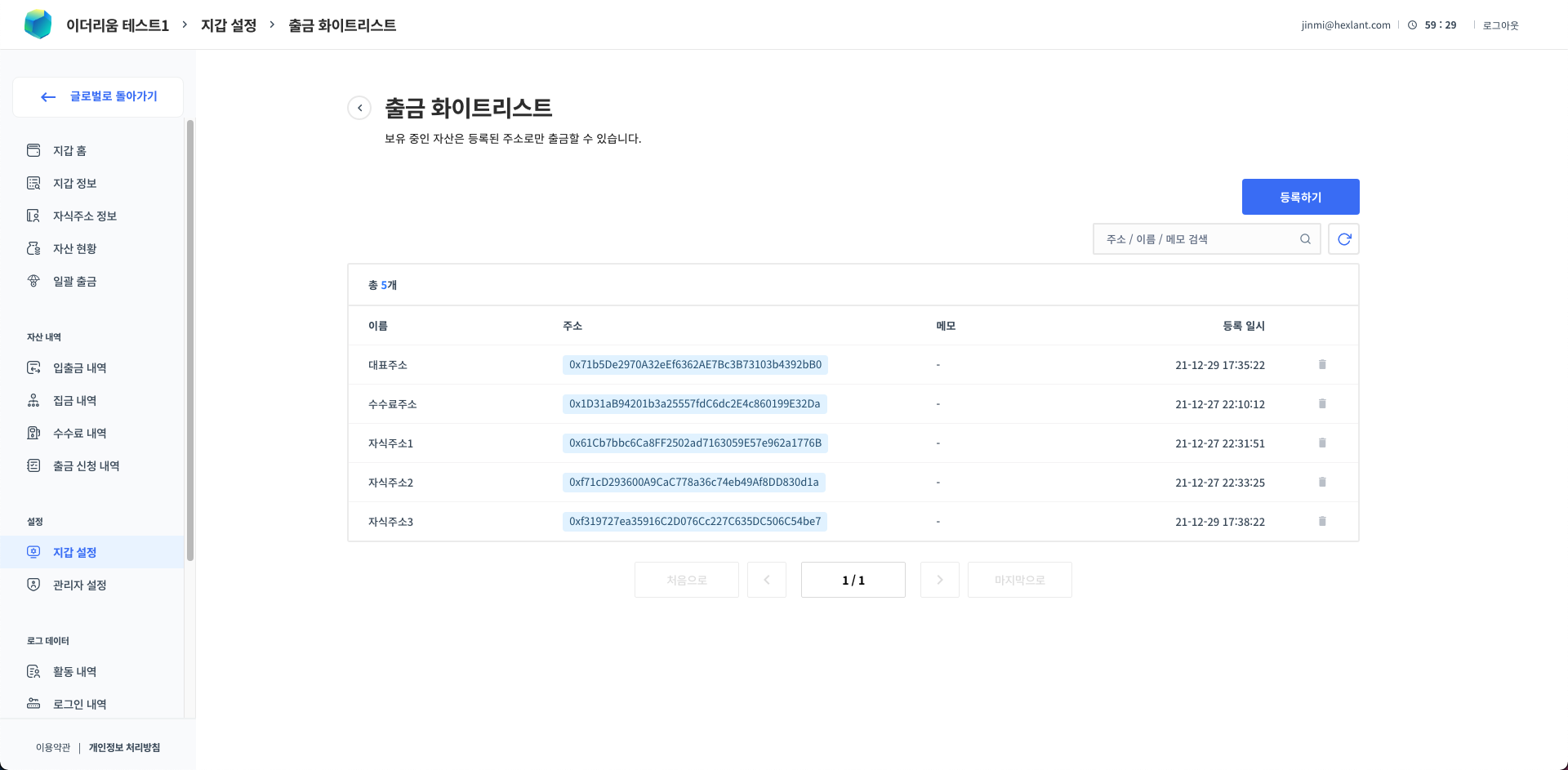
When requesting a withdrawal from the console, you can withdraw only to addresses registered on the whitelist. Therefore, before requesting a withdrawal, you must first register the withdrawal whitelist of that wallet.
Approving a withdrawal
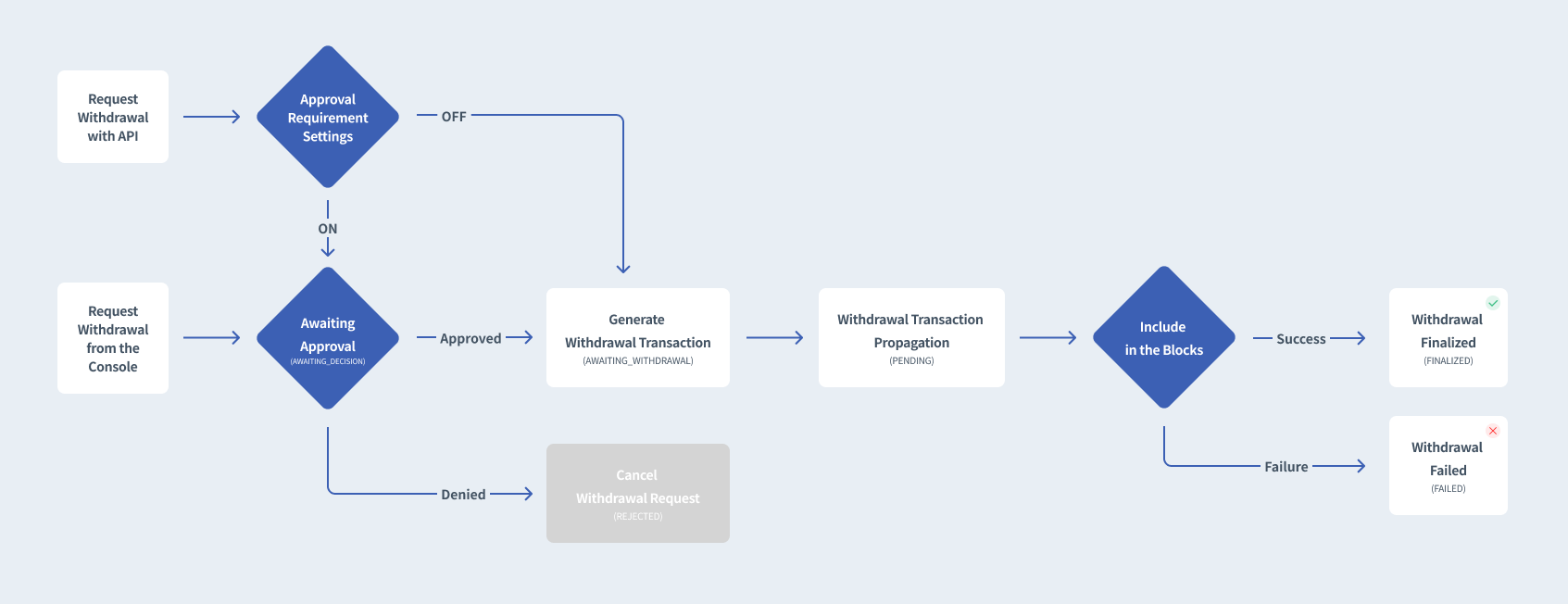
For safe asset management, a set number of administrators must approve the withdrawal in the console for the withdrawal to proceed. However, if even one administrator rejects the withdrawal, the withdrawal request is canceled immediately.
👀
Only accounts with the Owner or Withdrawal Requester permission can approve a withdrawal.
For the convenience of service operation, you can change the setting so that withdrawals requested through the API are withdrawn immediately without withdrawal approval. You can set whether API withdrawals require approval on the [Wallet Settings] page. (However, withdrawals requested from the console must always go through approval.)
Setting up withdrawals
Withdrawal whitelist
When requesting a withdrawal from the console, you can withdraw only to addresses registered on the whitelist. Therefore, before requesting a withdrawal from the console, you must first register the withdrawal whitelist of that wallet.
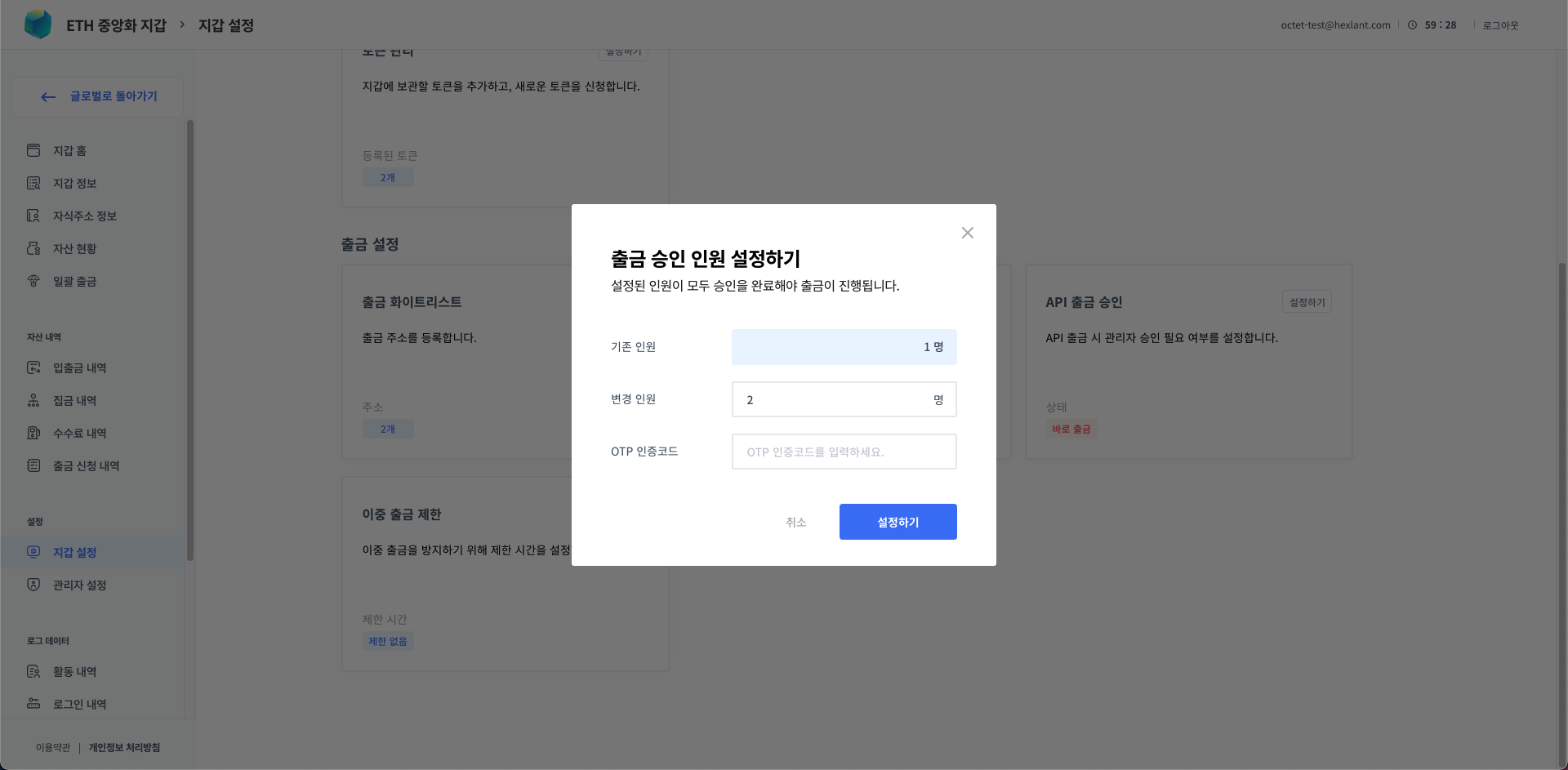
Number of withdrawal approvers
Set how many approvals are required from the registered withdrawal approvers. By default, 2 approvals are required, and you can change the number of withdrawal approvers according to your service operation policy.