Withdrawal Requests
View withdrawal requests
You can view the withdrawal requests made from all wallets you have permission for.
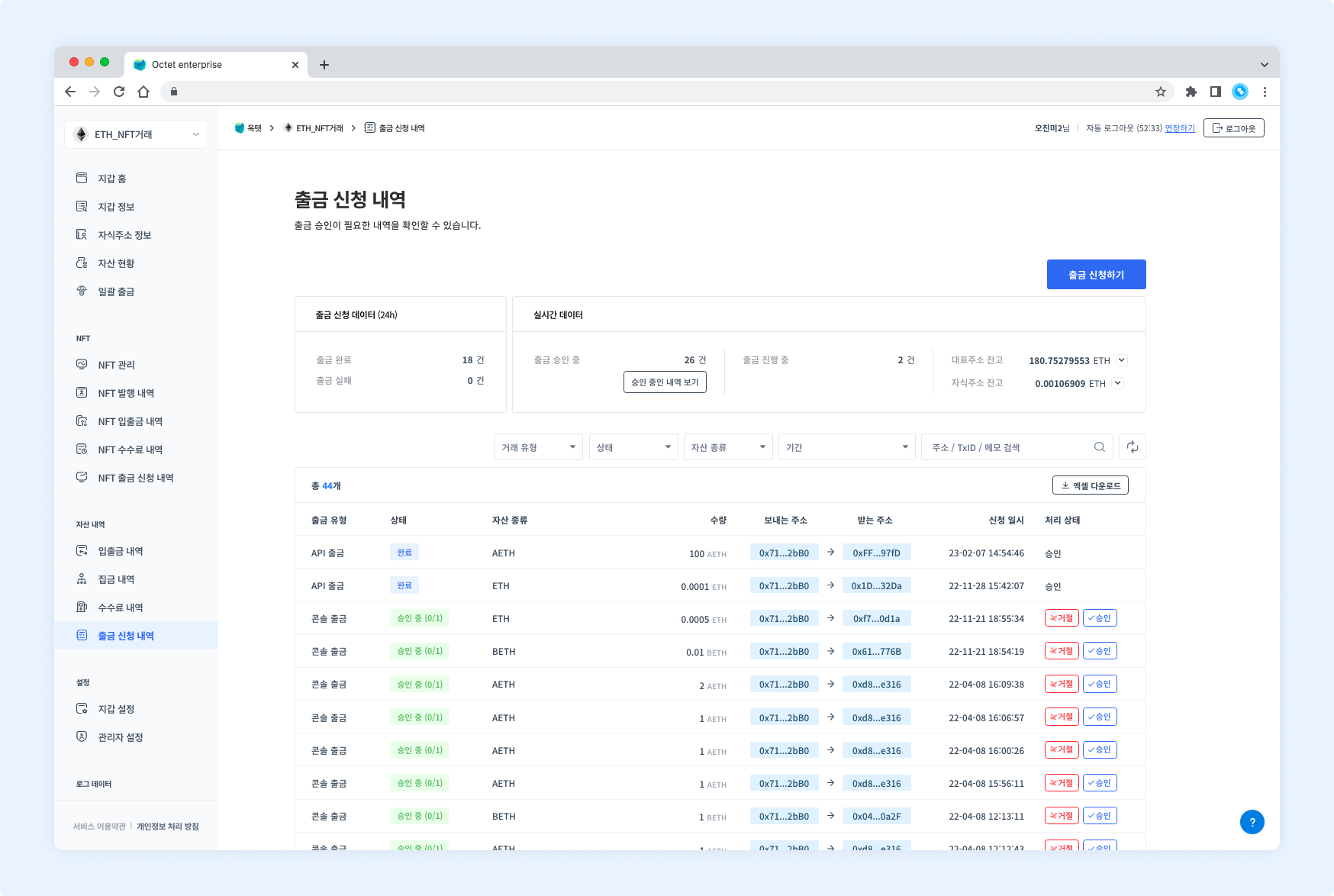
Item | Description |
|---|---|
Withdrawal type |
|
Status |
|
Asset | Symbol of the asset requested for withdrawal |
Amount | Amount of the asset requested for withdrawal |
From address | Address that sent the asset |
To address | Address that received the asset |
Requested at | Date and time the withdrawal was requested |
Processing status |
|
Details
Click a row in the table to view the details of that withdrawal request.
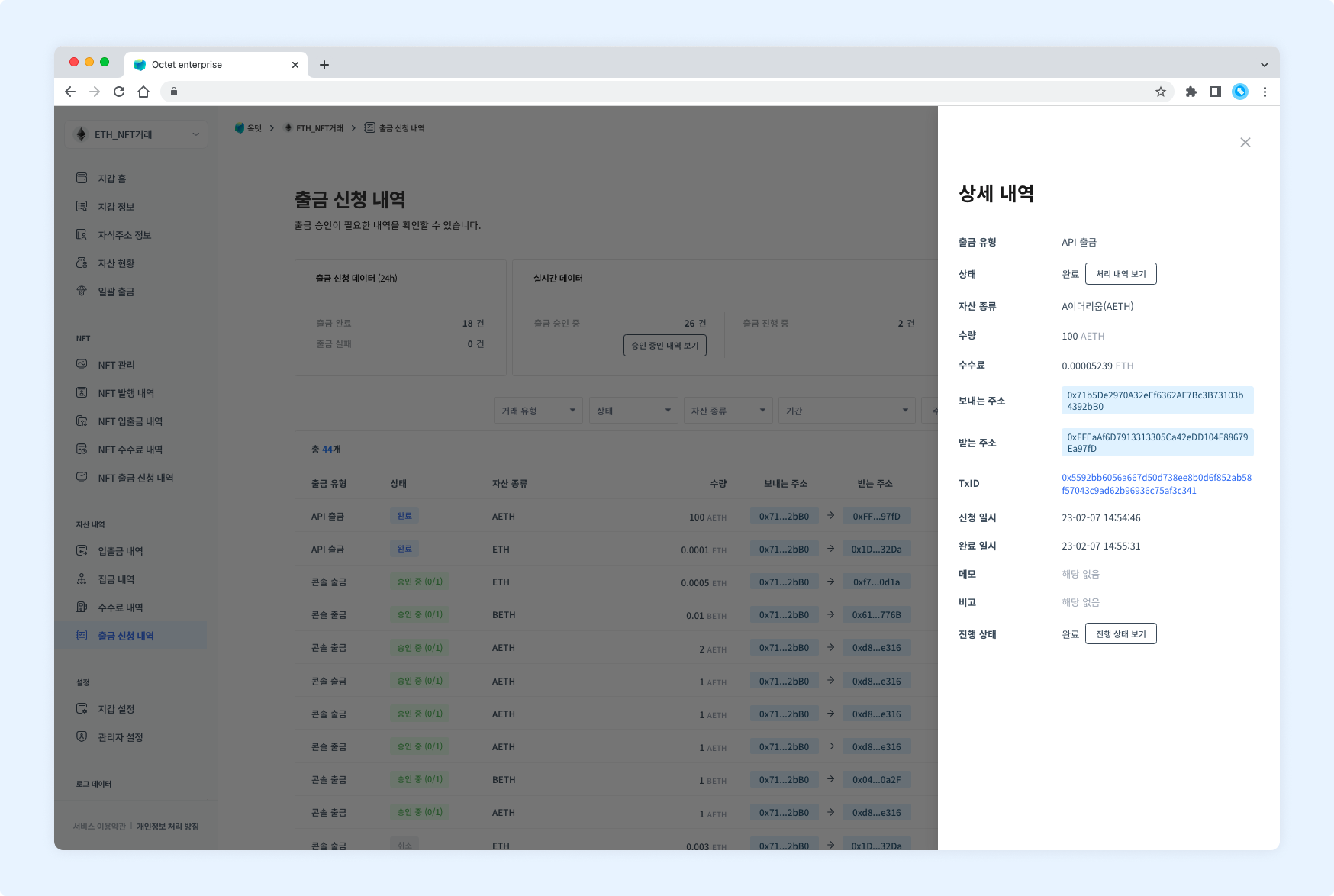
Item | Description |
|---|---|
Withdrawal type |
|
Status |
|
Asset | Symbol of the asset requested for withdrawal |
Amount | Amount of the asset requested for withdrawal |
Fee | Fee used for the withdrawal (shown once the withdrawal is complete) |
From address | Address that sent the asset |
To address | Address that received the asset |
TxID | Unique value of the transaction (shown once the withdrawal is in progress) |
Requested at | Date and time the withdrawal was requested |
Completed at | Date and time the transaction was completed (shown once the withdrawal is complete) |
Memo | XRP destination tag or EOS memo |
Note | Description entered when the withdrawal was requested |
Progress |
|
TIP
Every withdrawal request has aView processing historybutton in the 'Status' field.
Click it to view the withdrawal processing history.Once the withdrawal is complete, a
View progressbutton appears in the 'Progress' field.
Click it to view the withdrawal details.
Request a withdrawal
You can withdraw assets from the main address in the console. However, console withdrawal is not available when the key management type is co-managed. Click the Request withdrawal button in the upper right to go to the withdrawal request page.
Permission -
Requester
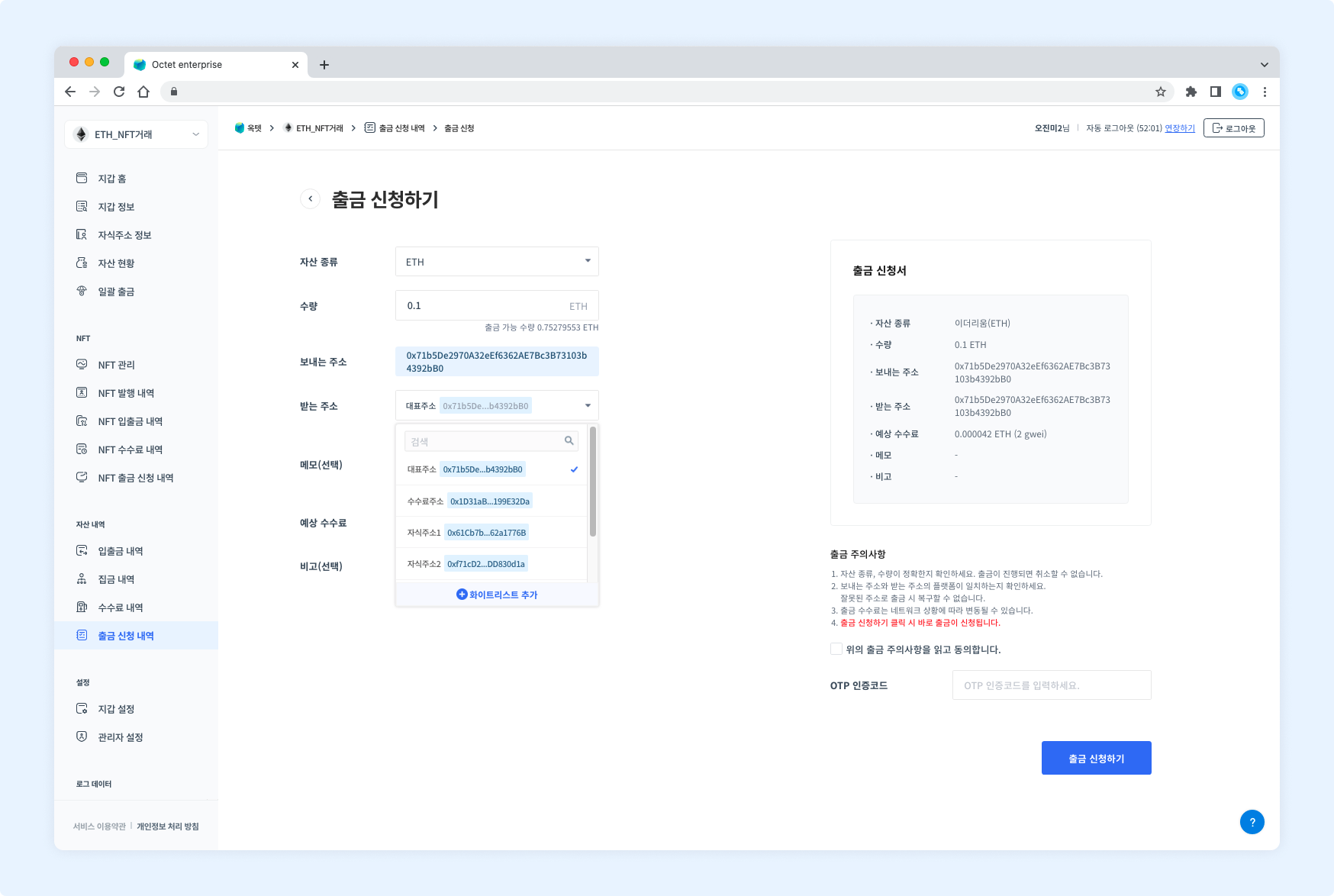
- Select the asset to withdraw.
- Enter the amount to withdraw. It must be less than or equal to the available amount.
- Select the to address. You can only withdraw to addresses registered in the withdrawal whitelist.
- When withdrawing Ripple or EOS, you must enter the destination tag or memo in the memo field.
- Read and check the withdrawal notice.
- Enter your OTP code and click the
Requestbutton. The withdrawal request is complete.
TIP
You can register the withdrawal whitelist under Wallet > [Wallet Settings] > [Withdrawal Whitelist].
Approve a withdrawal
Once a withdrawal is requested, the configured number of approvers must approve it before the withdrawal proceeds.
Permission -
Owner,Approver
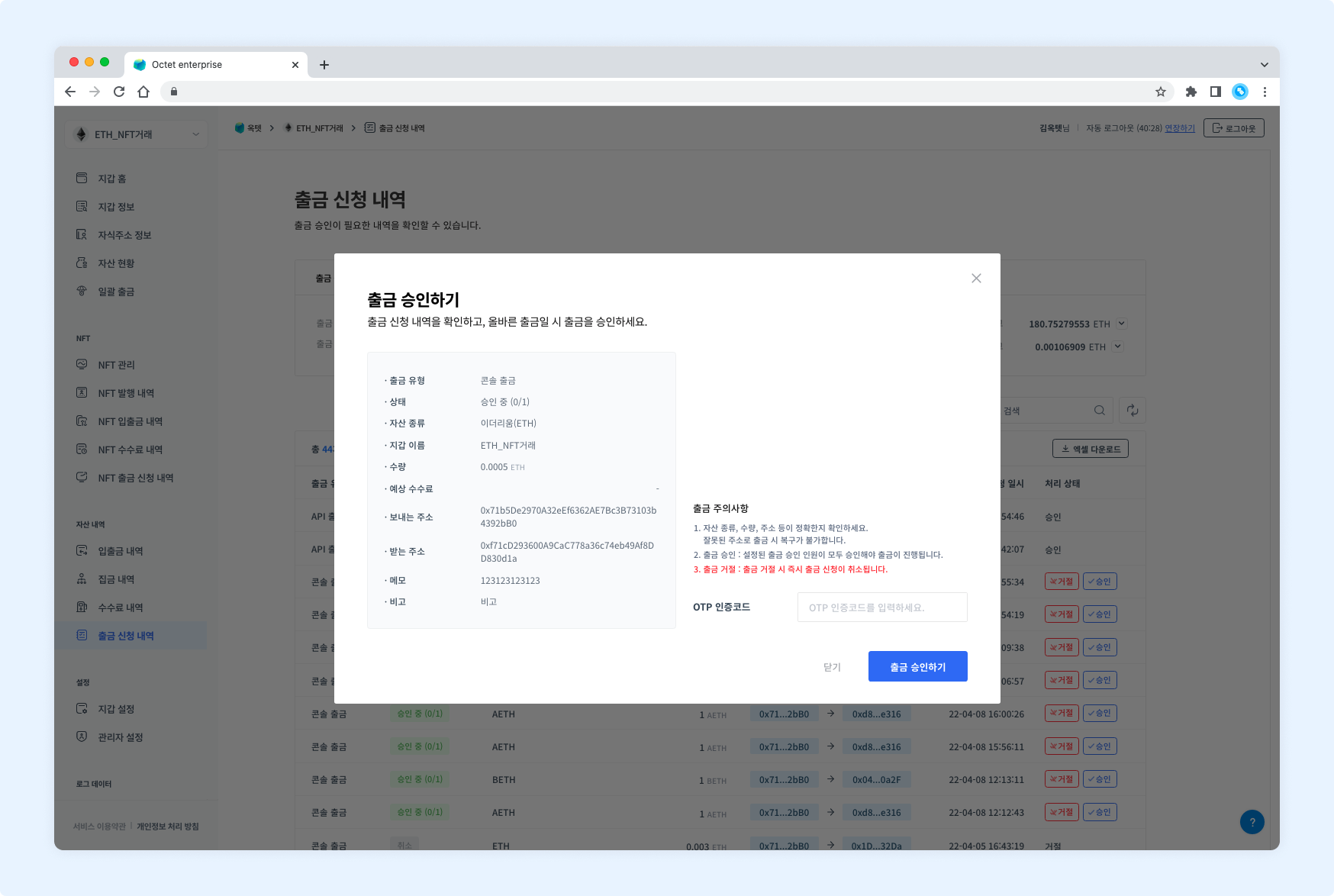
Click the Approve button in the table to open the withdrawal approval popup.
Reject a withdrawal
If a requested withdrawal is not valid, you can reject it. Rejecting a withdrawal immediately cancels the withdrawal request.
Permission -
Owner,Approver
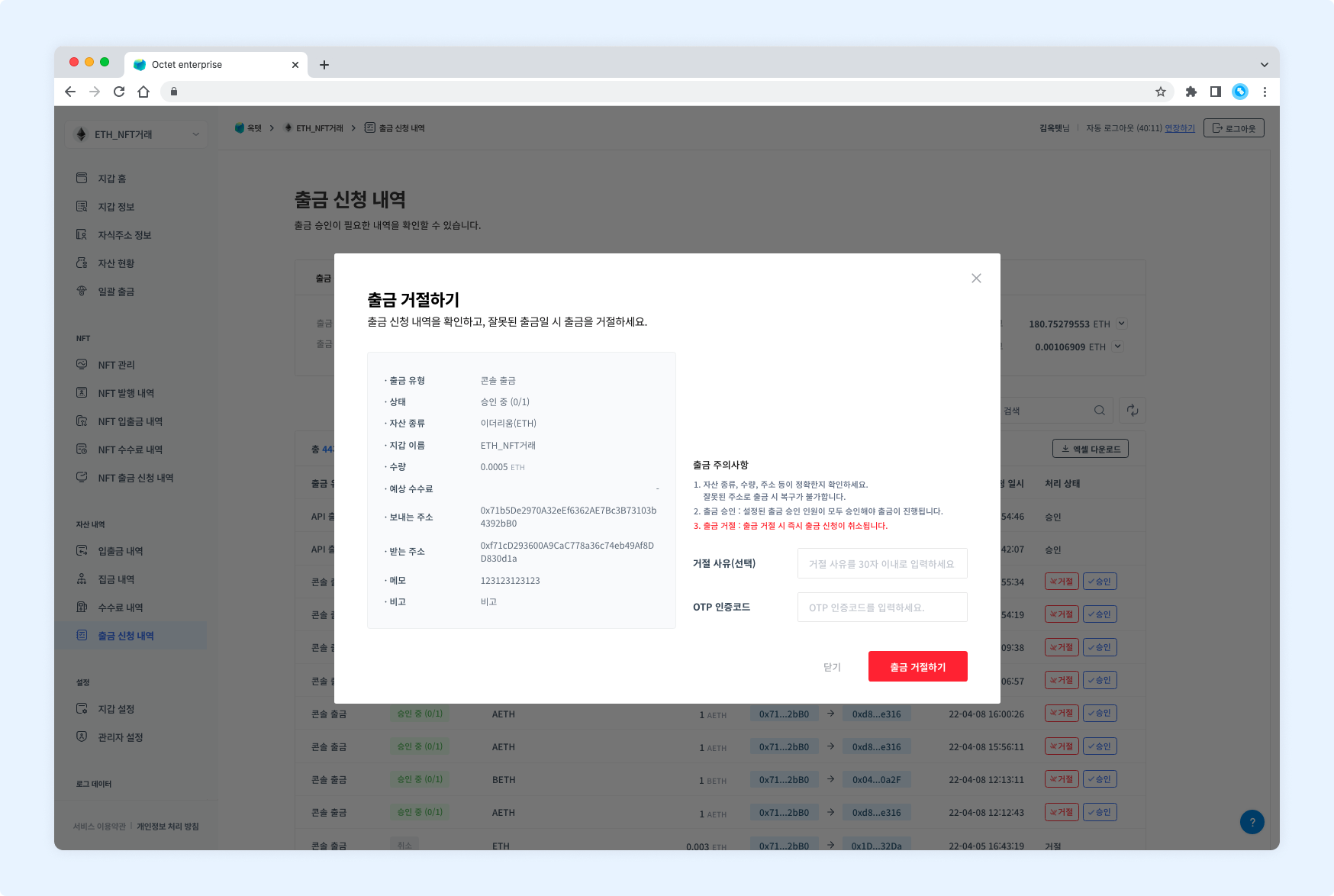
Click the Reject button in the table to open the withdrawal rejection popup.
Download
Click the Download Excel button at the top of the table to download the withdrawal requests for a specific period as an Excel file.
Select the period to view, enter a file password, and click the Download button.