NFT Withdrawal Requests
View NFT withdrawal requests
You can view the NFT withdrawal requests made from this wallet.
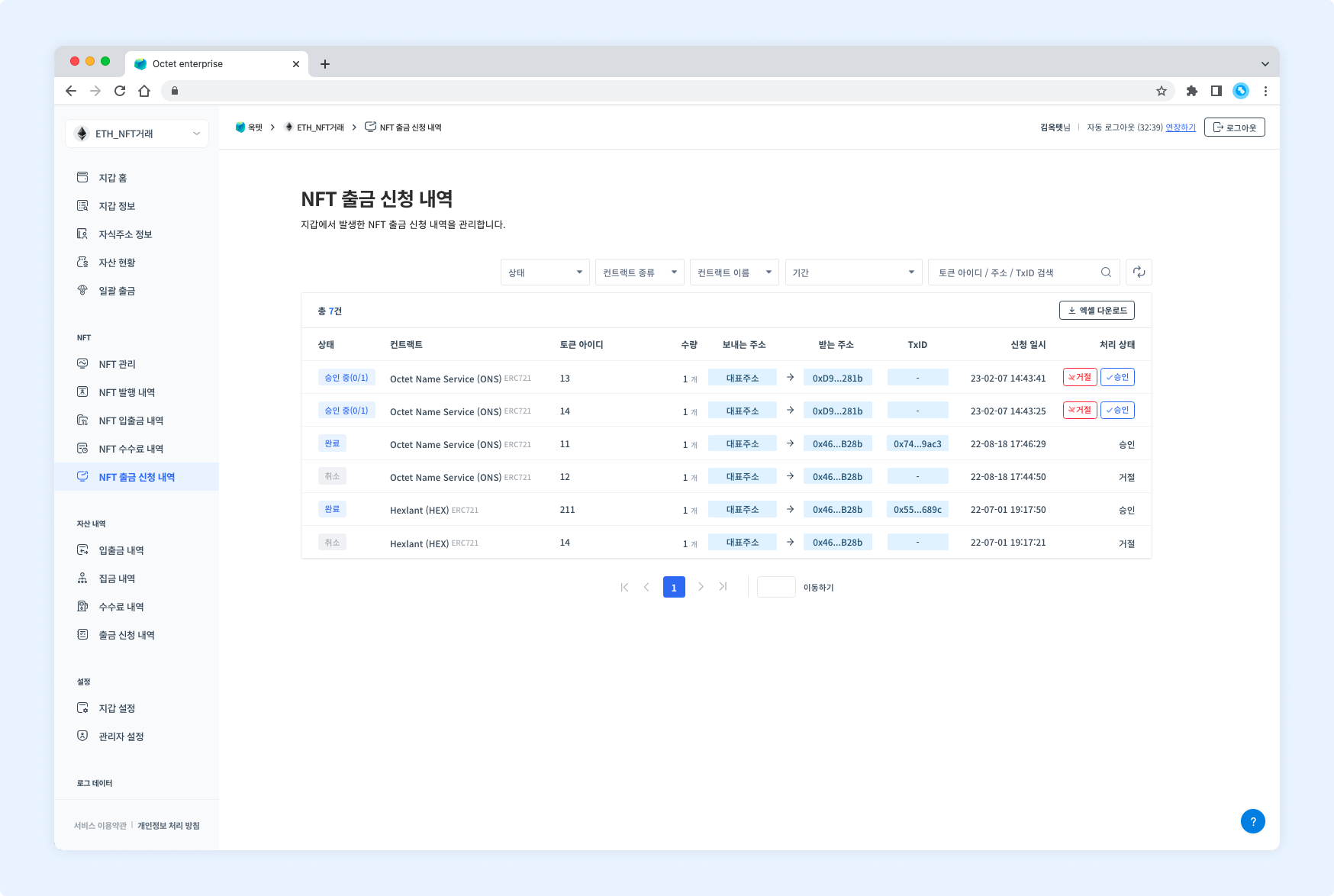
Item | Description |
|---|---|
Status |
|
Contract | Name, symbol, and type of the contract the transaction occurred on |
Token ID | Token ID of the item requested for withdrawal |
Amount | Amount of the item requested for withdrawal |
From address | Address that sends the item |
To address | Address that receives the item |
TxID | Unique value of the transaction |
Requested at | Date and time the withdrawal was requested |
Processing status |
|
Details
Click a row in the table to view the details of that withdrawal request.
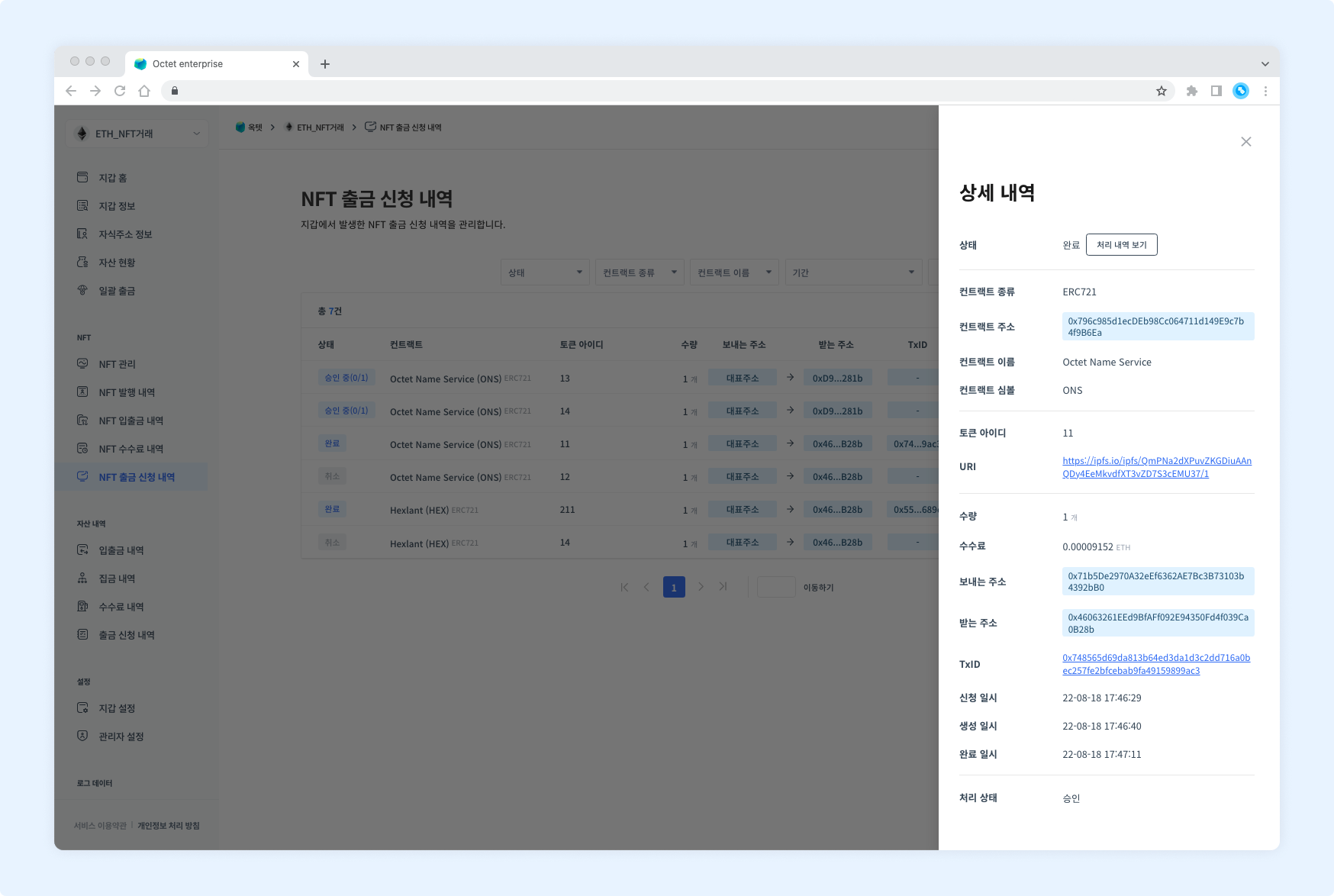
Item | Description |
|---|---|
Status |
|
Contract type | Type of the contract that minted the item requested for withdrawal |
Contract address | Address of the contract that minted the item requested for withdrawal |
Contract name | Name of the contract that minted the item requested for withdrawal |
Contract symbol | Symbol of the contract that minted the item requested for withdrawal |
Token ID | Token ID of the item requested for withdrawal |
URI | URI of the item requested for withdrawal |
Amount | Amount of the item requested for withdrawal |
Fee | Fee used for the withdrawal (shown once the withdrawal is complete) |
From address | Address that sends the item |
To address | Address that receives the item |
TxID | Unique value of the transaction (shown once the withdrawal is in progress) |
Requested at | Date and time the withdrawal was requested |
Created at | Date and time the transaction that used the fee was created |
Completed at | Date and time the transaction was completed (shown once the withdrawal is complete) |
Processing status |
|
TIP
Once the withdrawal is complete, aView progressbutton appears in the 'Status' field.
Click it to view the withdrawal details.
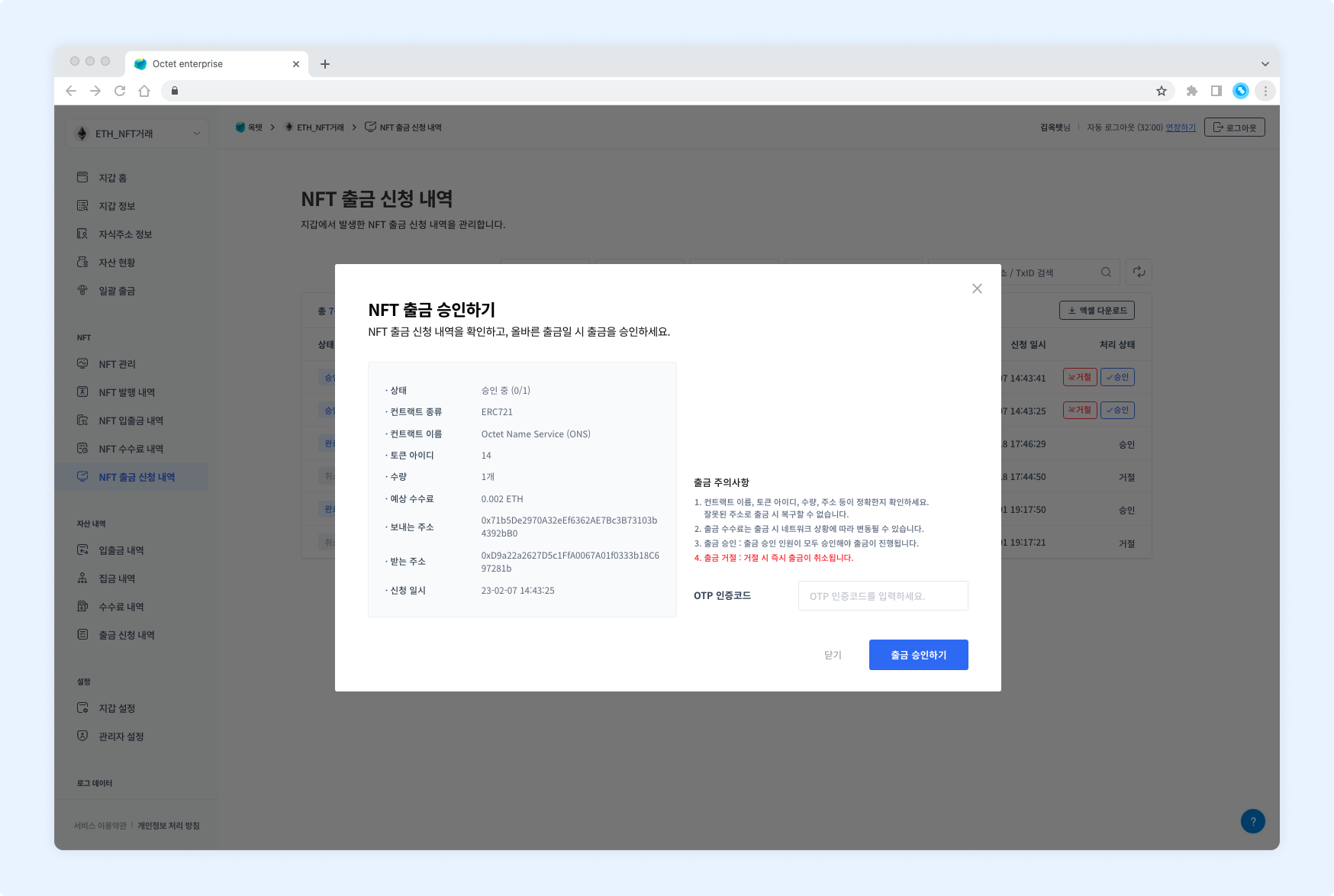
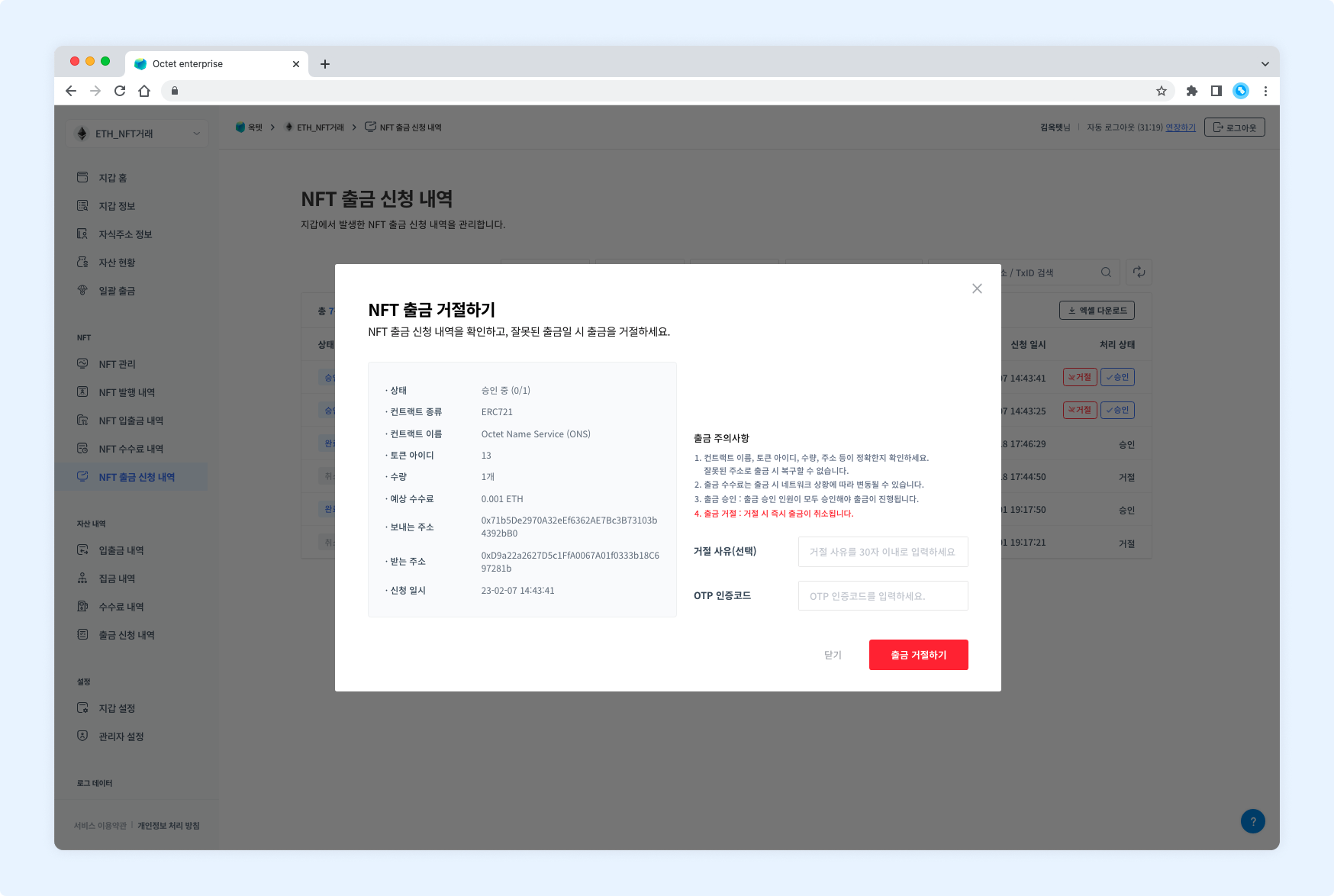
Download
Click the Download Excel button at the top of the table to download the NFT withdrawal requests for a specific period as an Excel file.
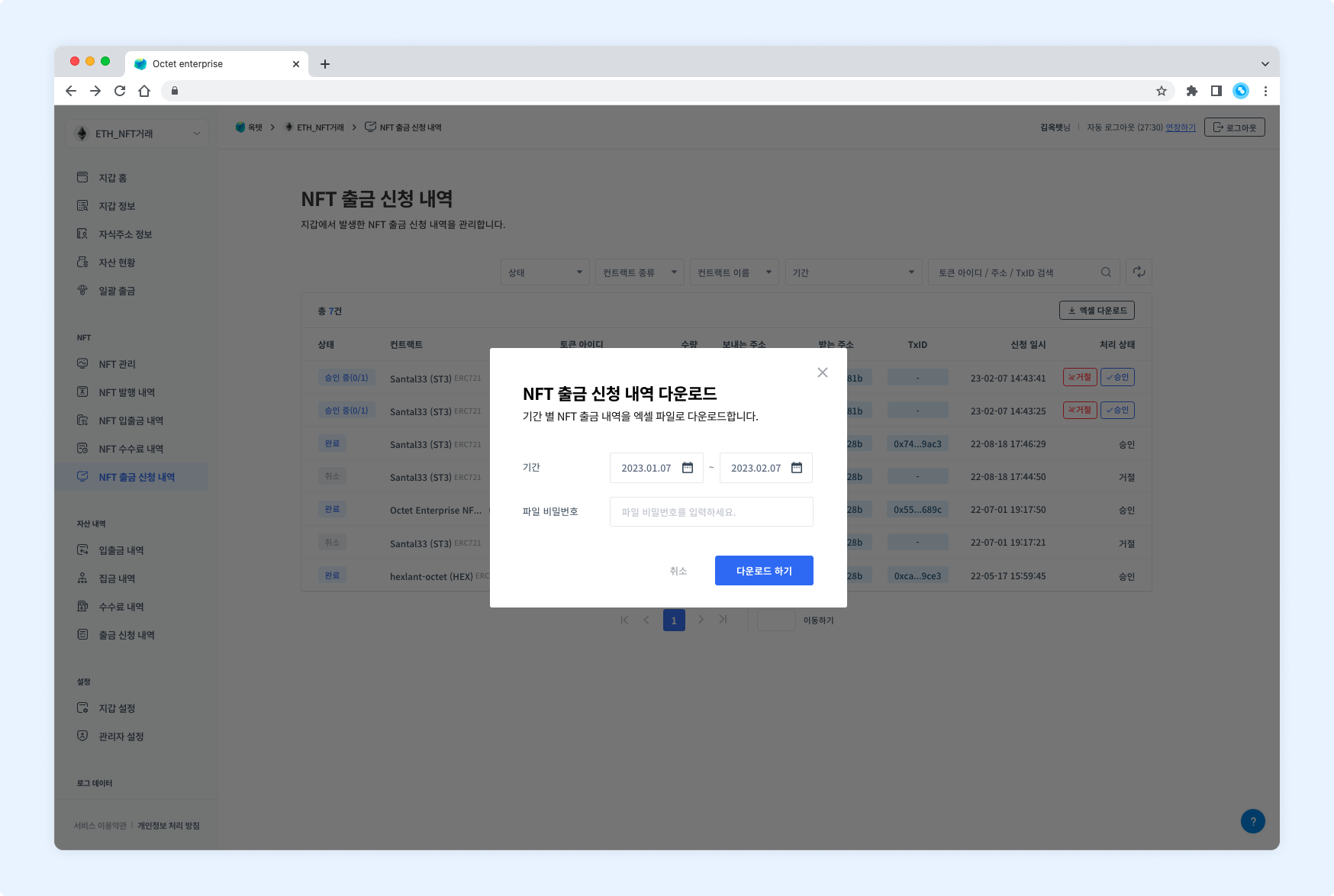
Enter a file password and click the Download button.