NFT Transactions
View NFT transaction history
You can view the NFT deposit or withdrawal history of the wallet.
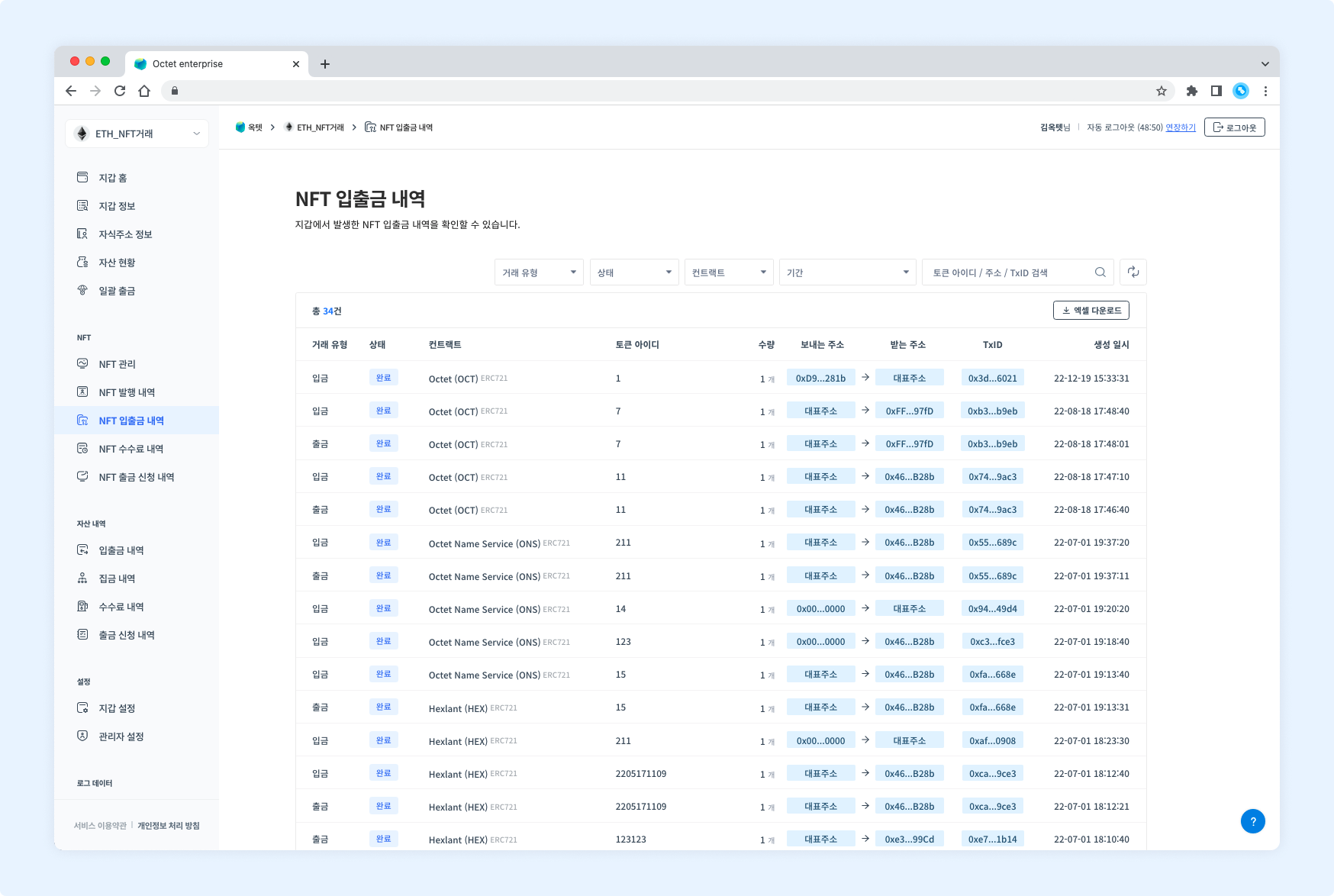
Item | Description |
|---|---|
Transaction type |
|
Status |
|
Contract | Name, symbol, and type of the contract the transaction occurred on |
Token ID | Token ID of the deposited or withdrawn item |
Amount | Amount of the deposited or withdrawn item |
Sending address | Address that sent the item |
Receiving address | Address that received the item |
TxID | Unique value of the transaction |
Created at | Date and time the transaction was created |
Details
Click a row in the table to see the details of that transaction.
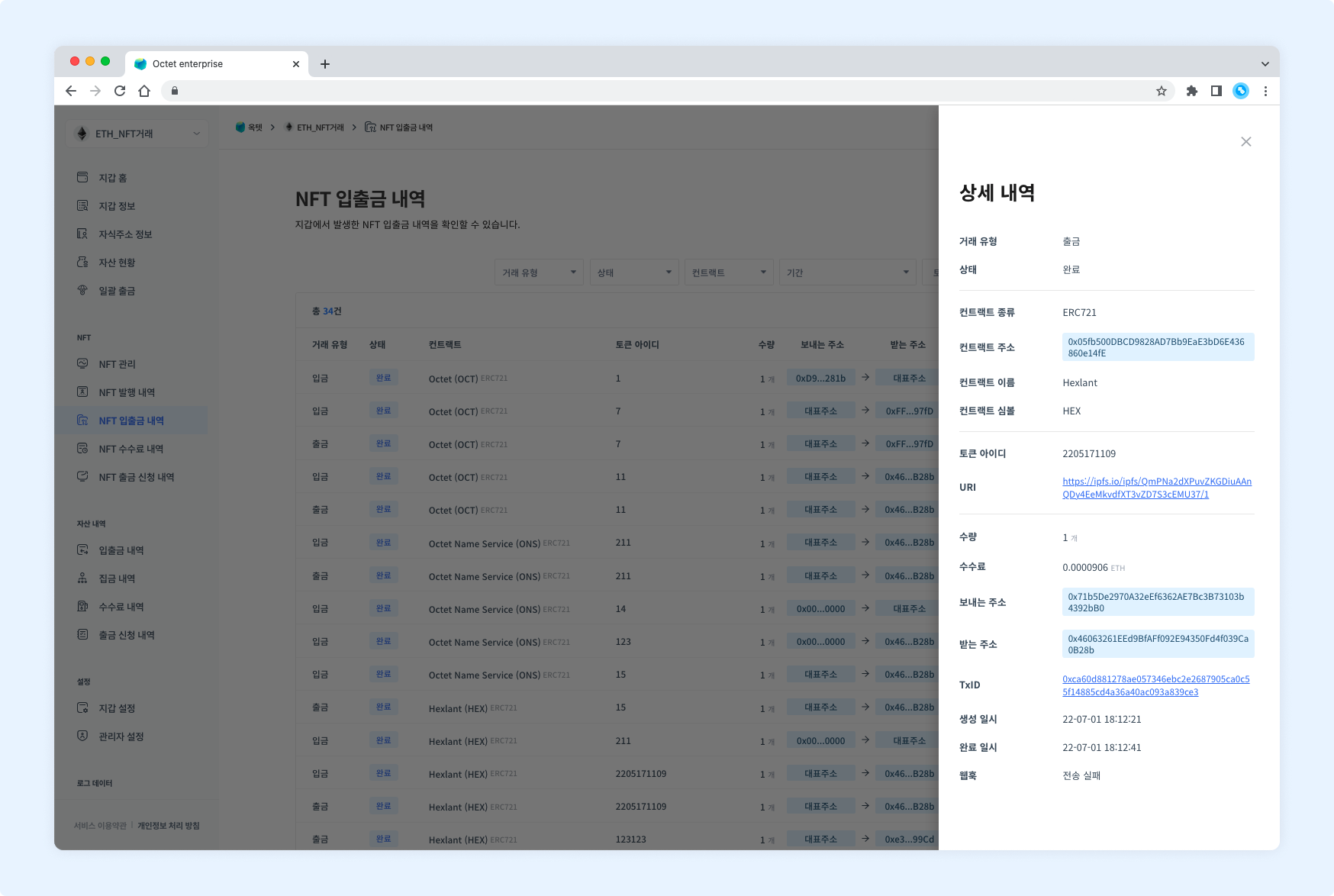
Deposit
Item | Description |
|---|---|
Transaction type |
|
Status |
|
Contract type | Type of the contract the deposited item was minted from |
Contract address | Address of the contract the deposited item was minted from |
Contract name | Name of the contract the deposited item was minted from |
Contract symbol | Symbol of the contract the deposited item was minted from |
Token ID | Token ID of the deposited item |
URI | URI of the deposited item |
Amount | Amount of the deposited item |
Sending address | Address that sent the item |
Receiving address | Address that received the item |
TxID | Unique value of the transaction |
Created at | Date and time the transaction was created |
Completed at | Date and time the transaction was completed |
Webhook |
|
Withdrawal
Item | Description |
|---|---|
Transaction type |
|
Status |
|
Contract type | Type of the contract the withdrawn item was minted from |
Contract address | Address of the contract the withdrawn item was minted from |
Contract name | Name of the contract the withdrawn item was minted from |
Contract symbol | Symbol of the contract the withdrawn item was minted from |
Token ID | Token ID of the withdrawn item |
URI | URI of the withdrawn item |
Amount | Amount of the withdrawn item |
Fee | Fee used for the withdrawal |
Sending address | Address that sent the item |
Receiving address | Address that received the item |
TxID | Unique value of the transaction |
Created at | Date and time the transaction was created |
Completed at | Date and time the transaction was completed |
Webhook |
|
Download
Click the Download Excel button at the top of the table to download the NFT transaction history for a specific period as an Excel file.
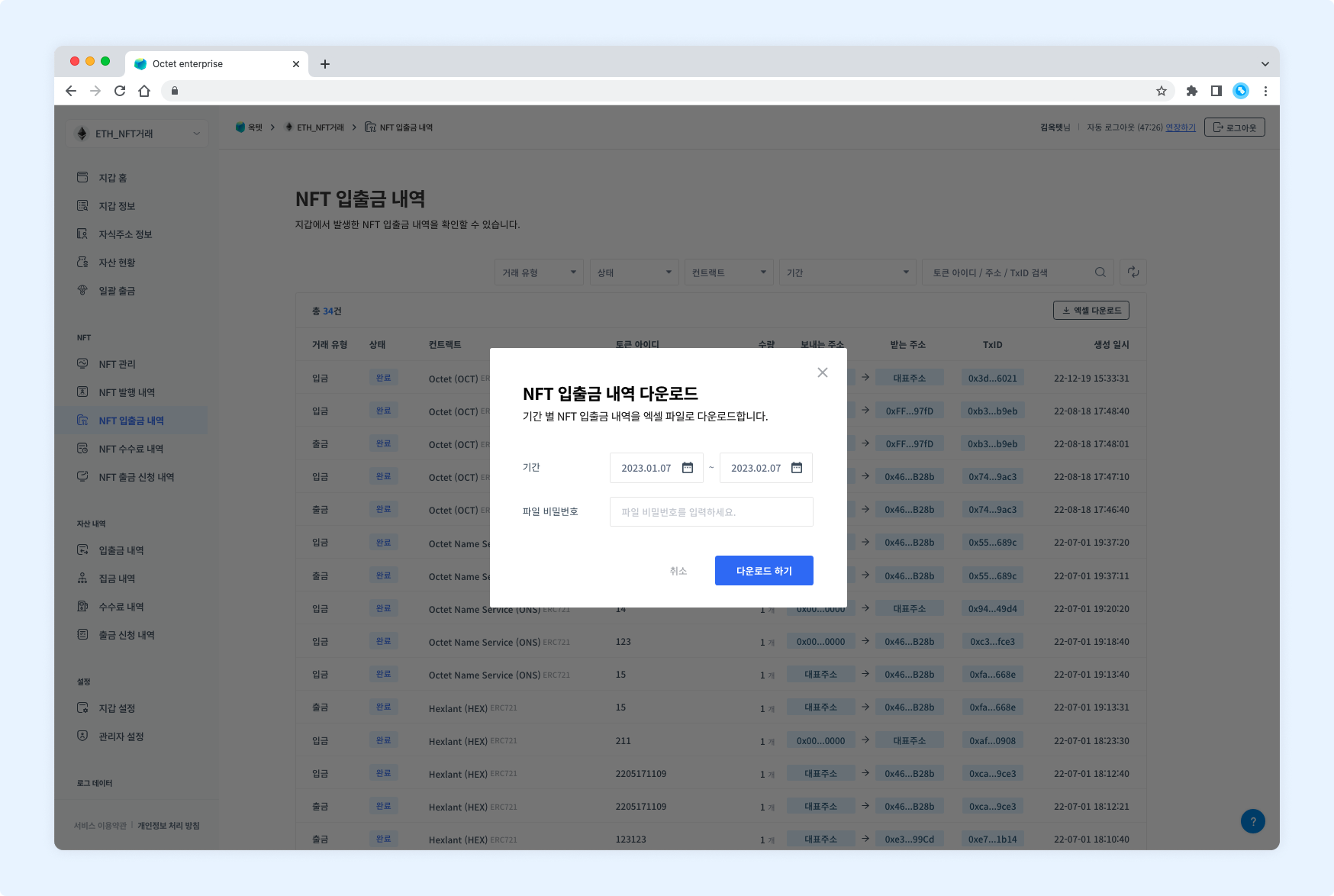
Select the period to view, enter a file password, and click the Download button.
NFT manual deposit
Click the More button at the top right to go to the manual deposit page. On the manual deposit page, you can manually process deposits that were missed. When an unregistered NFT is deposited, the deposit is processed through the manual deposit feature.
View manual deposit history
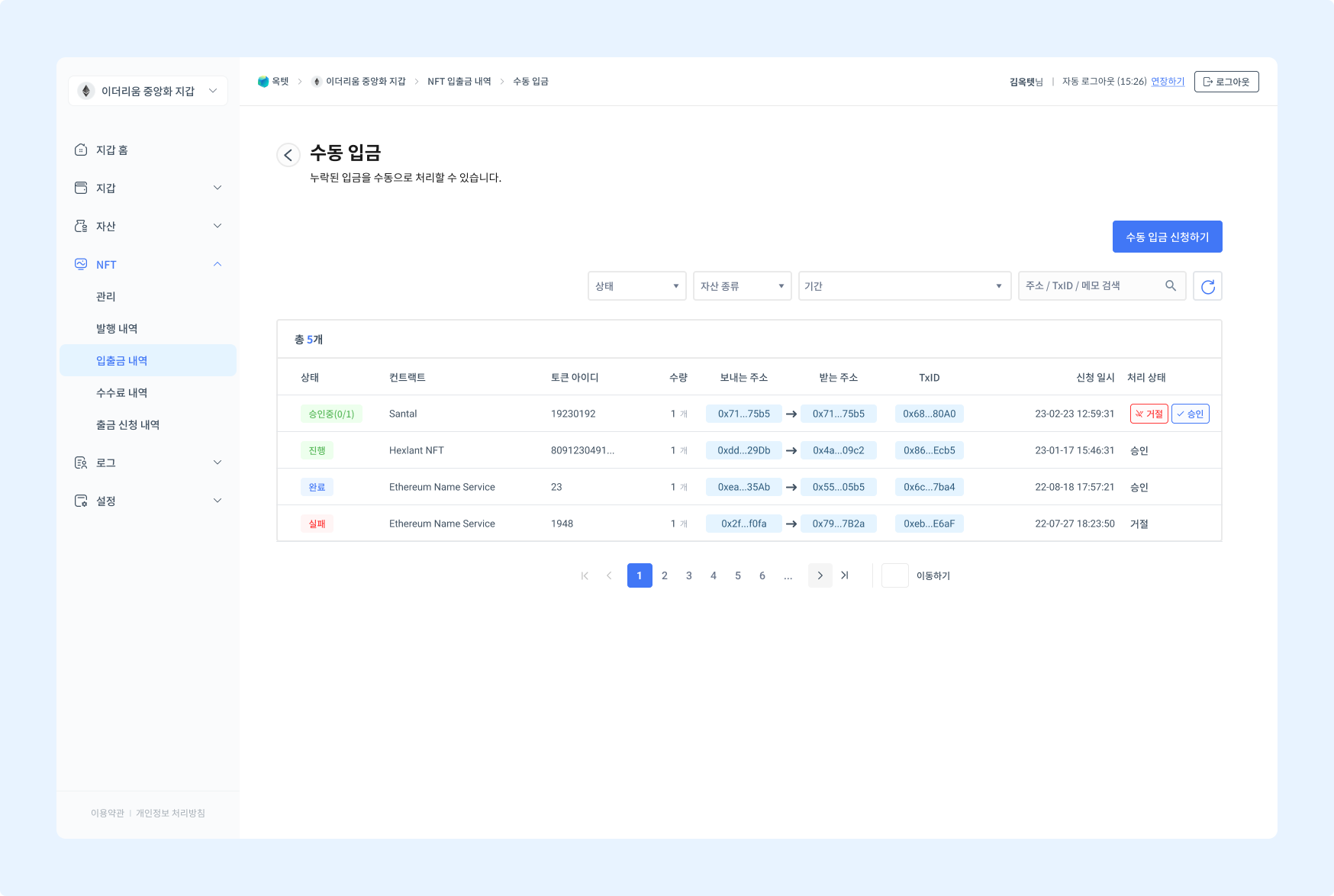
Item | Description |
|---|---|
Status |
|
Contract | Name of the contract in the deposit request |
Token ID | Token ID of the item in the deposit request |
Amount | Amount of the asset in the deposit request |
Sending address | Address that sent the asset |
Receiving address | Address that received the asset |
TxID | Unique value of the transaction |
Requested at | Date and time the deposit was requested |
Processing status |
|
Manual deposit details
Click a row in the table to see the details of that transaction.
Item | Description |
|---|---|
Status |
|
Contract type | Type of the contract in the deposit request |
Contract address | Address of the contract in the deposit request |
Contract name | Name of the contract in the deposit request |
Contract symbol | Symbol of the contract in the deposit request |
Token ID | Token ID of the item in the deposit request |
URI | URI of the item in the deposit request |
Amount | Amount of the asset in the deposit request |
Sending address | Address that sent the asset |
Receiving address | Address that received the asset |
TxID | Unique value of the transaction |
Deposited at | Date and time the deposit occurred |
Requested at | Date and time the manual deposit was requested |
Completed at | Date and time the manual deposit transaction was completed |
Note | Description entered when requesting the deposit |
Processing status |
|
Request a manual deposit
Click the Request Manual Deposit button at the top right to open the deposit request popup.
TIP
Permission -Requester
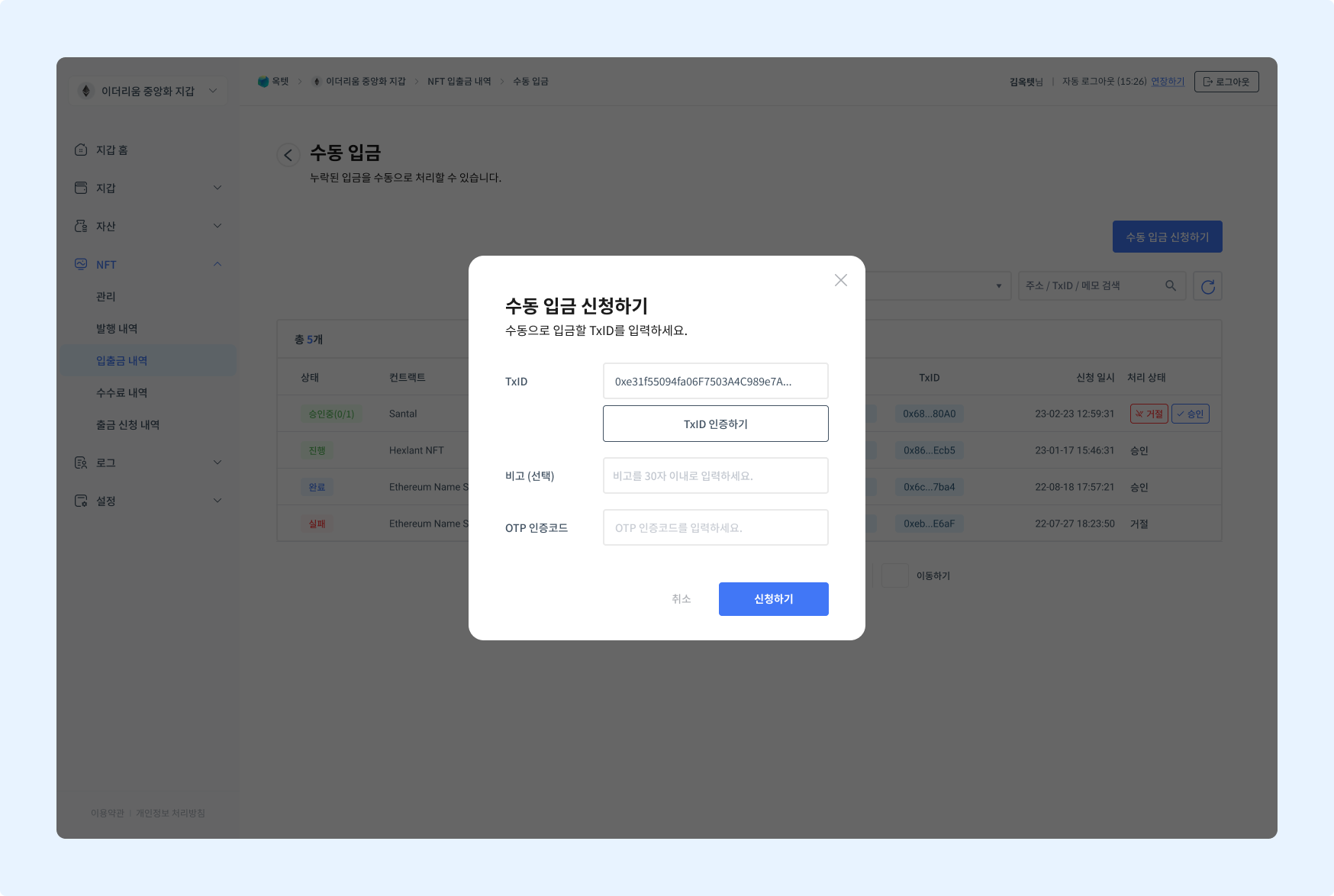
- Enter the TxID to deposit.
- Click the
Verify TxIDbutton to check that the TxID is valid. - Enter the OTP code and click the
Requestbutton. The deposit request is complete.
Approve a manual deposit
Once a deposit is requested, the configured number of approvers must approve it before the deposit proceeds.
TIP
Permission -Owner,Approver
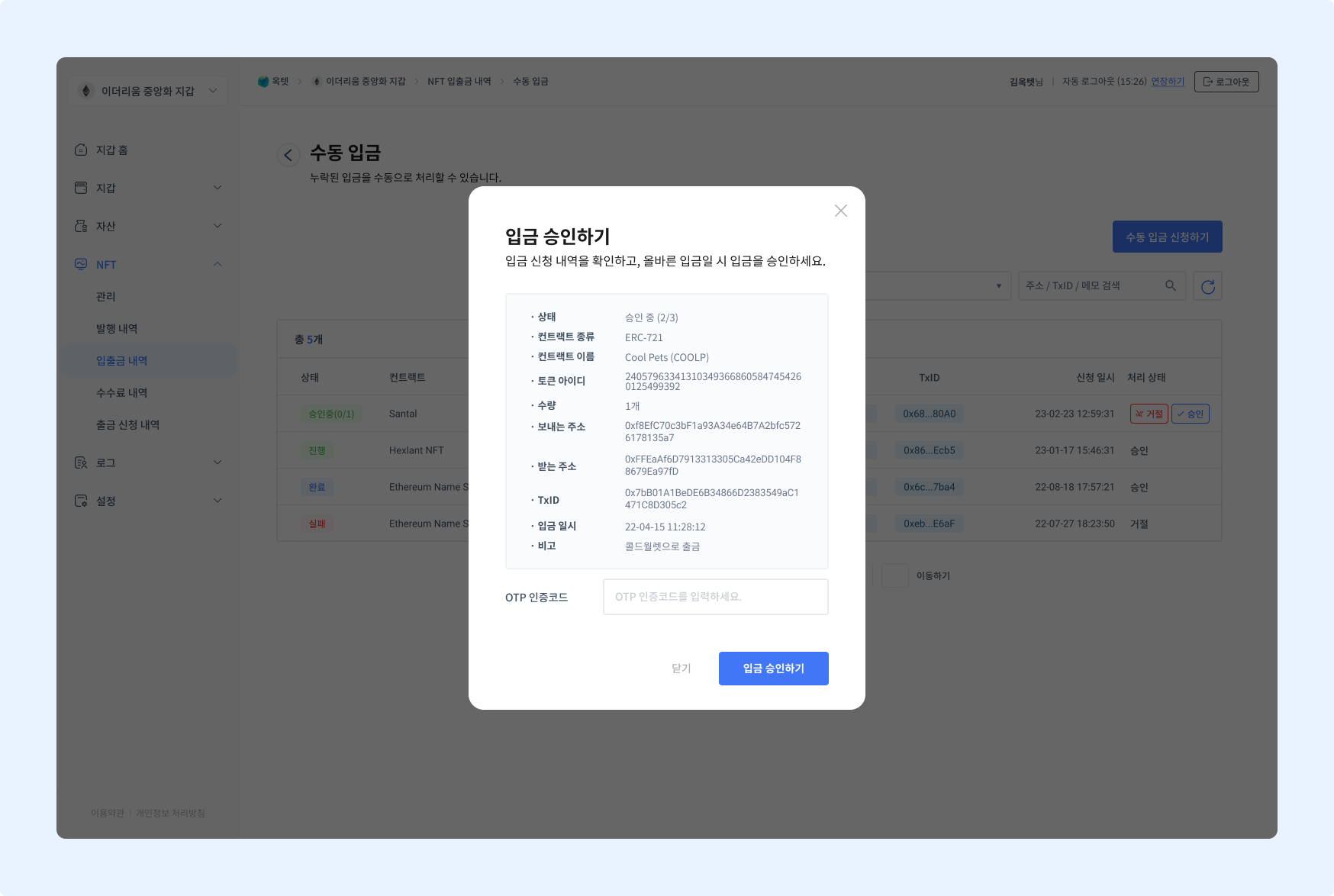
Click the Approve button in the table to open the deposit approval popup.
TIP
The number of approvers required for deposits follows the withdrawal approver setting.
Reject a manual deposit
If a requested deposit is incorrect, you can reject it. Rejecting a deposit immediately cancels the deposit request.
TIP
Permission -Owner,Approver
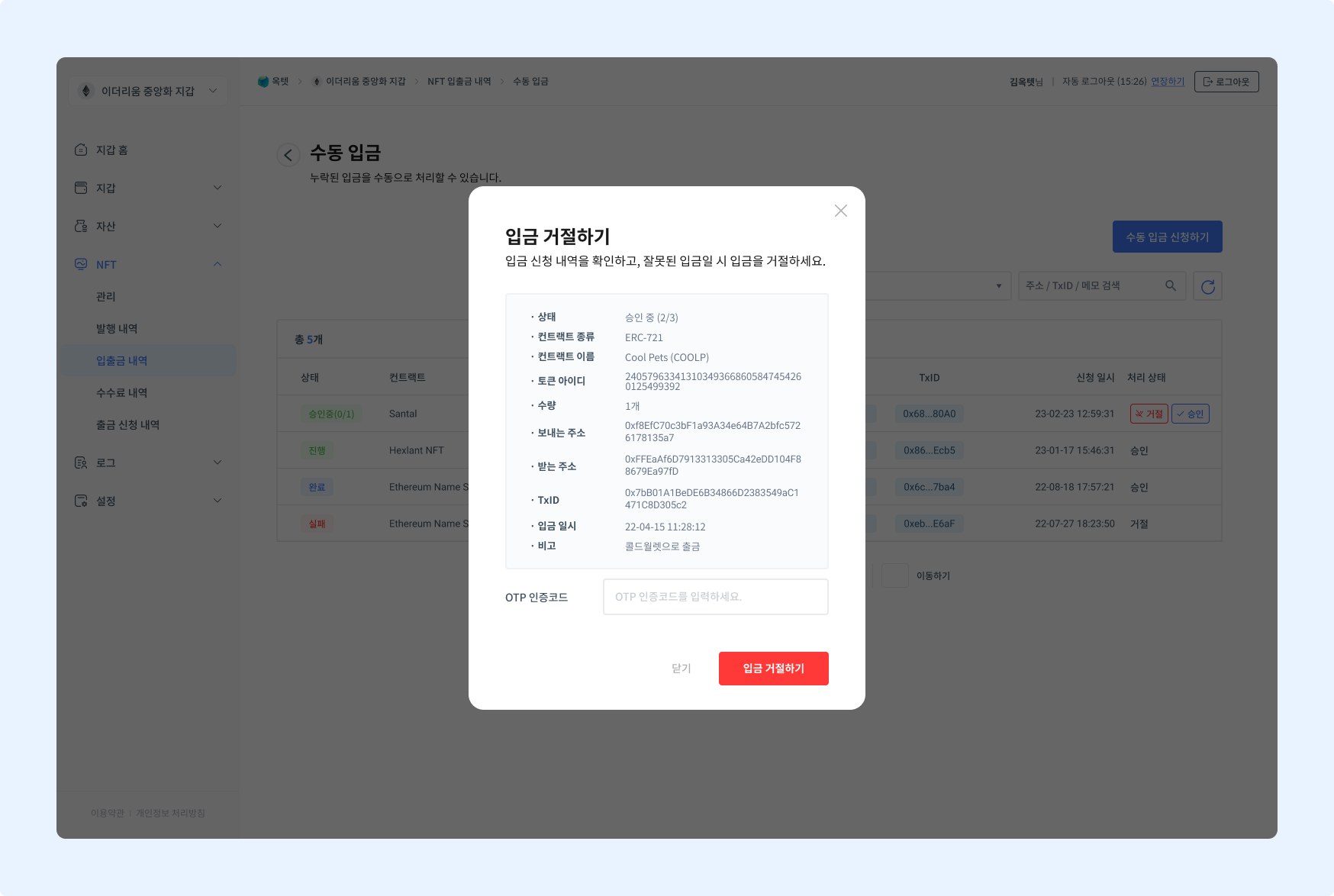
Click the Reject button in the table to open the deposit rejection popup.