NFT Management
View NFT contracts
You can view the NFT contracts deployed by or held in the wallet.
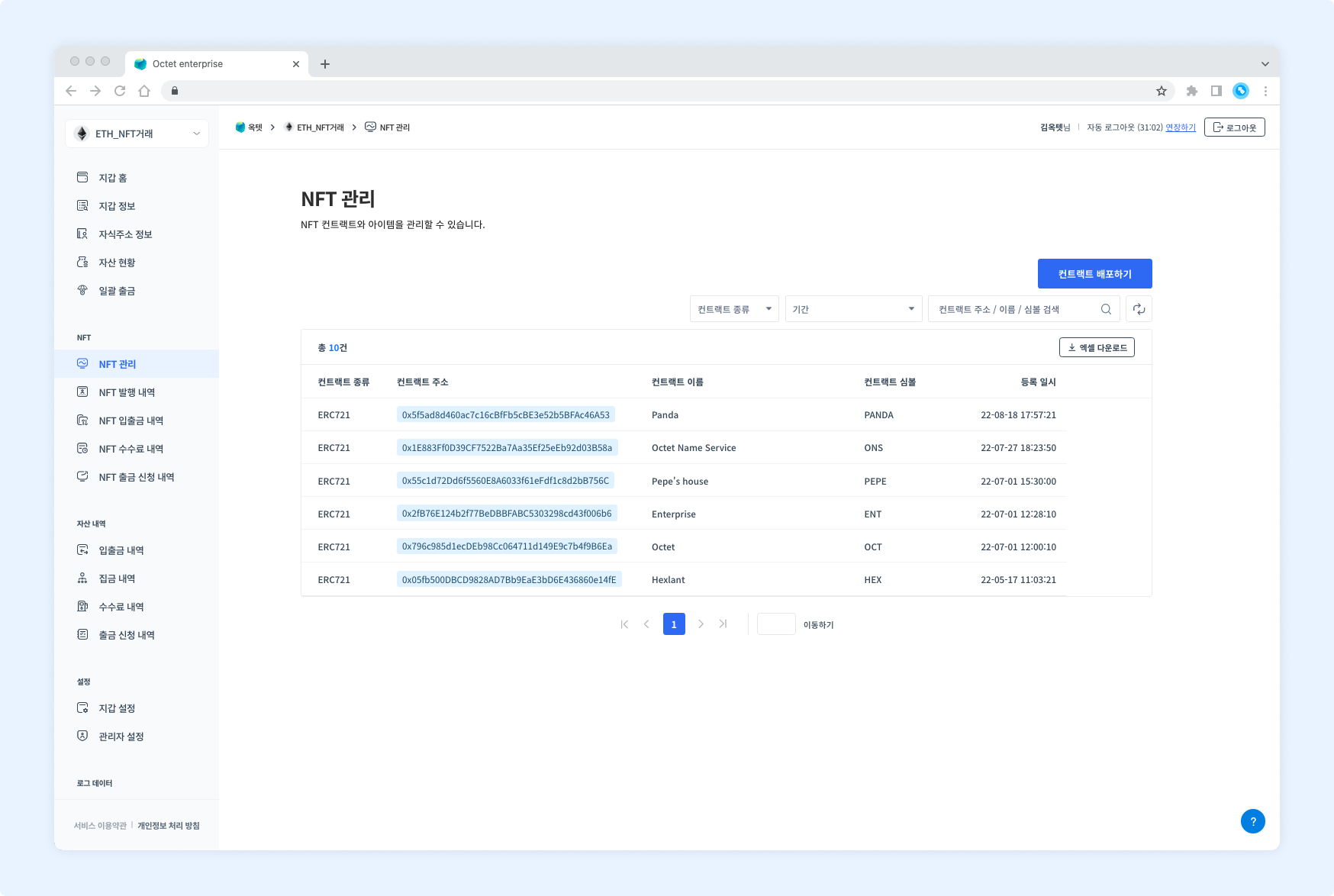
| Item | Description |
|---|---|
| Contract type | Type of the deployed or deposited contract |
| Contract address | Address of the deployed or deposited contract |
| Contract name | Name of the deployed or deposited contract |
| Contract symbol | Symbol of the deployed or deposited contract |
| Registered at | Date and time the contract deployment or deposit was completed |
Deploy an NFT contract
You can deploy NFT contracts in the console. However, if the key management type is co-managed, contracts cannot be deployed from the console. Click the Deploy Contract button at the top right to go to the contract deployment request page.
Permission -
Owner,Manager
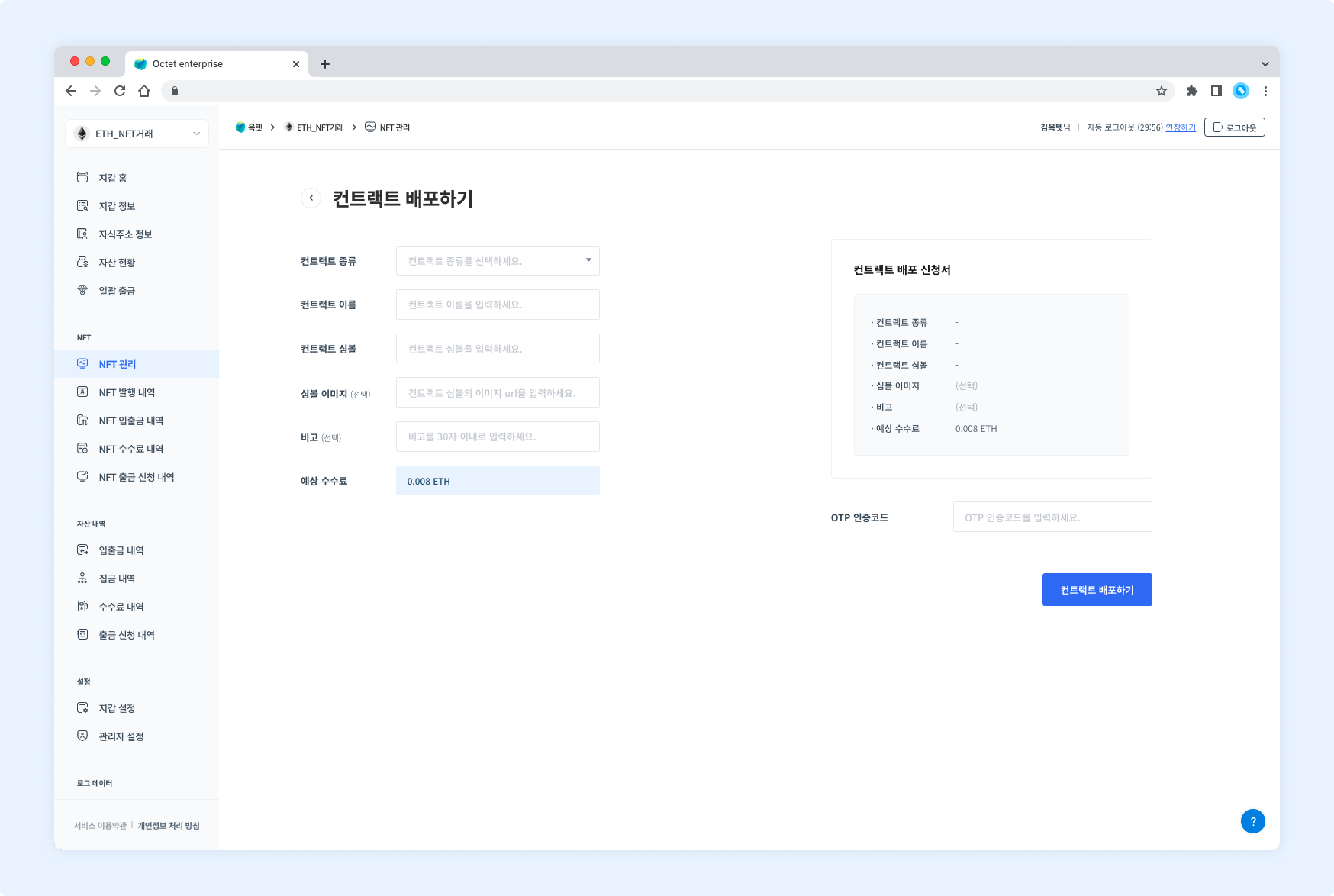
- Select the type of contract to deploy.
- Enter the name of the contract to deploy.
- Enter the symbol of the contract to deploy.
- Enter the symbol image URL of the contract to deploy.
- Enter the OTP code and click the Request button. The contract deployment request is complete.
Download NFT contract list
Click the Download Excel button at the top of the table to download the current list of NFT contracts as an Excel file.
Enter a file password and click the Download button.
View NFT items
Click a row in the table to see the items minted from that contract.
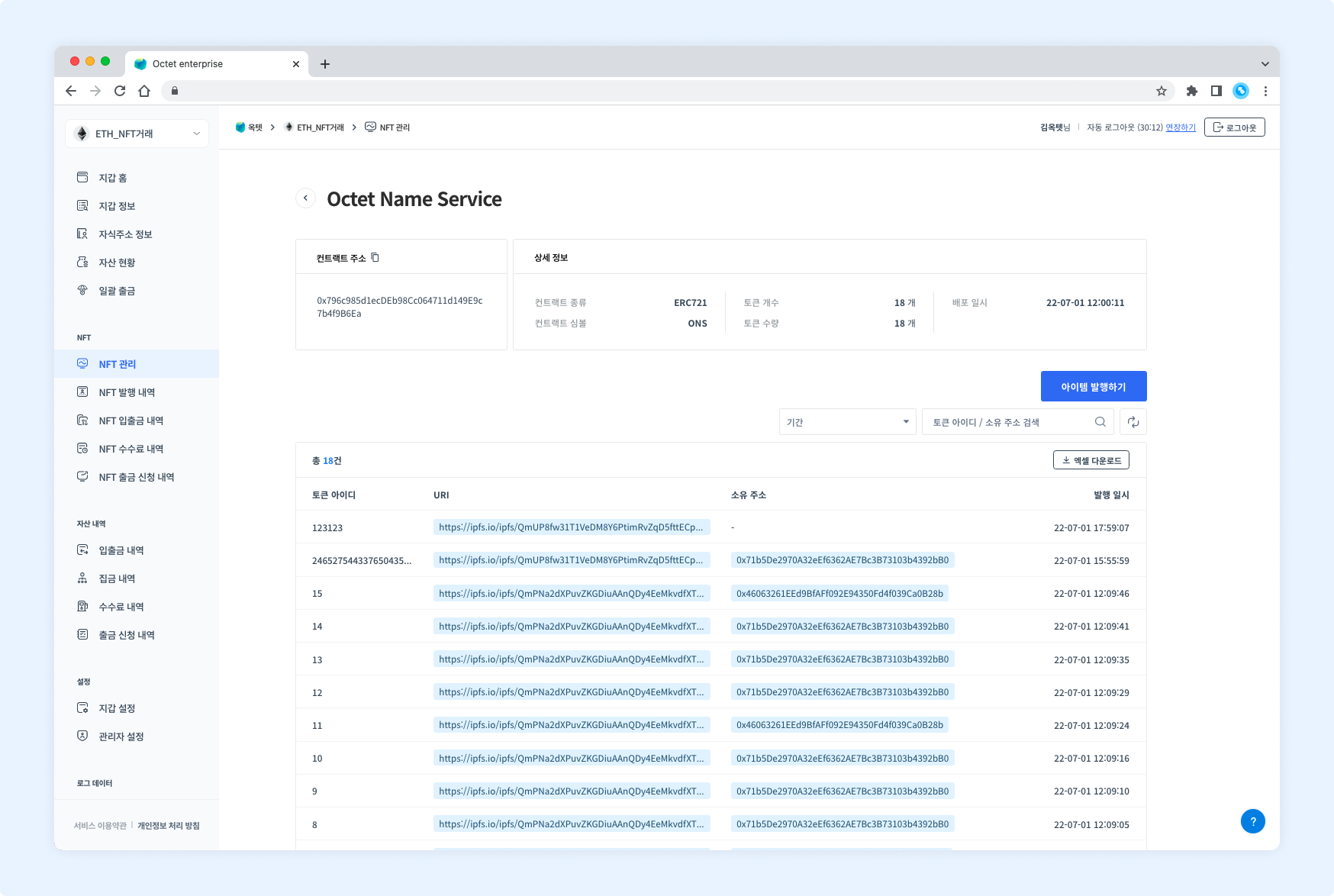
Contract info
| Item | Description |
|---|---|
| Contract address | Address of the deployed or deposited contract |
| Contract type | Type of the deployed or deposited contract |
| Contract symbol | Symbol of the deployed or deposited contract |
| Token count | Total number of items minted from the contract |
| Token amount | Total amount of items minted from the contract |
| Deployed at | Date and time the contract deployment was completed |
Item info
| Item | Description |
|---|---|
| Token ID | Token ID of the item |
| URI | URI of the item |
| Owner address | Address holding the item |
| Minted at | Date and time the item deployment or deposit was completed |
Mint an NFT item
You can mint NFT items in the console. However, if the key management type is co-managed or the contract was not deployed by Octet, items cannot be minted from the console. Click the Mint Item button at the top right to go to the item minting request page.
Permission -
Owner,Manager
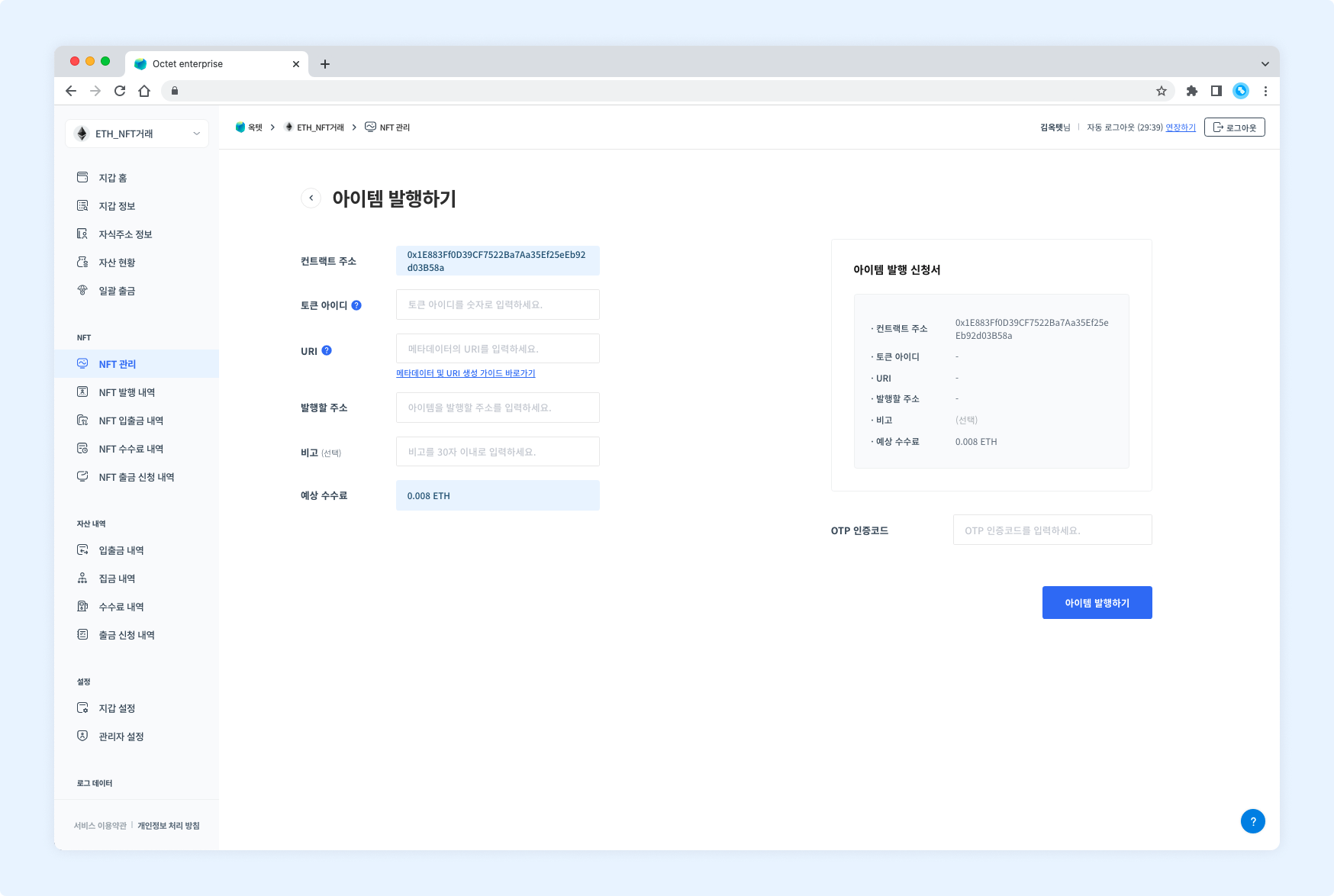
- Enter the token ID of the NFT item to mint.
- Enter the URI where the metadata of the NFT item to mint is located.
- Enter the address to mint the NFT item to.
- Enter the OTP code and click the Request button. The item minting request is complete.
Download NFT item list
Click the Download Excel button at the top of the table to download the current list of NFT items as an Excel file.
Enter a file password and click the Download button.