Fees
View fee history
You can view the fees used by this wallet.
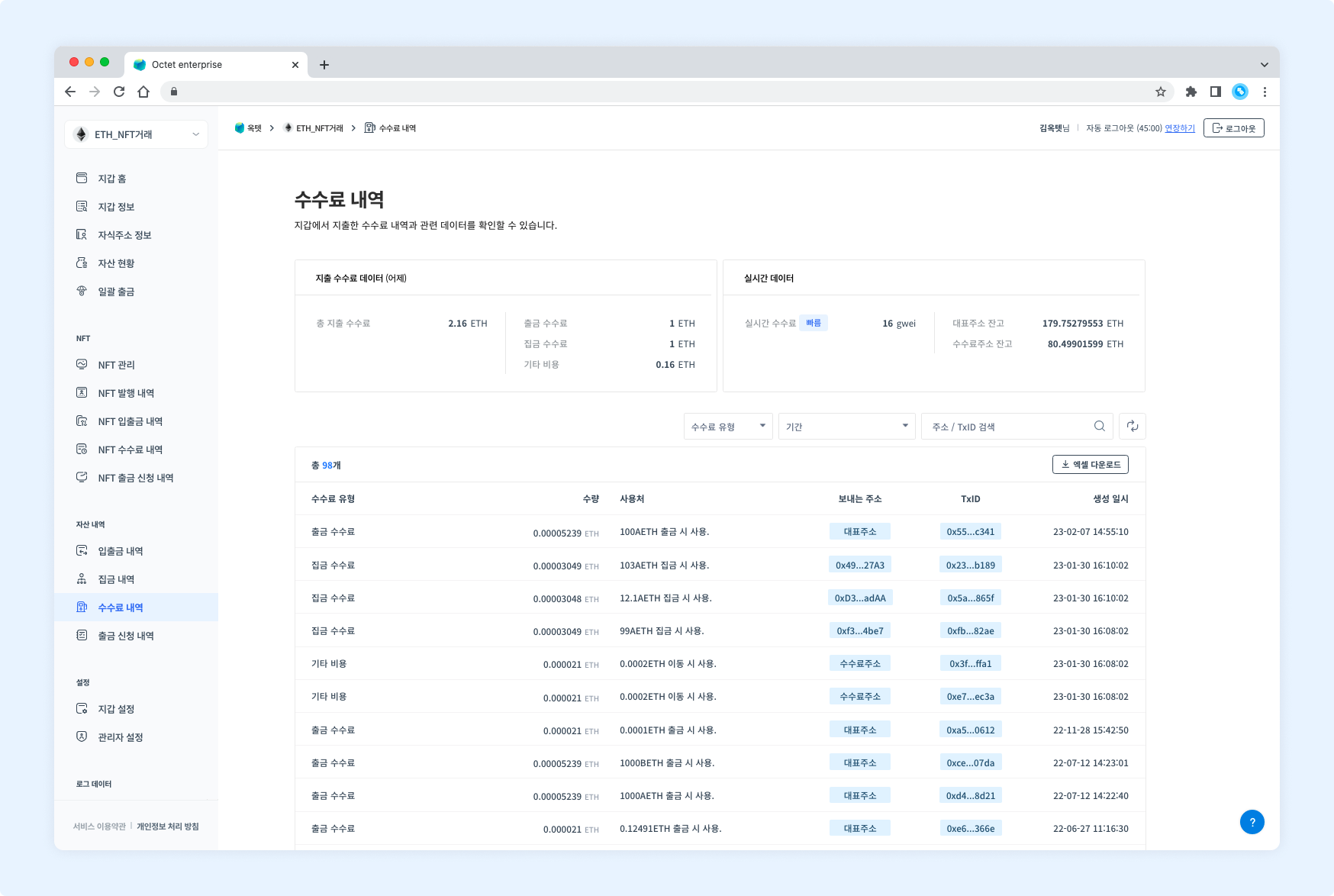
Item | Description |
|---|---|
Fee type |
|
Asset | Symbol of the asset deducted as the fee |
Amount | Amount of the asset deducted as the fee |
Used for | Details of the transaction that used the fee |
From address | Address the fee was deducted from |
TxID | Unique value of the transaction that used the fee |
Created at | Date and time the transaction that used the fee was created |
Details
Click a row in the table to view the details of that transaction.
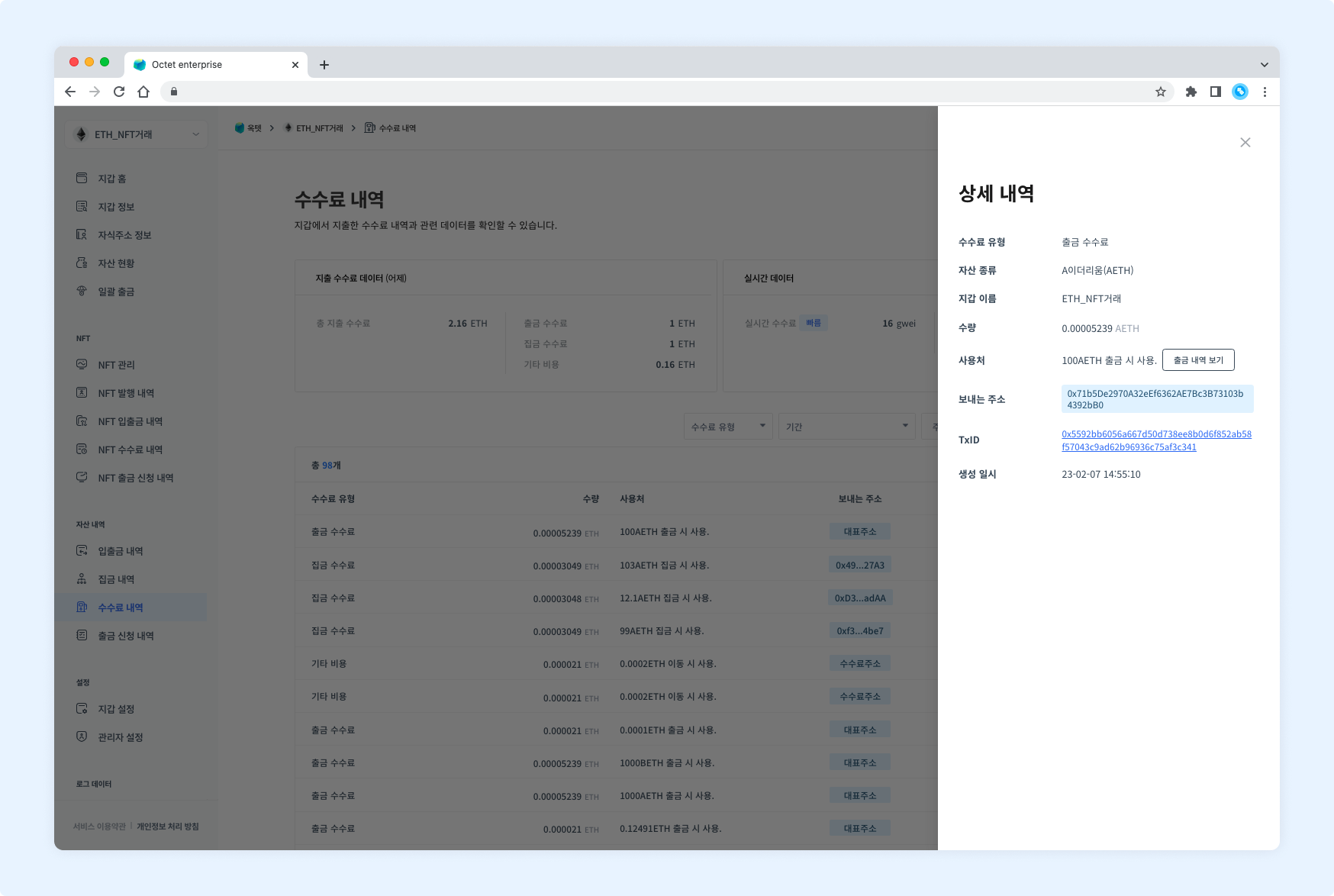
Item | Description |
|---|---|
Fee type |
|
Asset | Symbol of the asset deducted as the fee |
Wallet name | Name of the wallet the fee was deducted from |
Amount | Amount of the asset deducted as the fee |
Used for | Details of the transaction that used the fee |
From address | Address the fee was deducted from |
TxID | Unique value of the transaction that used the fee |
Created at | Date and time the transaction that used the fee was created |
TIP
For gathering fees, aView gathering historybutton appears in the 'Used for' field.
Click it to view the gathering details.For withdrawal fees, a
View withdrawal historybutton appears in the 'Used for' field.
Click it to view the withdrawal details.
Download
Click the Download Excel button at the top of the table to download the fee history for a specific period as an Excel file.
Select the period to view, enter a file password, and click the Download button.