Batch Withdrawal
Batch withdrawal is a feature that withdraws assets to a large number of addresses at once.
View batch withdrawals
You can view the batch withdrawal history of the wallet.
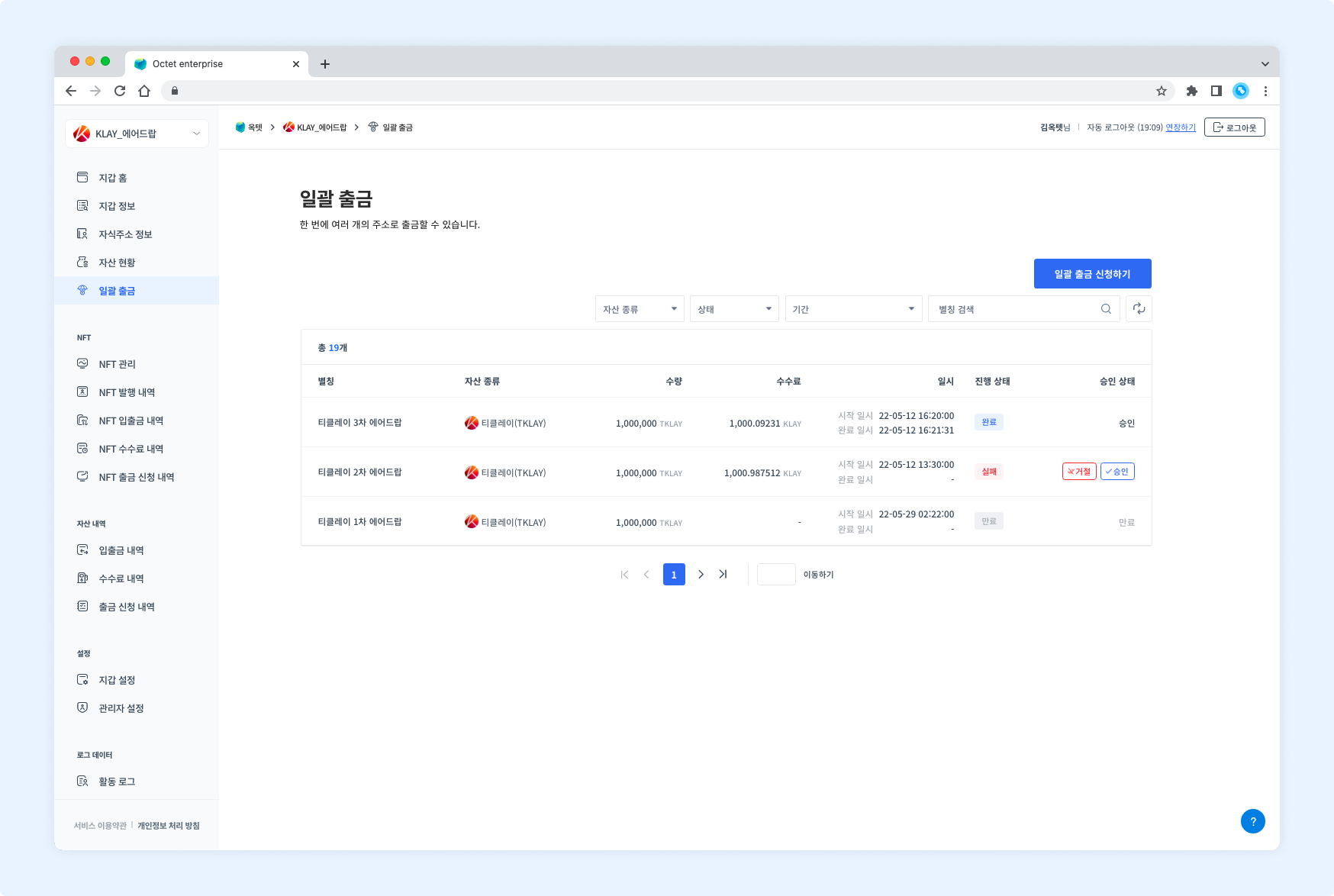
Item | Description |
|---|---|
Alias | Name of the withdrawal |
Asset type | Symbol of the withdrawn asset |
Amount | Total amount withdrawn |
Fee | Total fee used for the withdrawal (shown once the withdrawal is completed.) |
Date and time |
|
Progress status |
|
Approval status |
|
Detail page
Click a row in the table to open the detail page of that withdrawal request.
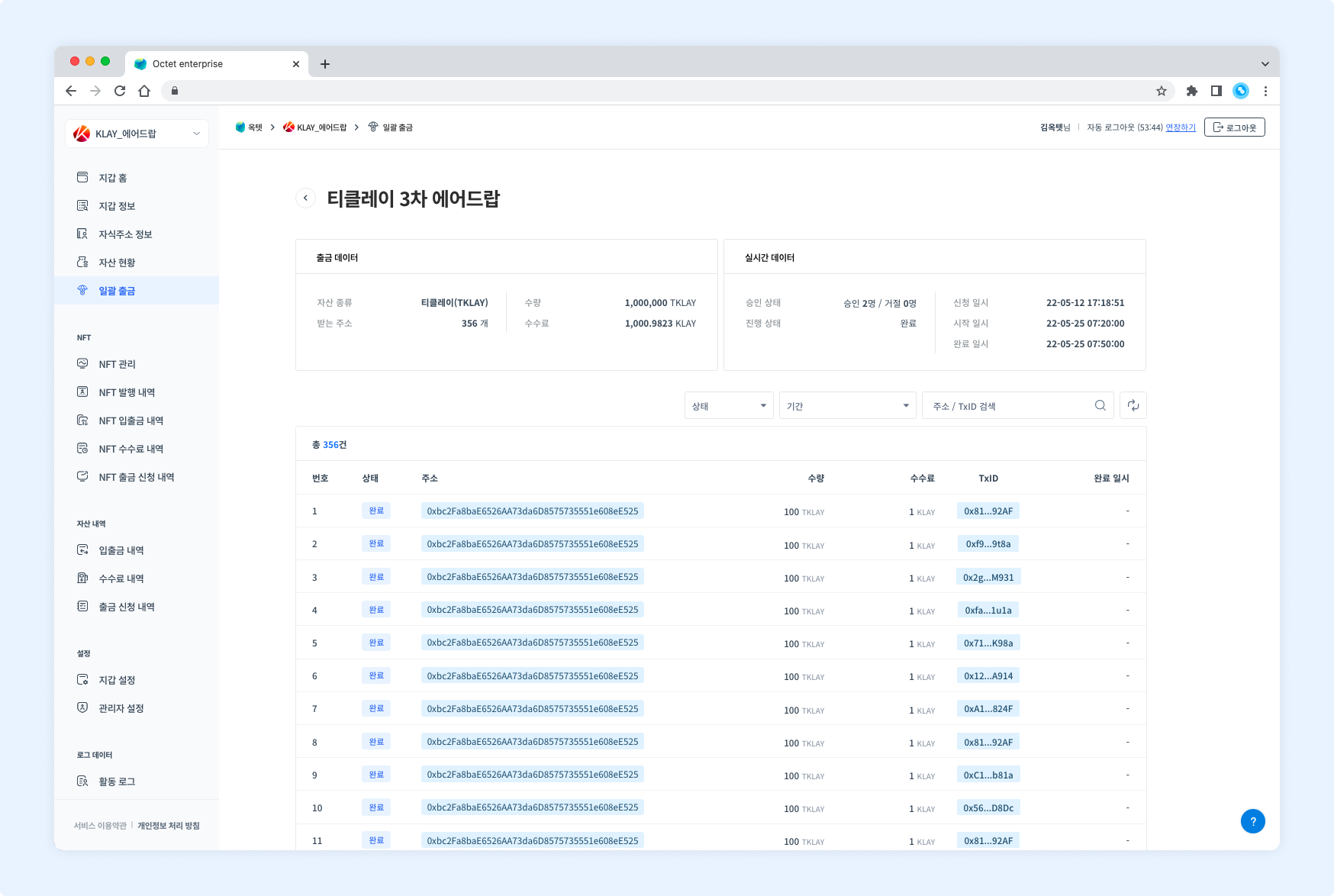
Withdrawal data
| Item | Description |
|---|---|
| Asset type | Symbol of the withdrawn asset |
| Receiving addresses | Number of addresses receiving the asset |
| Amount | Total amount withdrawn |
| Fee | Total fee used for the withdrawal (shown once the withdrawal is completed.) |
Real-time data
Item | Description |
|---|---|
Approval status | Current status of withdrawal approvals and rejections |
Progress status |
|
Requested at | Date and time the withdrawal was requested |
Started at | Date and time the withdrawal started |
Completed at | Date and time the withdrawal was completed (shown once the withdrawal is completed.) |
Withdrawal details
Item | Description |
|---|---|
Number | Number assigned to each withdrawal |
Status |
|
Address | Address receiving the asset |
Amount | Amount withdrawn |
Fee | Fee used for the withdrawal (shown once the withdrawal is completed.) |
TxID | Unique value of the transaction (shown once the withdrawal is in progress.) |
Completed at | Date and time the transaction was completed (shown once the withdrawal is completed.) |
Request a batch withdrawal
You can batch withdraw assets from the main address in the console. However, if the key management type is co-managed, withdrawals from the console are not available. Click the Request Batch Withdrawal button at the top right to go to the withdrawal request page.
Permission -
Requester
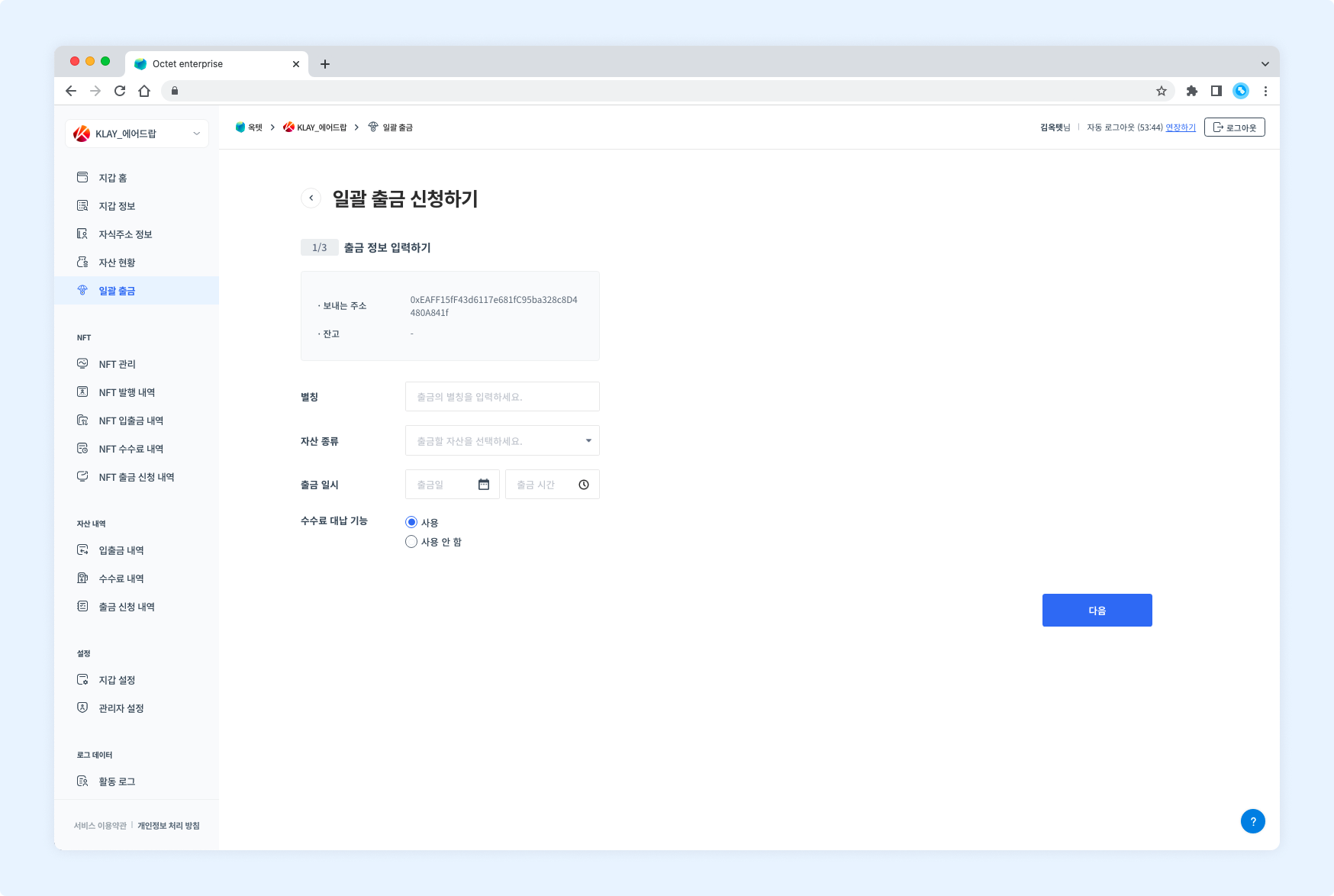
- Enter an alias for the withdrawal.
- Select the asset type to withdraw.
- Select the date and time to start the withdrawal. It must be later than the current time.
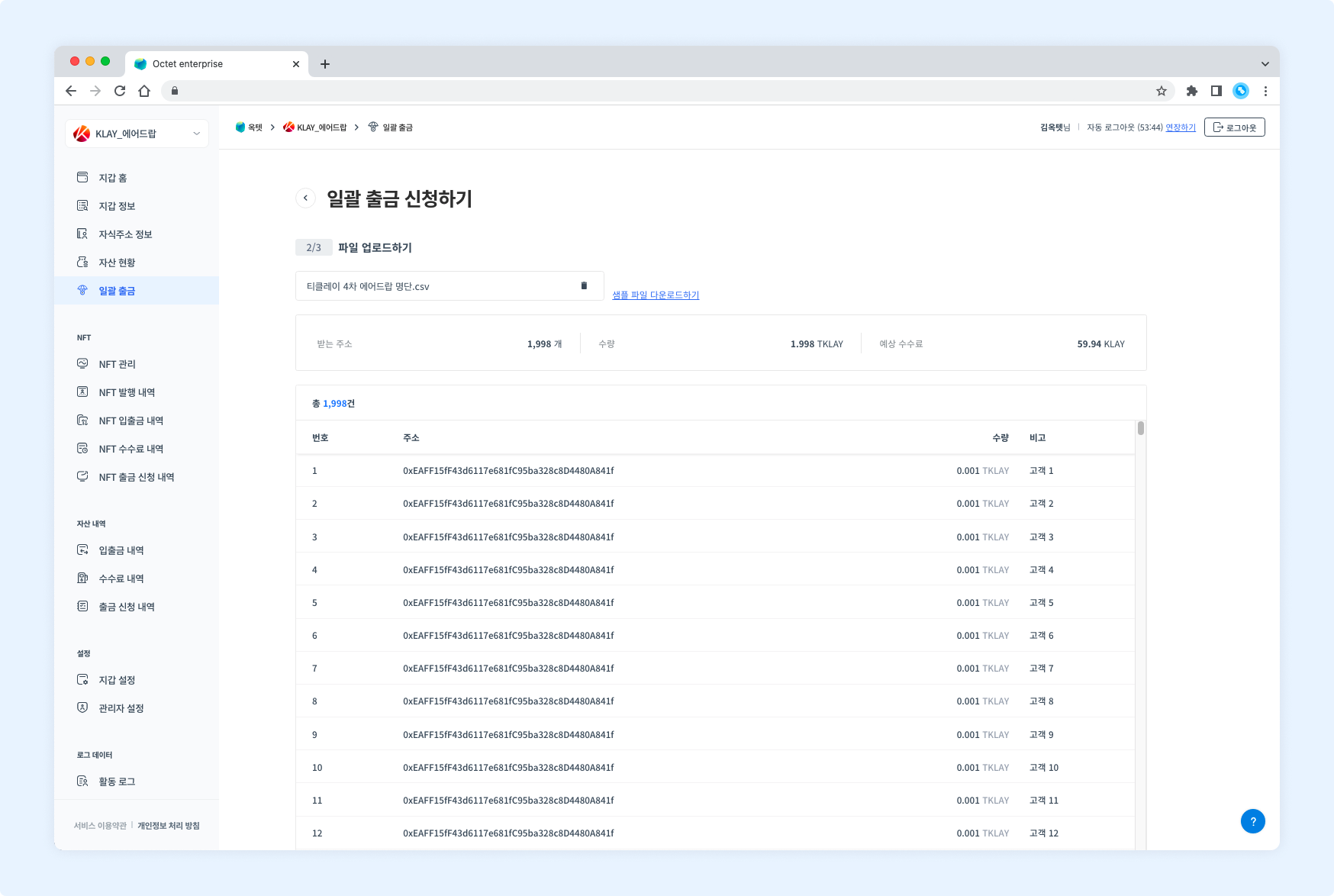
- Upload the file containing the withdrawal details. Its format must match the sample file. Once the file is uploaded, the addresses and amounts are displayed.
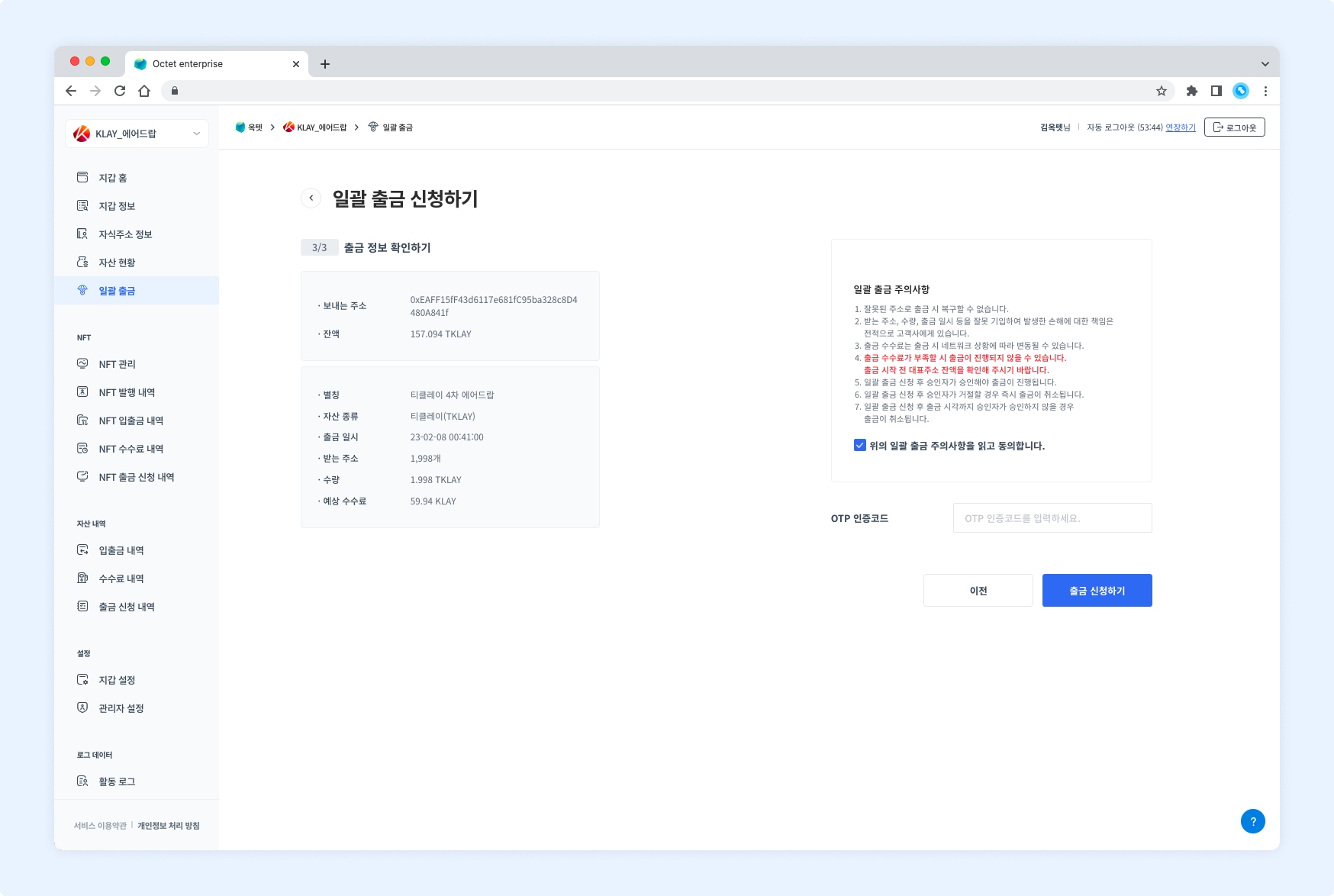
- Read and check the withdrawal precautions.
- Enter the OTP code and click the Request button. The withdrawal request is complete.
TIP
A batch withdrawal can process up to 5,000 withdrawals at once.
Approve a batch withdrawal
Once a batch withdrawal is requested, the configured number of approvers must approve it before the withdrawal proceeds.
Permission -
Owner,Approver
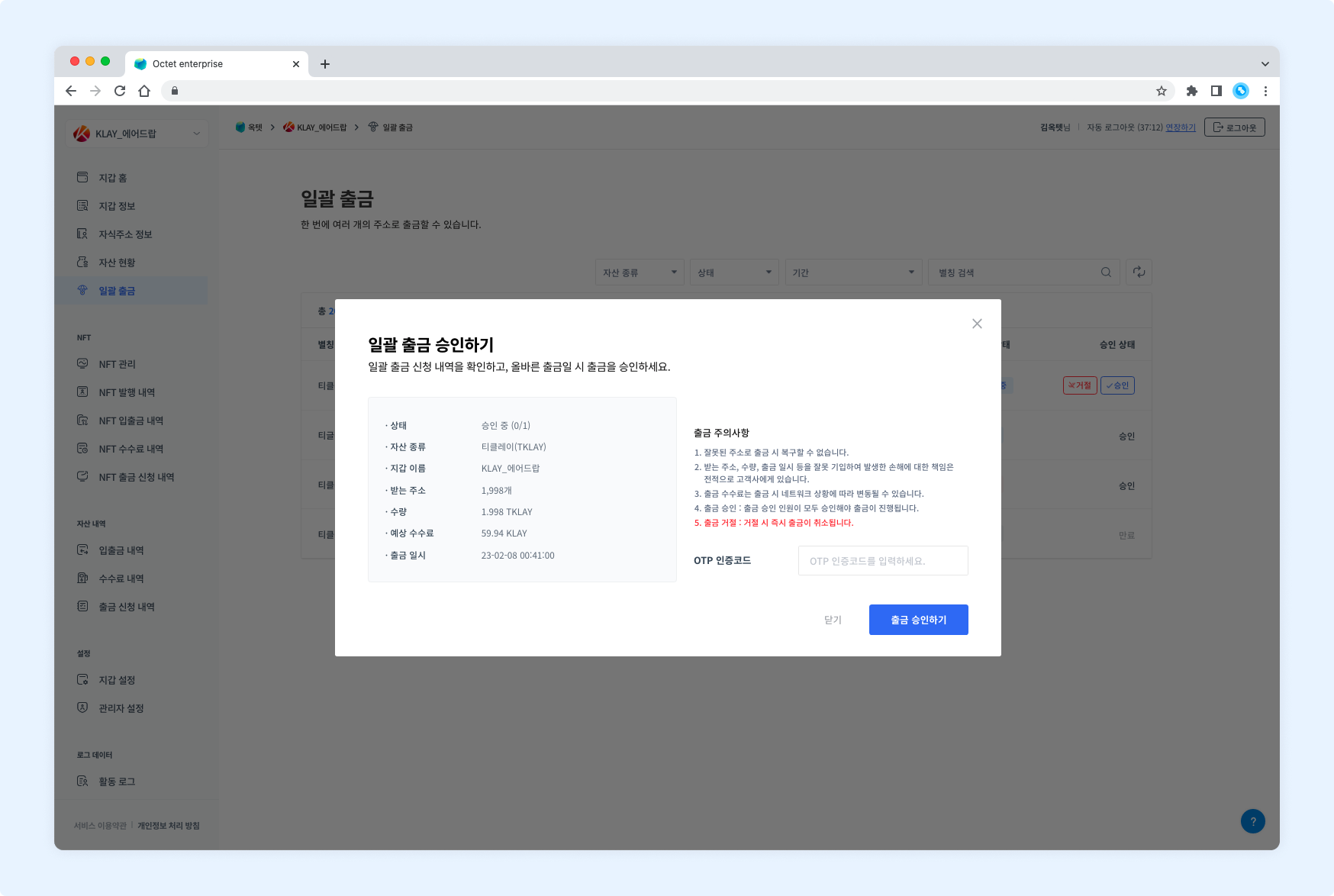
Click the Approve button in the table to open the withdrawal approval popup.
Reject a batch withdrawal
If a requested batch withdrawal is incorrect, you can reject it. Rejecting a withdrawal immediately cancels the withdrawal request.
Permission -
Owner,Approver
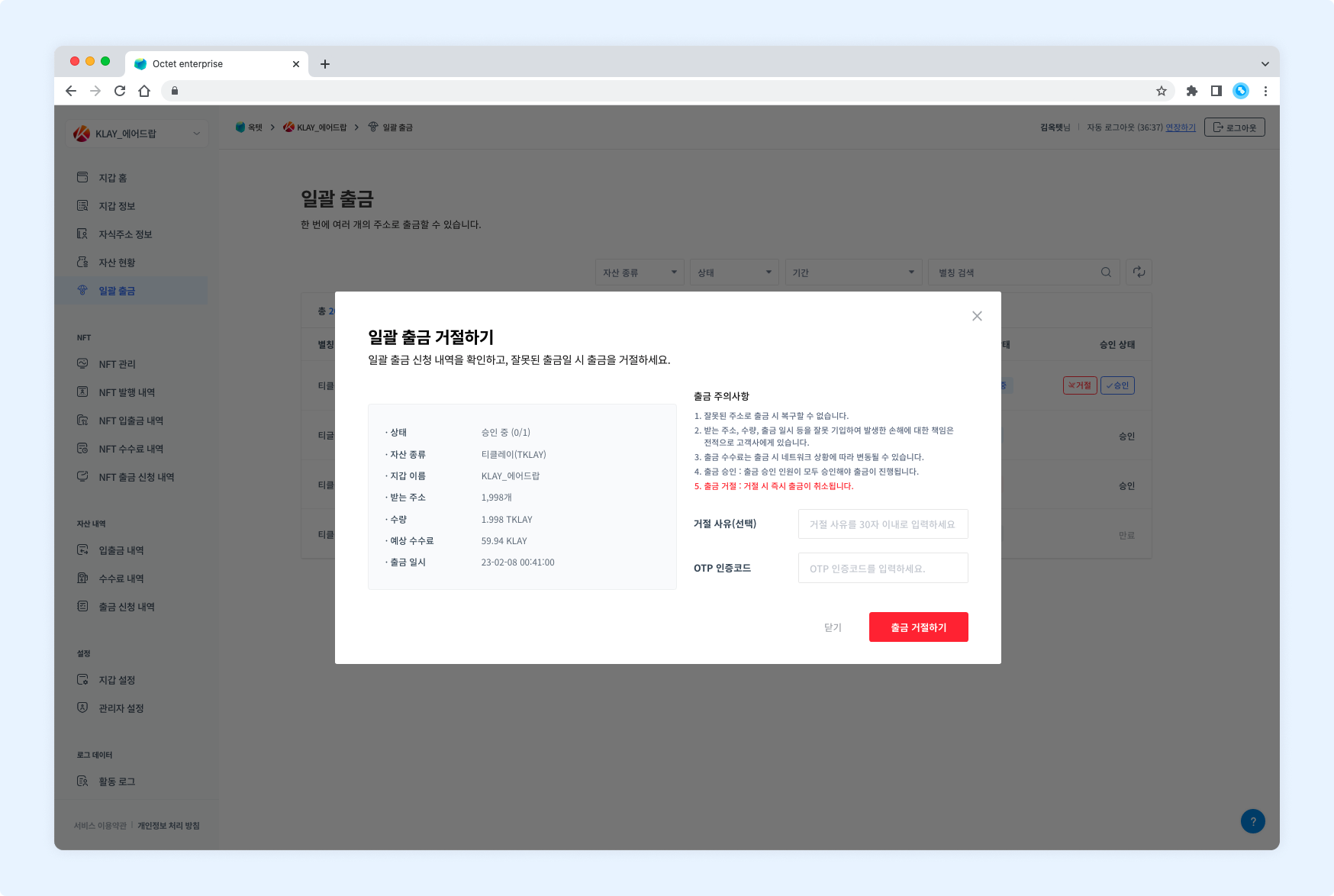
Click the Reject button in the table to open the withdrawal rejection popup.