Assets
Balances
You can view the balances of the wallet. Balances are shown as of the current moment.
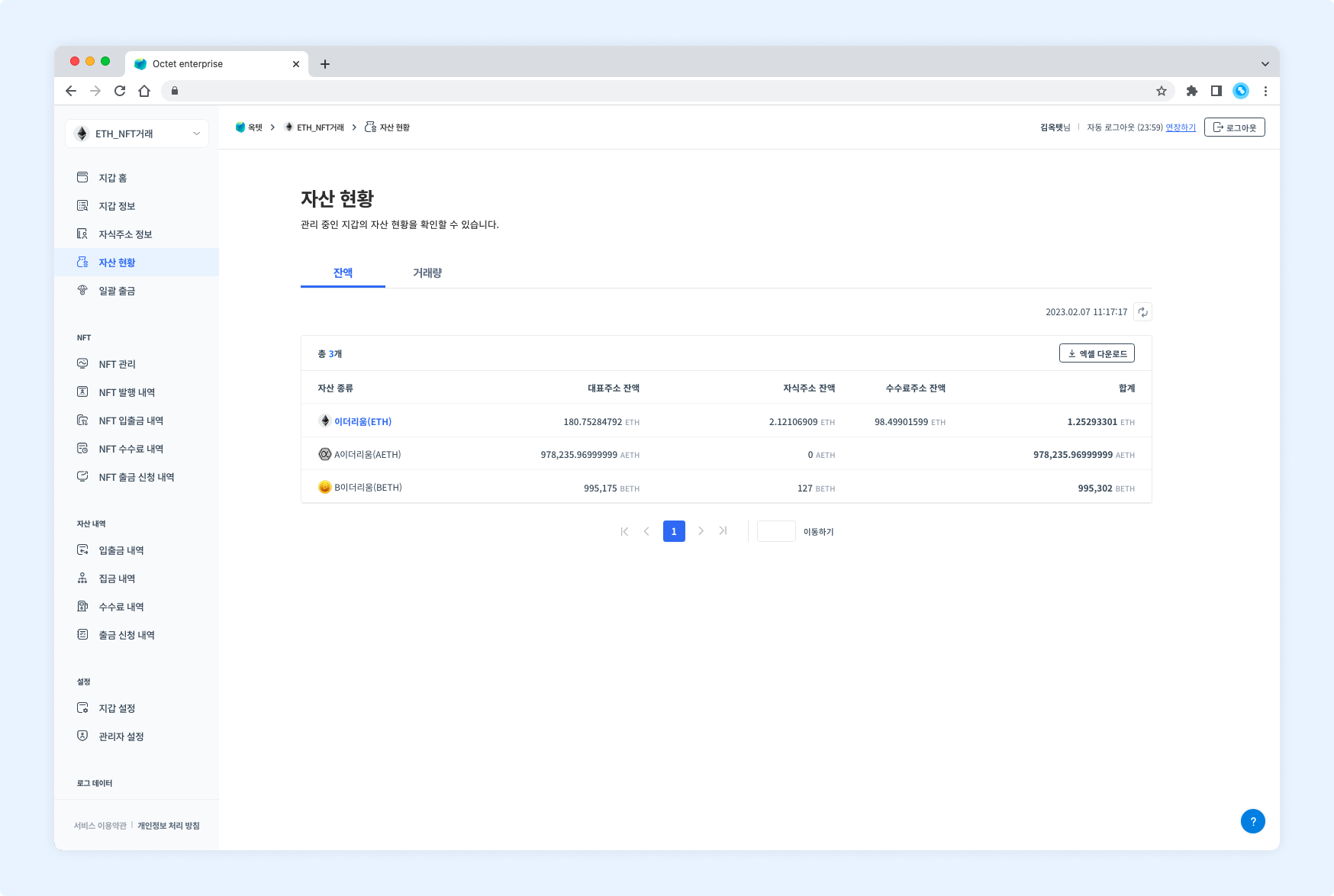
- Main address balance
- Child address balance
- Fee address balance
- Total
Download balances
Click the Download Excel button at the top of the table to download the current balances as an Excel file.
Enter a file password and click the Download button.
Transaction history
You can view the transaction volume of the wallet. By default, the transaction volume for all periods is shown; set the filter at the top right to view the transaction volume for a specific period.
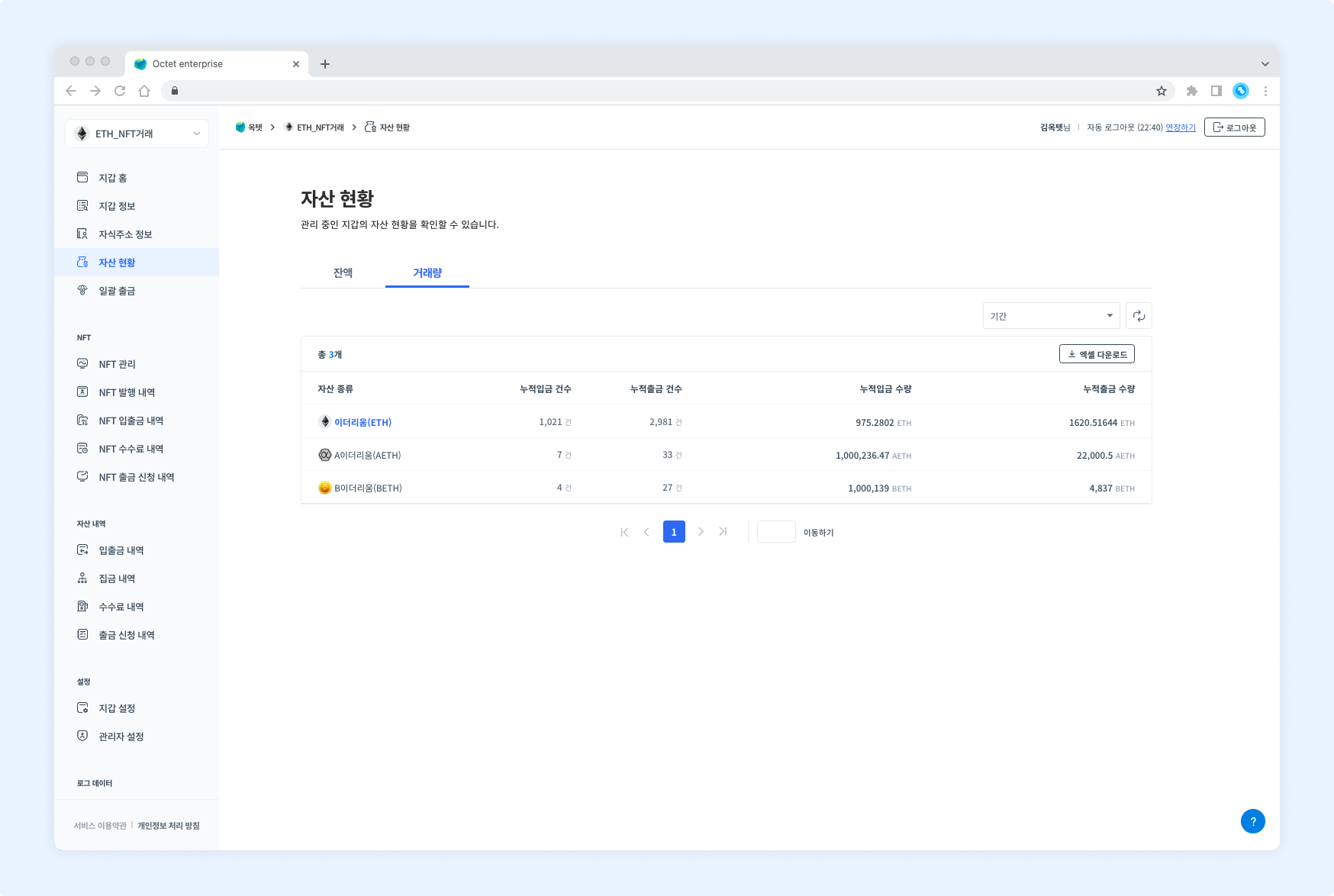
- Cumulative number of deposits / cumulative number of withdrawals
- Cumulative deposit amount / cumulative withdrawal amount
Download transaction history
Click the Download Excel button at the top of the table to download the transaction volume for a specific period as an Excel file.
Select the period to view, enter a file password, and click the Download button.