Admins
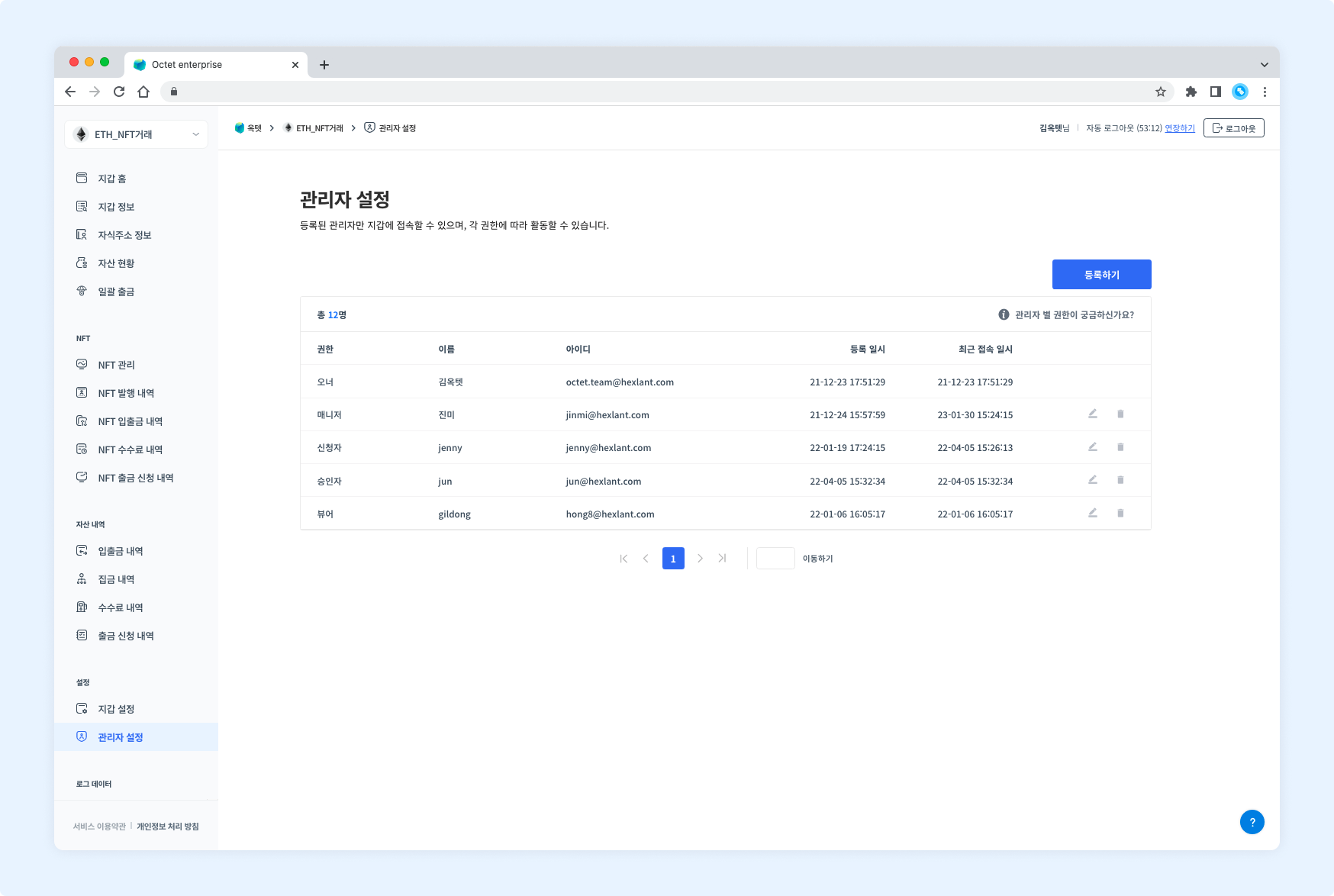
Add an administrator
Registered administrators must be granted access to the wallet.
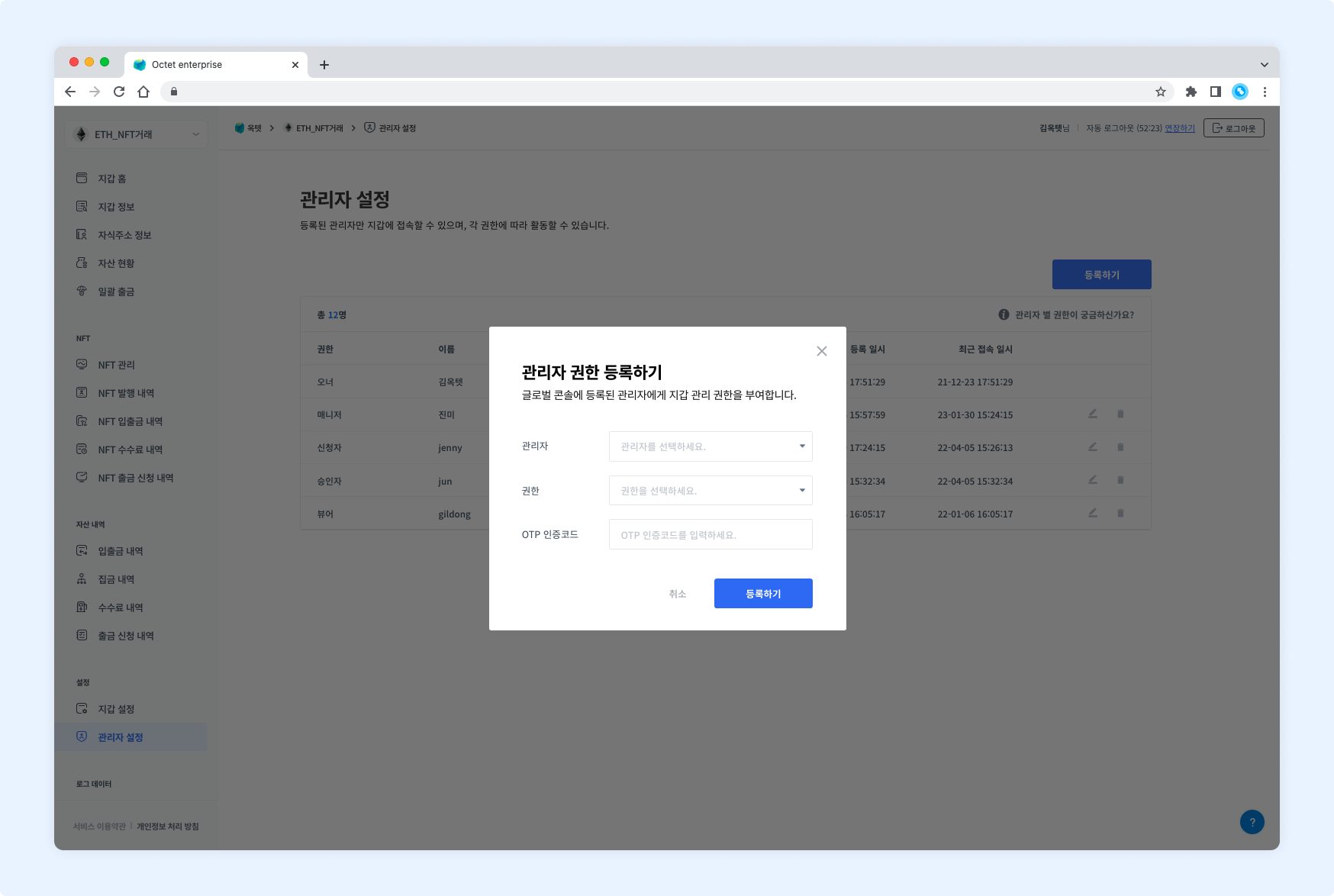
- Click the
Registerbutton. The permission registration popup appears. - Select an administrator.
- Select the permission to grant to the administrator.
- Enter your OTP code and click the
Registerbutton. - The administrator is granted access to the wallet.
Delete an administrator
Removes the wallet access granted to an administrator.
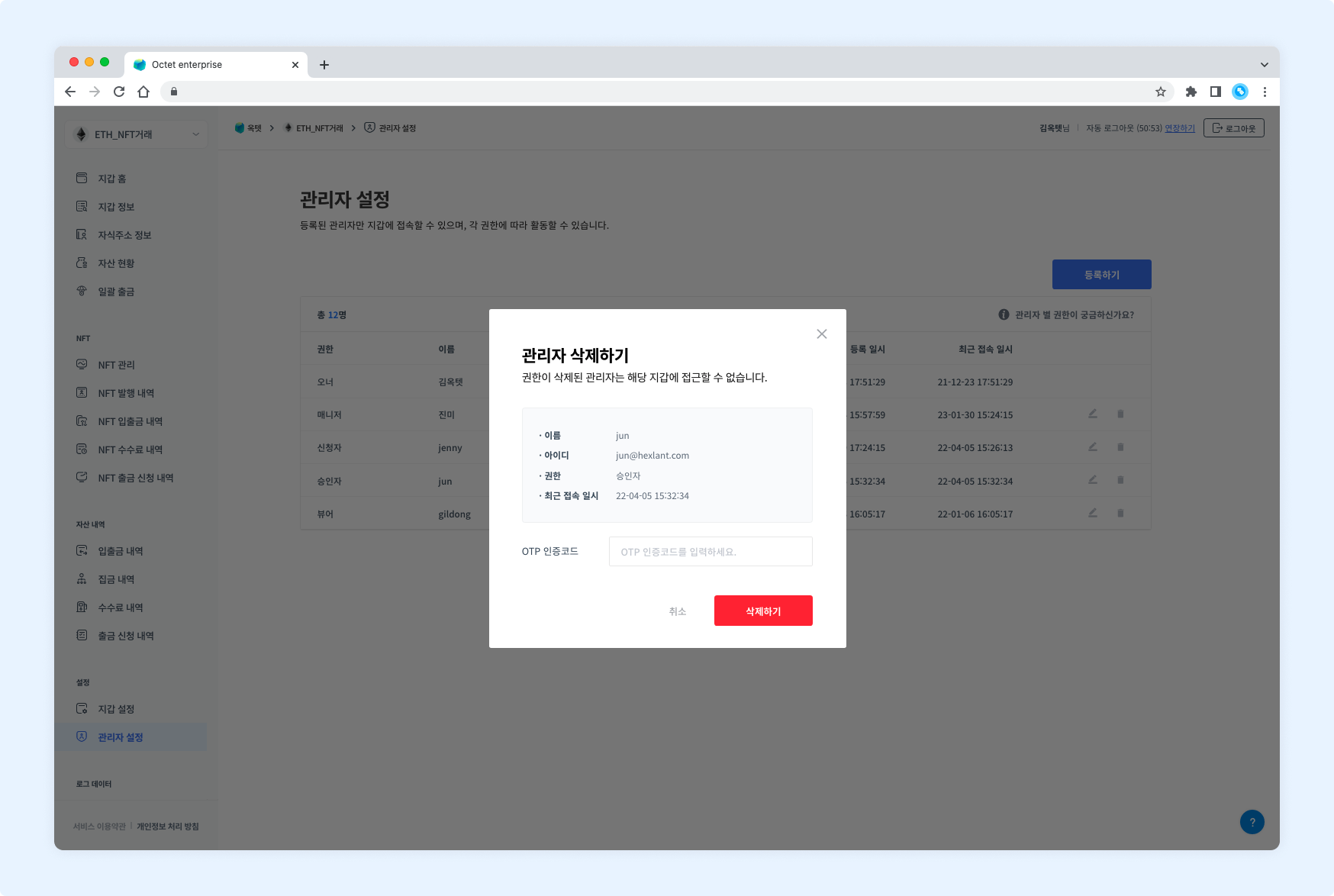
- Click the
Deletebutton. The administrator deletion popup appears. - Check the administrator to delete.
- Enter your OTP code and click the
Deletebutton. - The administrator's wallet access is deleted.
Change permission
You can change the permission granted to an administrator.
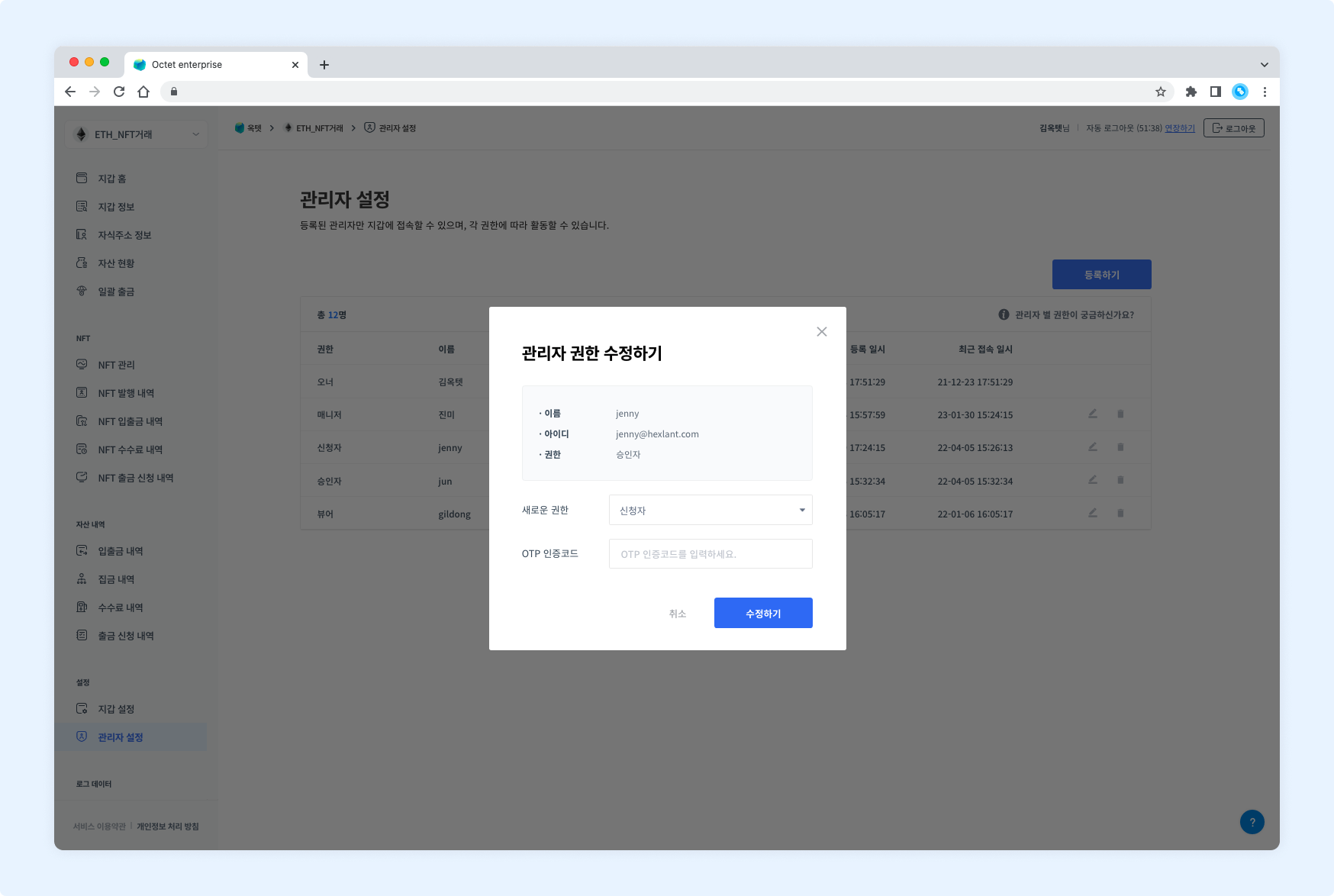
- Click the
Editbutton. The administrator permission edit popup appears. - Select the new permission.
- Enter your OTP code and click the
Editbutton. - The administrator's permission is changed.