Viewing webhook history
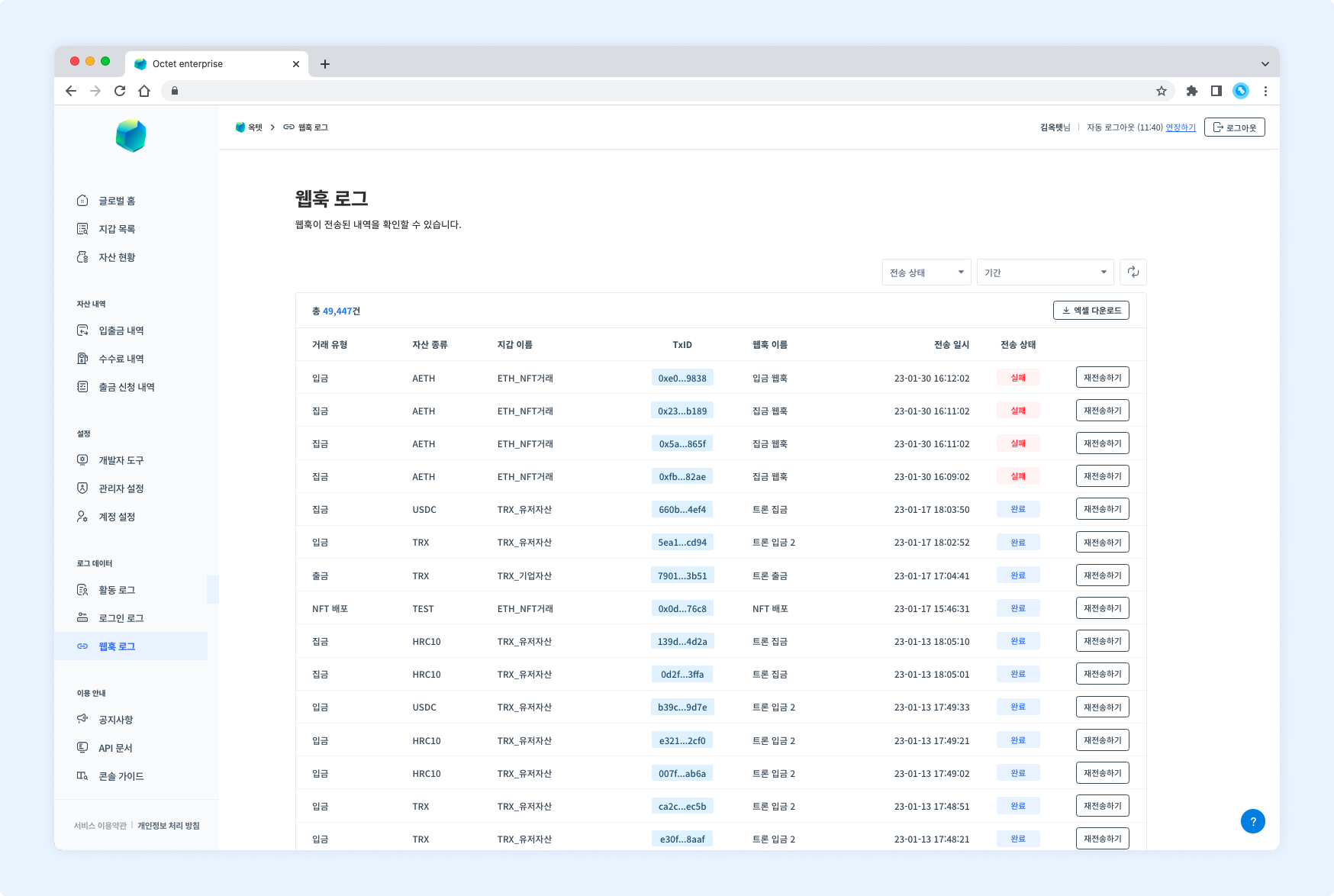
You can view the webhooks sent from every wallet you have permission for.
Item | Description |
|---|
Transaction type | Deposit : a transaction whose receiving address belongs to the wallet
Withdrawal : a transaction whose sending address belongs to the wallet
Gathering : a transaction that moves assets from a child address to the main address (centralized wallet)
NFT deploy : a transaction in which the address deploying the NFT contract belongs to the wallet
NFT item mint : a transaction in which the contract minting the NFT item belongs to the wallet
NFT deposit : a transaction whose NFT-receiving address belongs to the wallet
NFT withdrawal : a transaction whose NFT-sending address belongs to the wallet
|
Asset | Symbol of the asset the webhook was triggered for |
Wallet name | Name of the wallet the webhook was triggered for |
TxID | Unique value of the transaction |
Webhook name | Name (alias) of the registered webhook |
Sent at | Date and time the webhook was sent |
Delivery status | In progress : the webhook is being sent
Completed : the webhook has been sent
Failed : sending the webhook has failed
|
Details
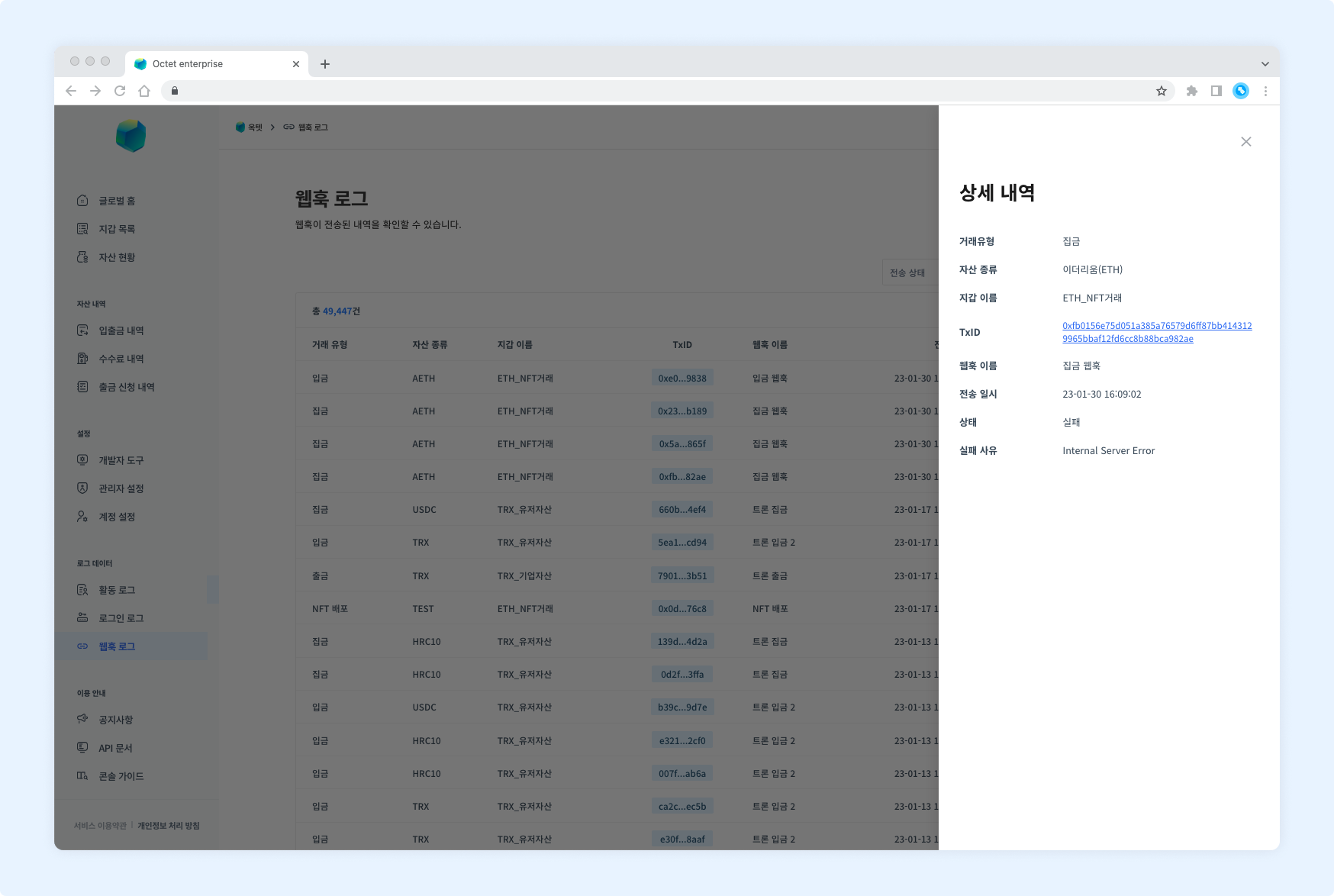
Click a row in the table to see the details of that webhook.
Item | Description |
|---|
Transaction type | Deposit : a transaction whose receiving address belongs to the wallet
Withdrawal : a transaction whose sending address belongs to the wallet
Gathering : a transaction that moves assets from a child address to the main address (centralized wallet)
NFT deploy : a transaction in which the address deploying the NFT contract belongs to the wallet
NFT item mint : a transaction in which the contract minting the NFT item belongs to the wallet
NFT deposit : a transaction whose NFT-receiving address belongs to the wallet
NFT withdrawal : a transaction whose NFT-sending address belongs to the wallet
|
Asset | Symbol of the asset the webhook was triggered for |
Wallet name | Name of the wallet the webhook was triggered for |
TxID | Unique value of the transaction |
Webhook name | Name (alias) of the registered webhook |
Sent at | Date and time the webhook was sent |
Delivery status | In progress : the webhook is being sent
Completed : the webhook has been sent
Failed : sending the webhook has failed
|
Resending a webhook
If a webhook fails to be received, you can send it again.
Permission
Owner - can resend all webhooks.
Manager - can resend webhooks for wallets they have permission for.
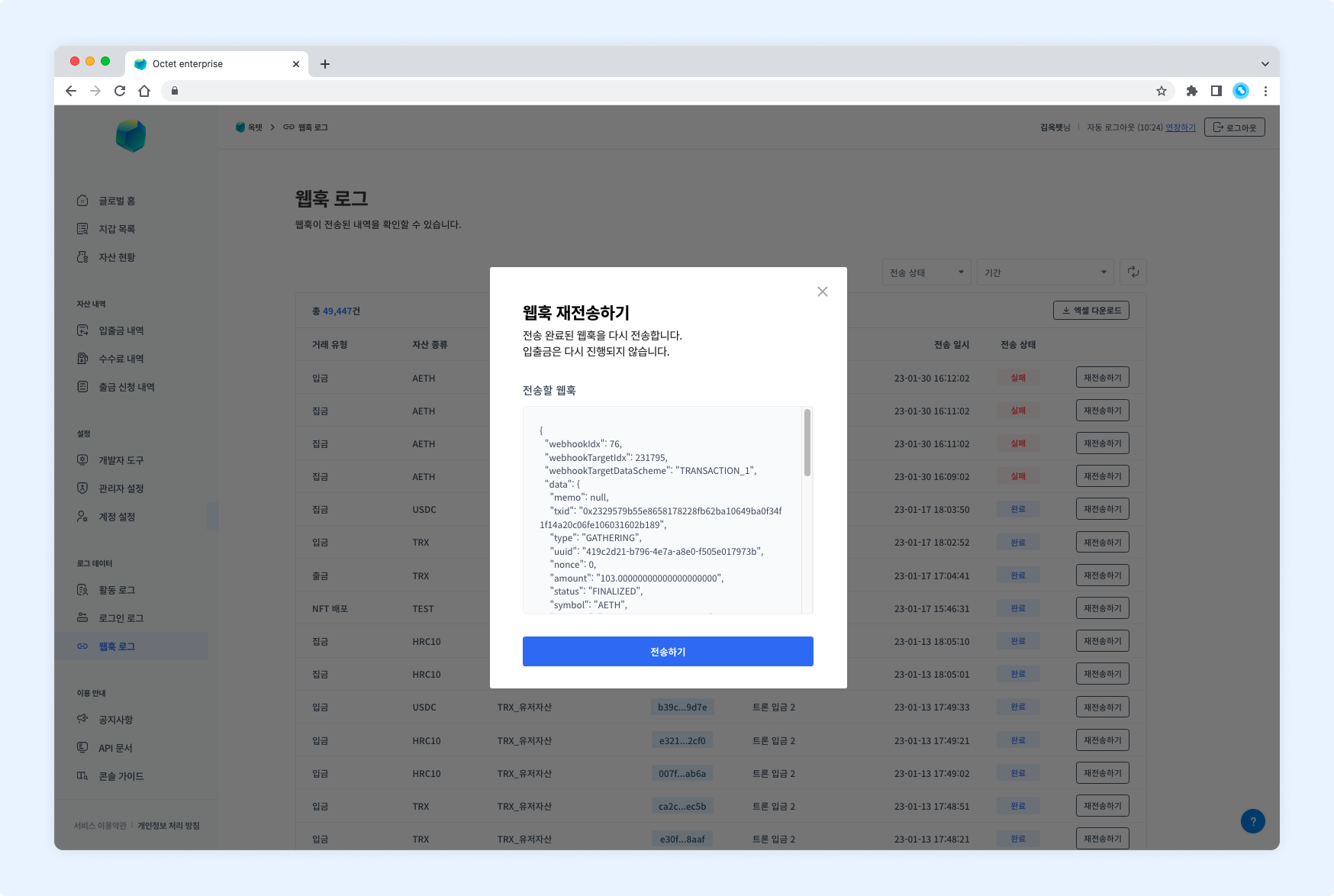
- Click the
Resend button. The webhook resend popup appears.
- Check the content of the webhook to resend.
- Enter the OTP code and click the
Send button.
Downloading the file
Click the Download Excel button above the table to download the webhook delivery history for a specific period as an Excel file.
Select the period, enter a file password, and click the Download button.