Wallets
Viewing wallet information
You can view every wallet you have permission for. Click a row to go to that wallet's Wallet Console.
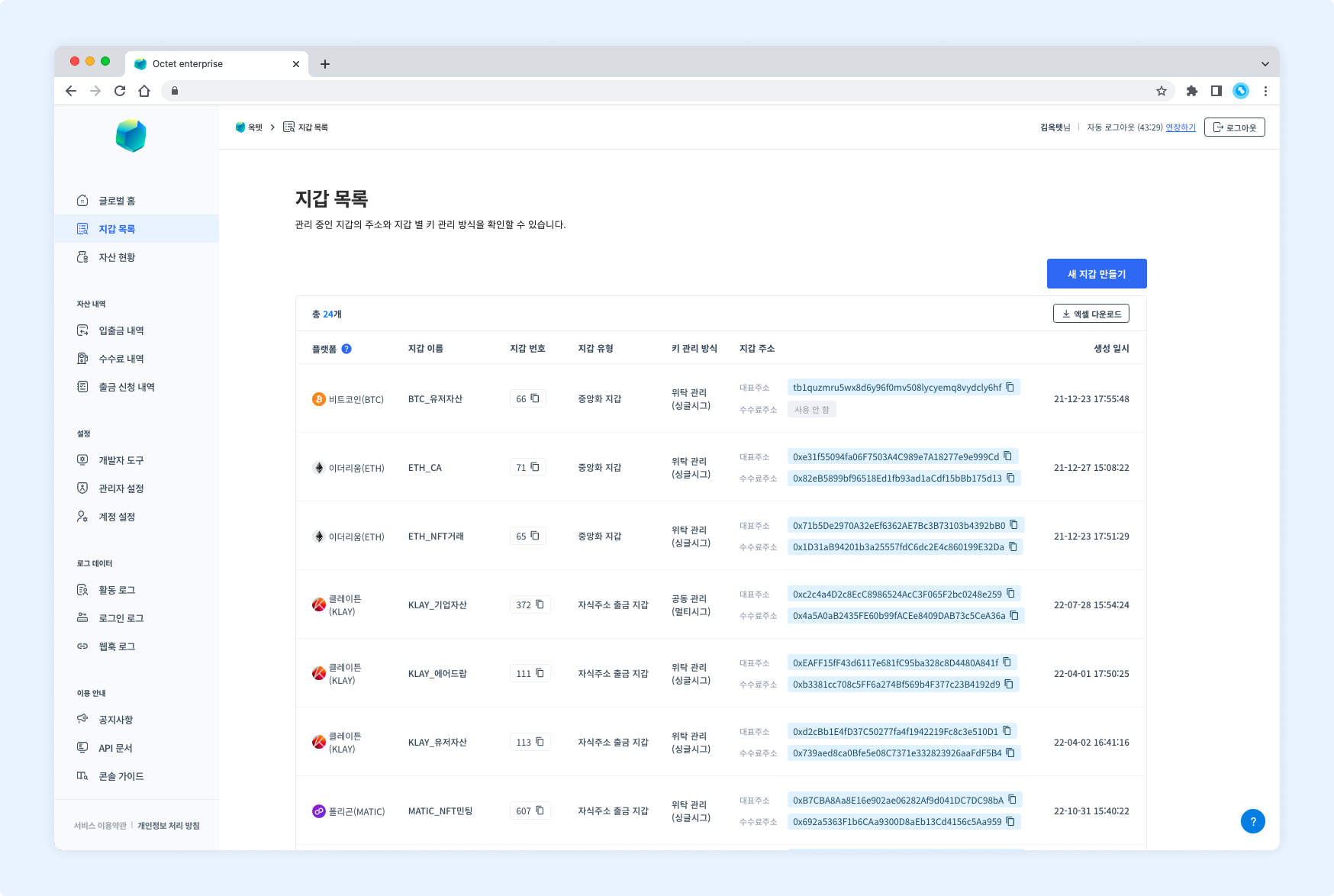
- Wallet number : the wallet's unique value
- Wallet type : centralized wallet / child address withdrawal wallet / custodial wallet
- Key management method : co-managed (multisig) / Octet-managed (singlesig)
Creating a new wallet
Click the [Create New Wallet] button at the top right to create a new wallet. See the wallet creation guide for details.
Permission - Owner
Setting up the wallet structure
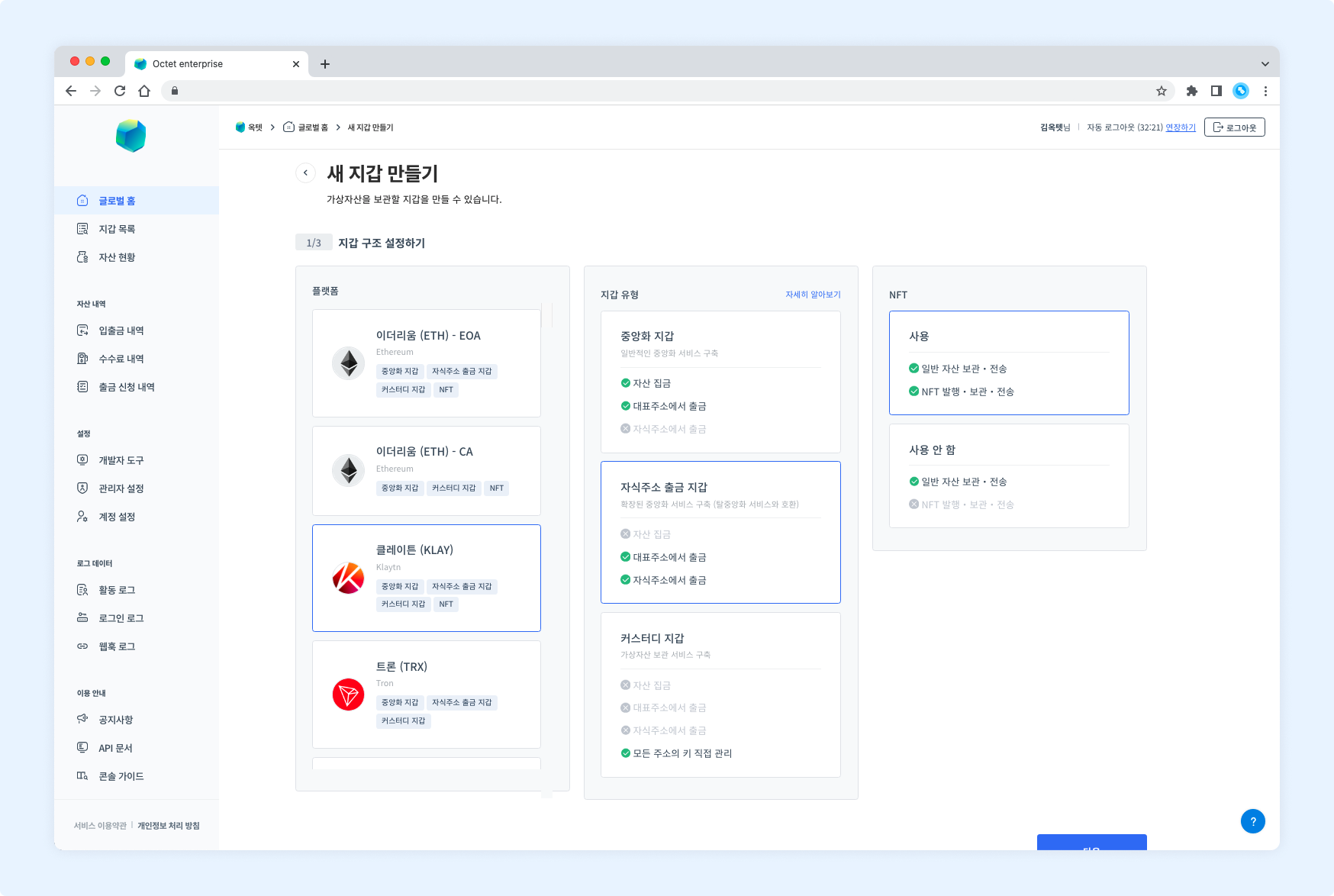
- Select the platform to create the wallet on. You can only select platforms you have permission for.
- Select the wallet type. The type cannot be changed after the wallet is created.
- Choose whether to use NFT features. This can only be selected if you have permission.
Setting up the keys
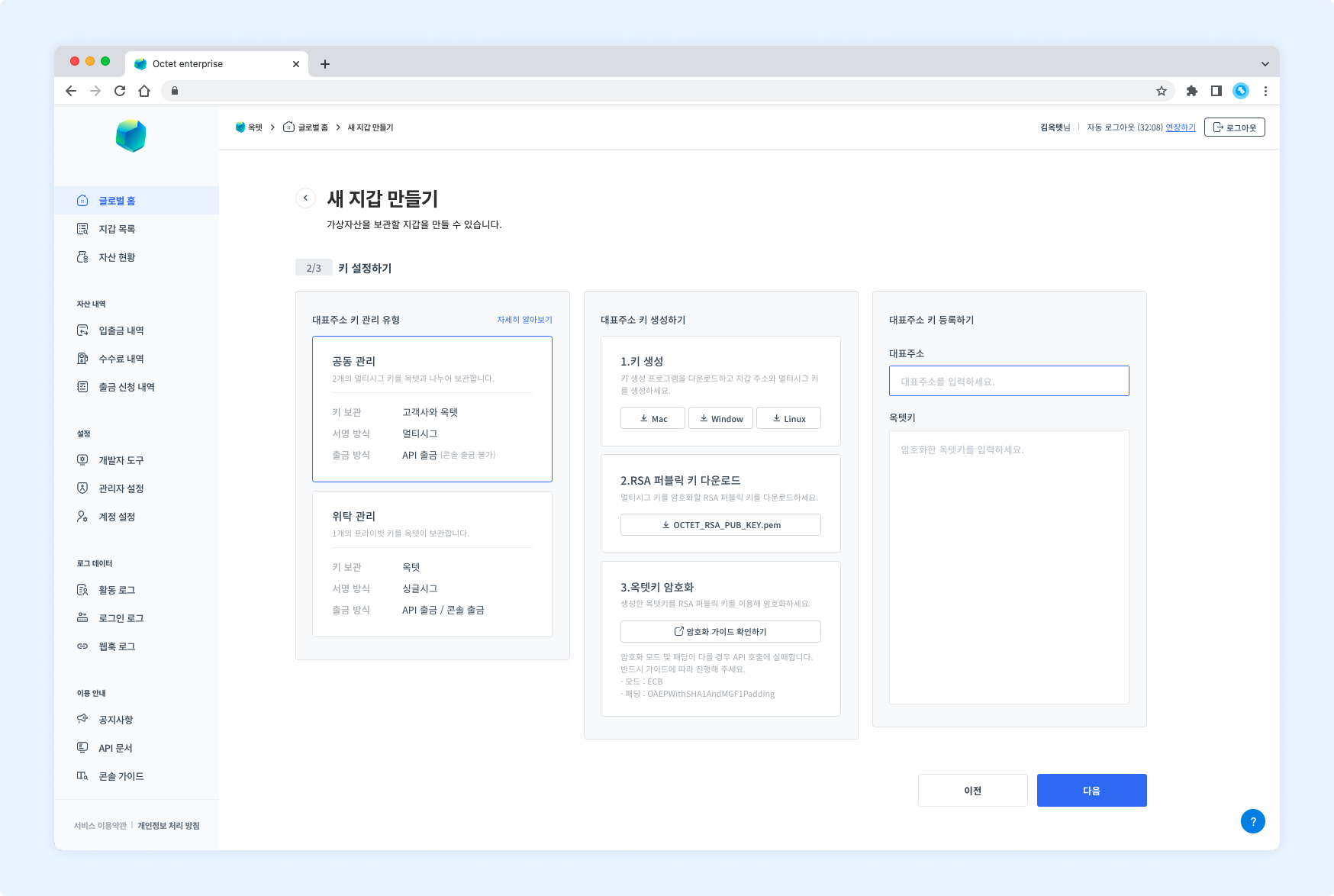
- Select the key management type for the main address. The type cannot be changed after the wallet is created.
- If you selected the
co-managedtype, download the key generator and generate the keys. - If you selected the
Octet-managedtype, proceed to the next step.
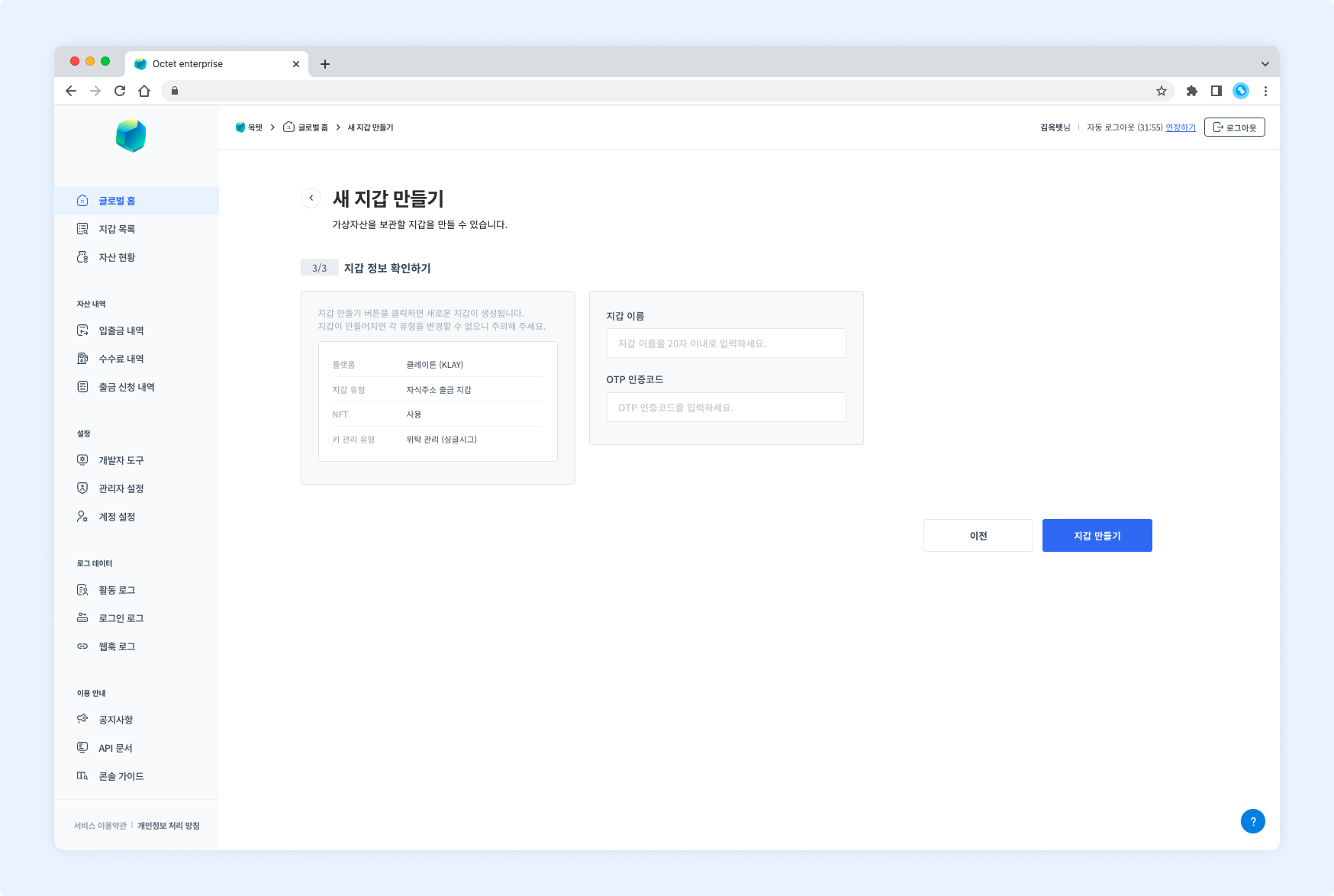
- Check that the wallet information is correct. It cannot be changed after the wallet is created.
- Enter the wallet name.
- Enter the OTP code and click the
Create Walletbutton.
Download
Click the Download Excel button above the table to download the current wallet list as an Excel file.
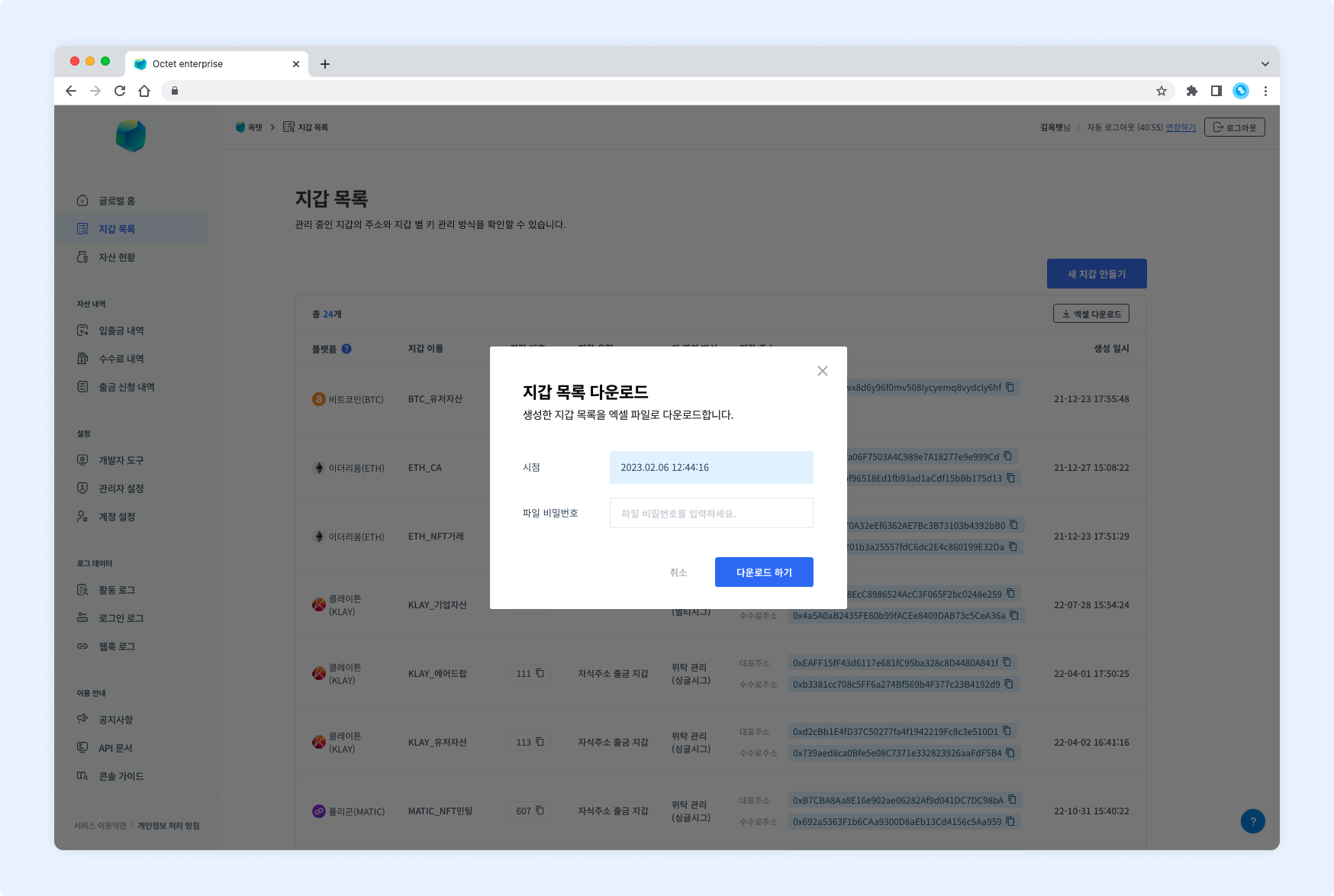
Enter a file password and click the Download button.