Transactions
Viewing transaction history
You can view the deposits and withdrawals of every wallet you have permission for.
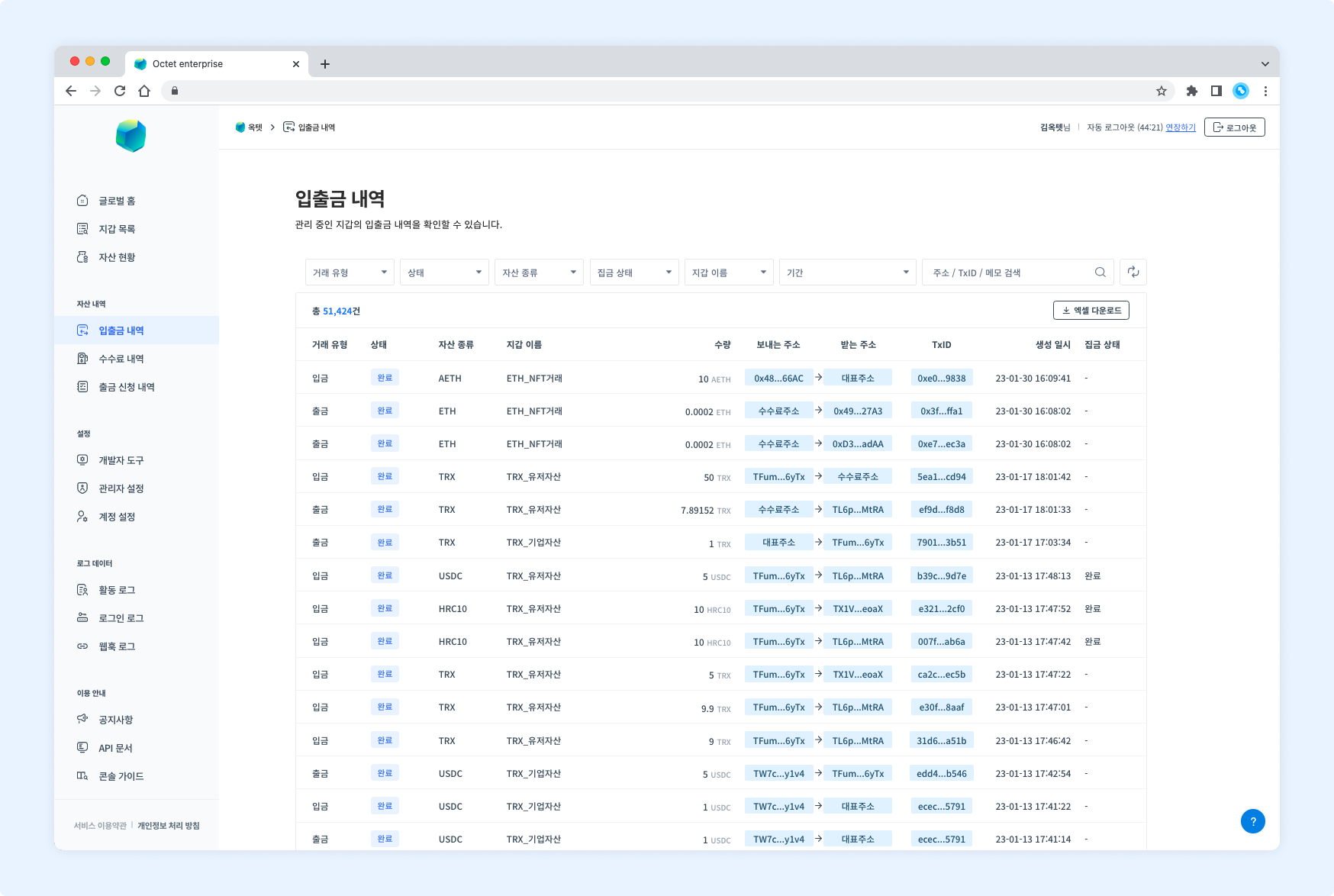
Item | Description |
|---|---|
Transaction type |
|
Status |
|
Asset | Symbol of the deposited or withdrawn asset |
Wallet name | Name of the wallet where the deposit or withdrawal occurred |
Amount | Amount of the deposited or withdrawn asset |
From address | Address that sent the asset |
To address | Address that received the asset |
TxID | Unique value of the transaction |
Created at | Date and time the transaction was created |
Gathering status | Whether the asset deposited to a centralized wallet has been gathered |
Details
Click a row in the table to see the details of that transaction.
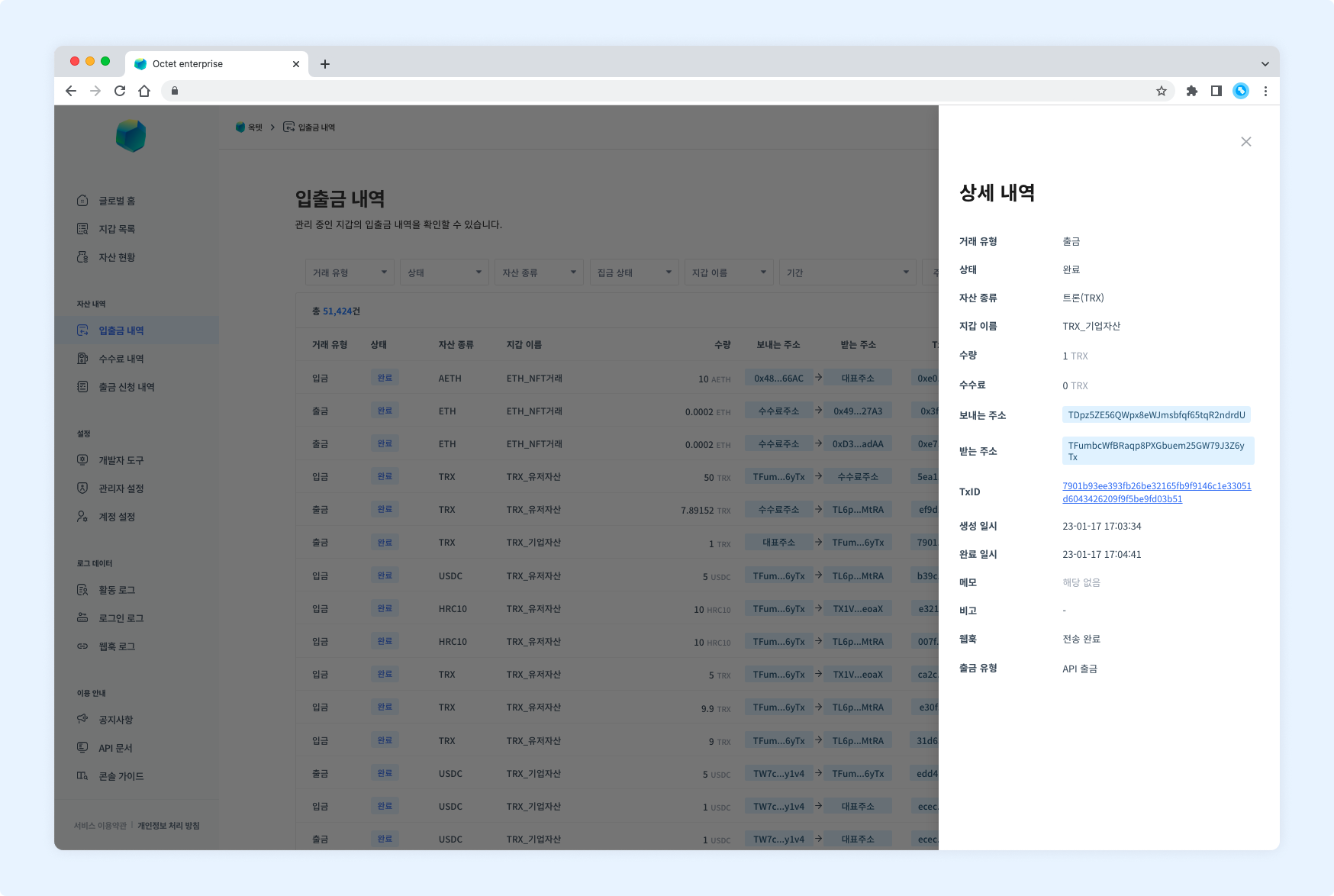
Deposit
Item | Description |
|---|---|
Transaction type |
|
Status |
|
Asset | Name and symbol of the deposited asset |
Wallet name | Name of the wallet where the deposit occurred |
Amount | Amount of the deposited asset |
From address | Address that sent the asset |
To address | Address that received the asset |
TxID | Unique value of the transaction |
Created at | Date and time the transaction was created |
Memo | Destination tag for XRP or memo for EOS |
Webhook |
|
TIP
When a deposit to a centralized wallet is completed, aView Gathering Historybutton appears in the 'Status' item.
Click it to see the gathering details.
Withdrawal
Item | Description |
|---|---|
Transaction type |
|
Status |
|
Asset | Name and symbol of the withdrawn asset |
Wallet name | Name of the wallet where the withdrawal occurred |
Amount | Amount of the withdrawn asset |
Fee | Fee used for the withdrawal |
From address | Address that sent the asset |
To address | Address that received the asset |
TxID | Unique value of the transaction |
Created at | Date and time the transaction was created |
Completed at | Date and time the transaction was completed |
Memo | Destination tag for XRP or memo for EOS |
Note | Description entered when the withdrawal was requested |
Webhook |
|
Withdrawal type |
|
TIP
For withdrawals that went through approval in the console, aView Processing Historybutton appears in the 'Withdrawal type' item.
Click it to see the withdrawal processing history.
Download
Click the Download Excel button above the table to download the transaction history for a specific period as an Excel file.
Select the period, enter a file password, and click the Download button.