Global Home
You can see a summary of transaction data and a summary of wallet data.
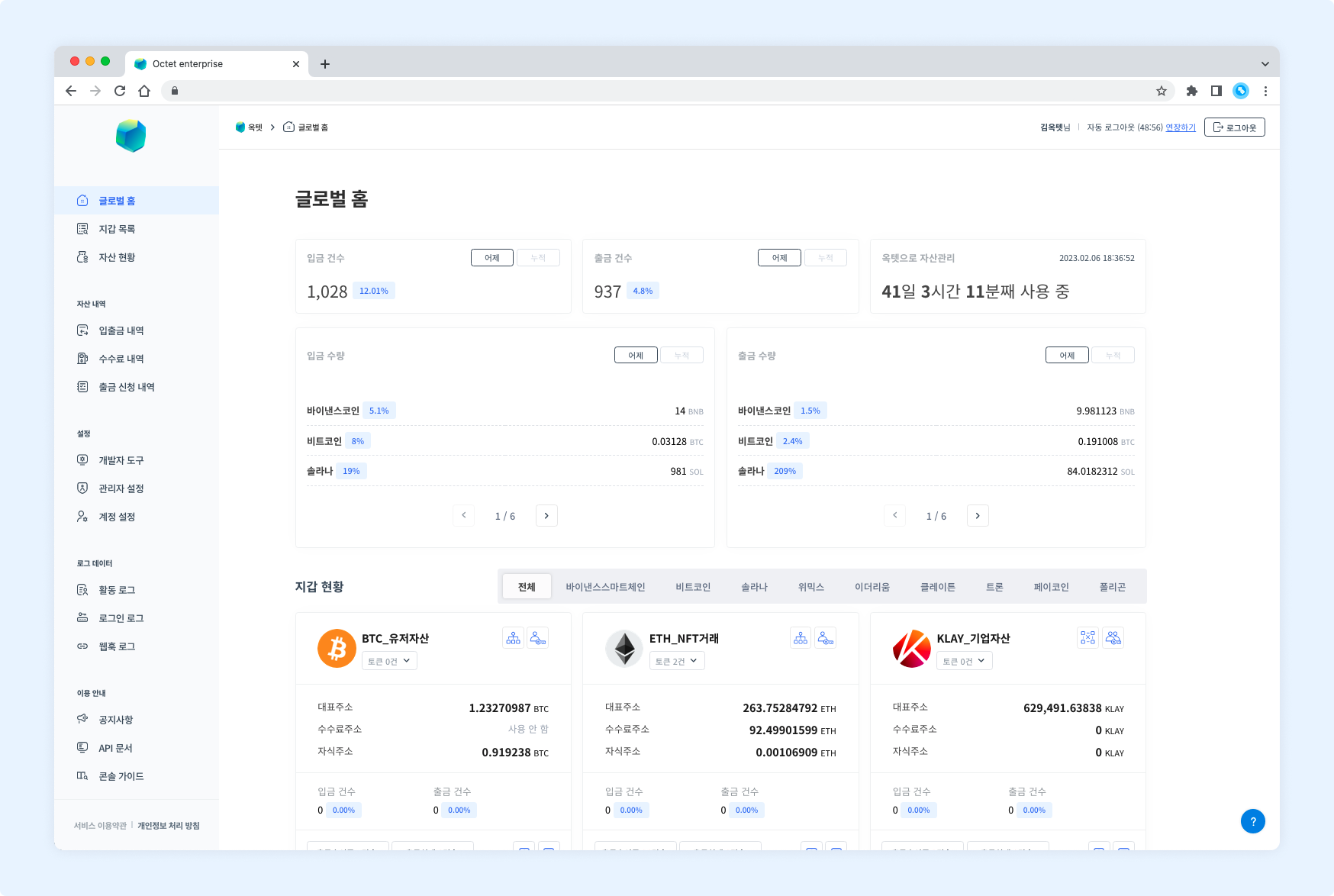
Transaction data
- View the number of deposits. (yesterday, cumulative)
- View the number of withdrawals. (yesterday, cumulative)
- View the deposit amount per asset. (yesterday, cumulative)
- View the withdrawal amount per asset. (yesterday, cumulative)
TIP Click a balance figure to go to the Assets or Transactions page.
Wallet data
- View the wallet's information. (platform, wallet type, key management type)
- View the wallet's balances. (main address, fee address, and child address balances)
- View the wallet's transaction summary. (number of deposits, number of withdrawals)
- View the wallet's withdrawals awaiting approval.
- View the wallet's withdrawals that failed in the last 24 hours.
- Go to the wallet's Admins and Wallet Settings pages.
TIP Click a balance figure to go to the Assets page.