[2023.04] Multisig wallets can now withdraw from the Console.
Console withdrawals for multisig wallets / Asset value in KRW / NFT manual deposit support / Key generator integrity verification introduced / KAIA, ETH, BSC hard fork support / SOL deposit system improved / ETH CA sweep system improved
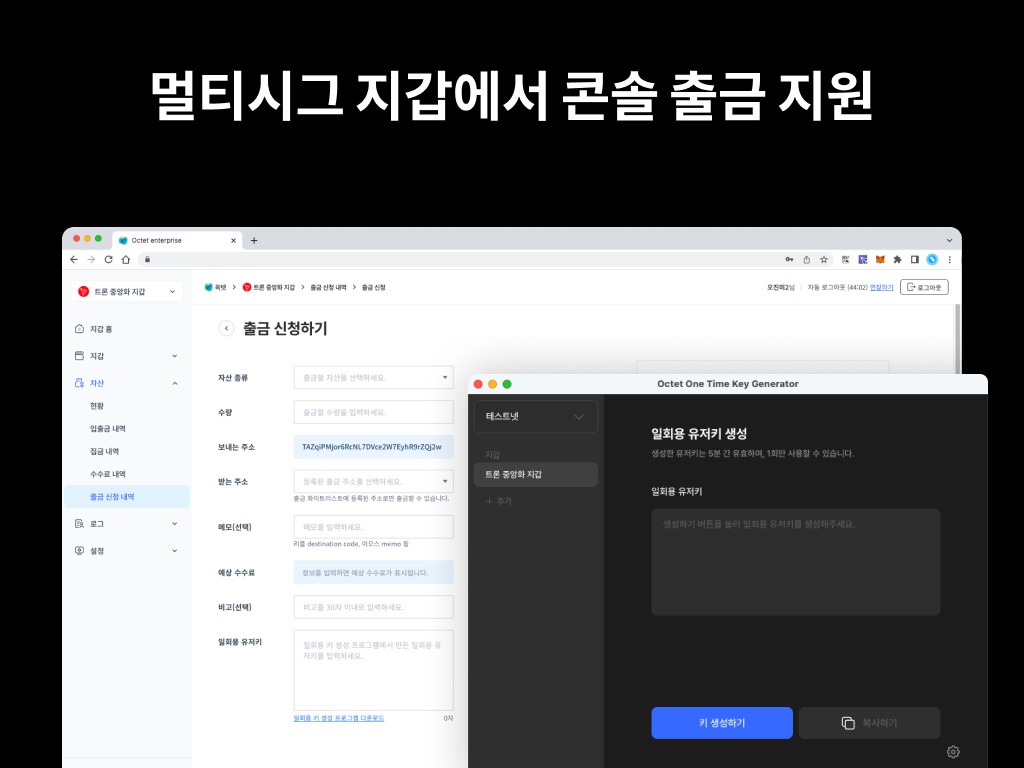
Wallets whose key management type is 'Co-managed (Multisig)' can now withdraw from the Console. For security, a one-time user key must be generated and used when withdrawing from a multisig wallet via the Console. See the one-time user key generation guide for details.
You can request a withdrawal from [Withdrawal Requests] in the Console. ('Requester' role)
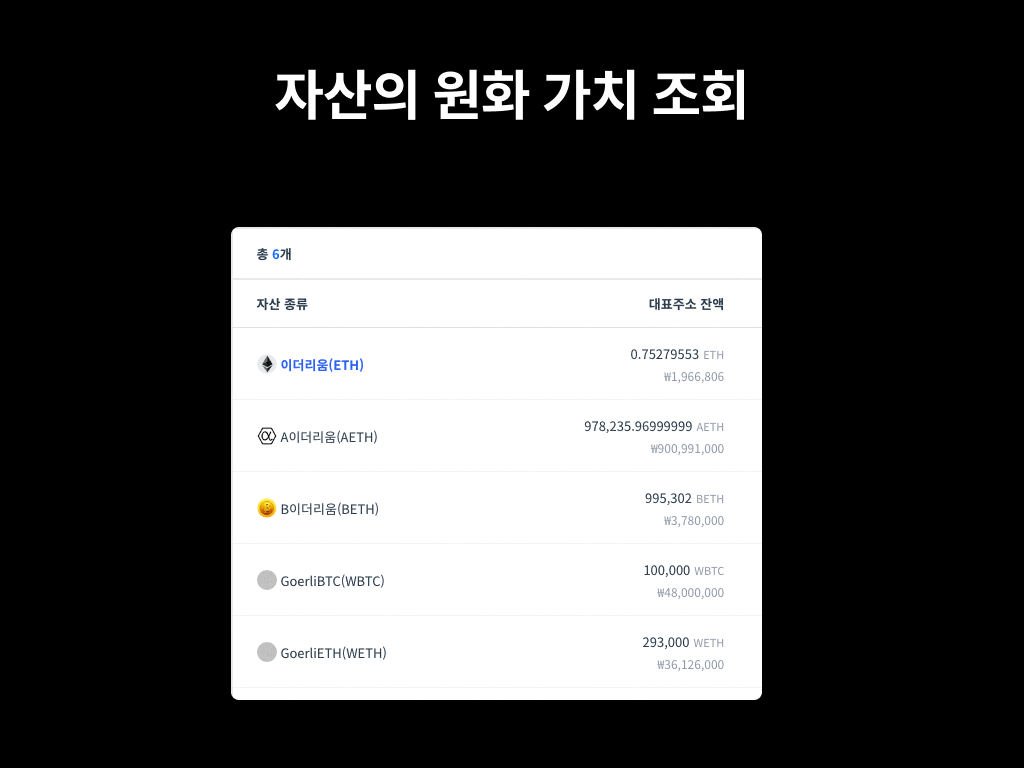
You can now view the value of your current balance and the asset value at the time of deposit/withdrawal in KRW in the Console.
Supported pages: Asset Overview, Deposit/Withdrawal History, Fee History, Withdrawal Requests, etc.
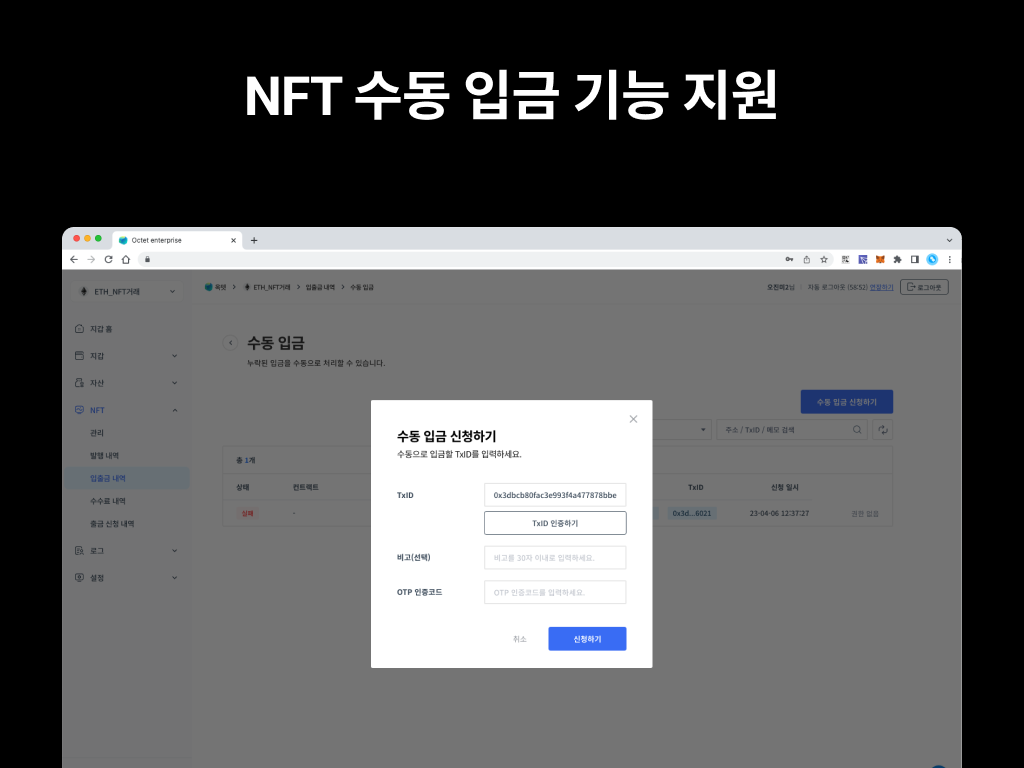
An NFT manual deposit feature has been added. When the NFT deposit mode is 'Whitelist deposit', deposits made without registering the NFT contract are not processed. If an unregistered NFT has been deposited, you can use the manual deposit feature to apply the deposit.
To prevent a single admin from arbitrarily changing assets, deposit permissions have been separated. A 'Requester' submits the deposit request, and an 'Owner' or 'Approver' must approve it before the deposit is finally applied.
[Running a manual deposit]
- Register the NFT contract in Wallet > [Wallet Settings] > [NFT Deposit Whitelist>.
- Go to Wallet > [NFT Deposit/Withdrawal History] and click the [Manual Deposit] button at the top right.
- Enter the TxID that needs to be processed. ('Requester' role)
- Approve the requested deposit. ('Owner' or 'Approver' role)
The number of admins required for approval is the same as the withdrawal setting.
Other updates
- Introduced the key generator integrity verification system.
- Supported the KAIA, ETH, and BSC hard forks.
- Improved the SOL deposit system.
- Improved the ETH CA sweep system.